
AI-powered website builder that generates a professional site in under a minute and includes tools for content, SEO, and analytics.
52M visits/mo+0.7%#4 Coding & Development
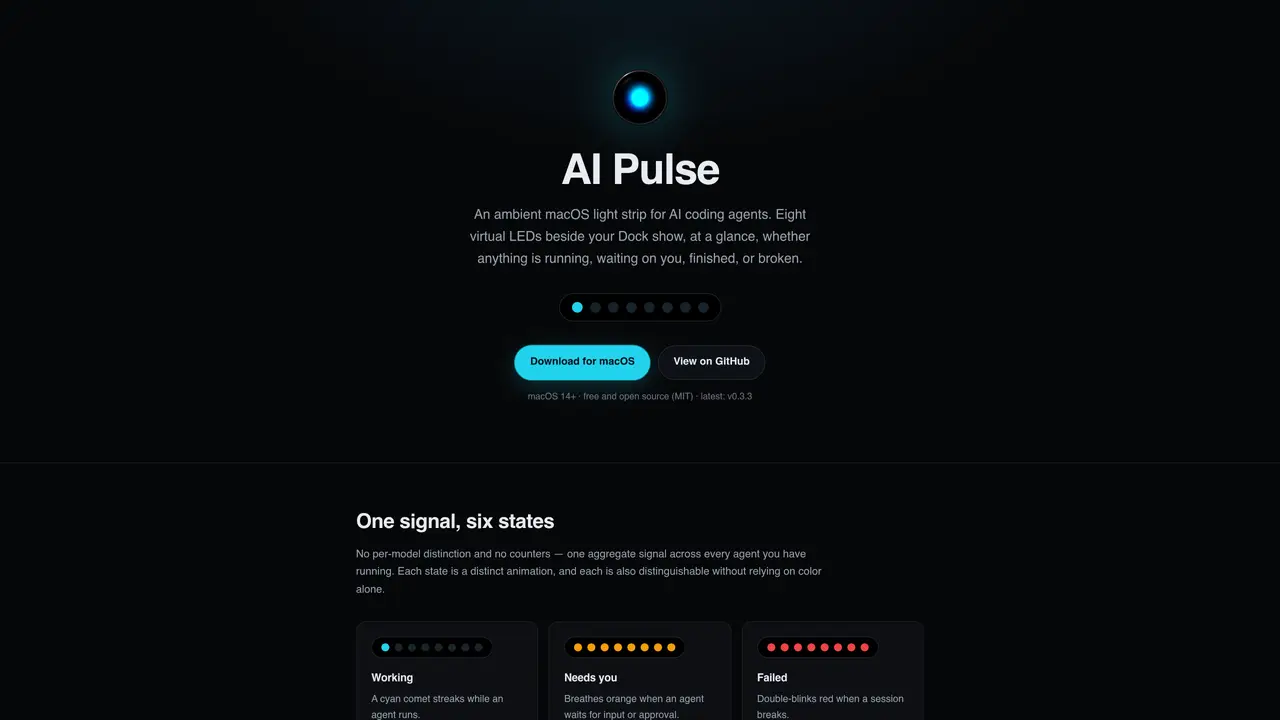
AI Pulse is a macOS utility that displays the status of AI coding agents as an ambient light strip positioned beside the Dock. The tool aggregates signals from multiple agents into a single visual indicator, using distinct animations to represent states such as working, waiting for input, failed, finished, idle, or off. Each state is distinguishable without relying on color alone, and animations include a cyan comet for active sessions, an orange pulse for waiting states, and red double-blinks for failures. The strip can operate in two indicator styles: an aggregate strip showing a single signal across all agents or a per-agent mode with one LED per session. AI Pulse integrates with local agents via a loopback HTTP API or CLI commands, supporting tools like Claude Code and custom scripts. It floats as a borderless, nonactivating panel adjacent to the Dock, visible during work but unobtrusive. The application is free, open-source, and requires macOS 14 or later. It does not embed in the Dock but positions itself using public screen geometry, avoiding private APIs or invasive permissions.
AI Pulse is a free, open-source macOS utility that displays the status of AI coding agents as an ambient light strip beside the Dock. It uses distinct animations to show states such as working, waiting for input, failed, finished, idle, or off without relying solely on color.
AI Pulse is designed for developers who use local AI coding agents like Claude Code and want a non-intrusive, at-a-glance visual indicator of agent activity while working on macOS 14 or later.
AI Pulse integrates via a loopback HTTP API on 127.0.0.1:7455 or through the bundled CLI. Agents like Claude Code can be wired directly, or custom scripts can push state updates using the API or CLI commands.
AI Pulse offers an aggregate 'Lights' mode showing a single signal across all agents or a 'Agent lights' mode with one LED per session, allowing visibility of each agent's state individually.
No, AI Pulse does not require private APIs, Accessibility permissions, Screen Recording, or invasive permissions. It positions itself using public screen geometry and binds only to the loopback interface.
Download the latest release, unzip it, move AI Pulse.app to /Applications, and launch it. On macOS 15+, allow it under System Settings → Privacy & Security → Open Anyway. Configure agents to send status updates via the loopback API or CLI.
We use essential cookies to run aitoolnavio™, and optional cookies to analyze traffic and measure our marketing. You choose what we use — optional cookies stay off unless you turn them on. See our Privacy Policy.
One short email a week: fresh tools worth trying, honest takes and the updates that actually matter. No spam, unsubscribe any time.
AI-powered website builder that generates a professional site in under a minute and includes tools for content, SEO, and analytics.
AI-powered coding platform that uses agents to plan, write, and test software with real-time feedback and verifiable artifacts.
Automate code, research, and documents using agents.
AI-powered code assistant that generates, reviews, optimizes, and debugs code with natural language prompts and editor integrations.
AI assistant for safe, reliable productivity with code, collaboration, and integrations.
AI-powered IDE for autonomous coding tasks and agentic development workflows
Privacy-focused AI chatbot that generates uncensored text, code, images, and translations without storing conversations or requiring an account.
A free web-based AI chatbot and agent for writing, coding, research, and content creation with multilingual support.
Write & run code in 50+ languages, auto-complete with AI, and code faster with an intuitive interface.
An IDE that automates legacy-to-modern code migration using autonomous coding agents.
AI models that return typed decisions with calibrated confidence for software automation
Practice coding challenges, improve technical skills, get detailed explanations, compare performance with peers.
Matched on what this tool does — grouped by the job you would be replacing.
matches Eight virtual LEDs beside the Dock · Six distinct states with unique animations · Aggregate or per-agent indicator modes
Local observability dashboard for AI coding agents and autonomous tools
Mac menu bar app showing AI plan usage limits