AI-powered website builder that generates a professional site in under a minute and includes tools for content, SEO, and analytics.
52M visits/mo+0.7%#4 Coding & Development

Automatically generate code suggestions, receive tailored guidance, and get alerted to potential errors and bugs.
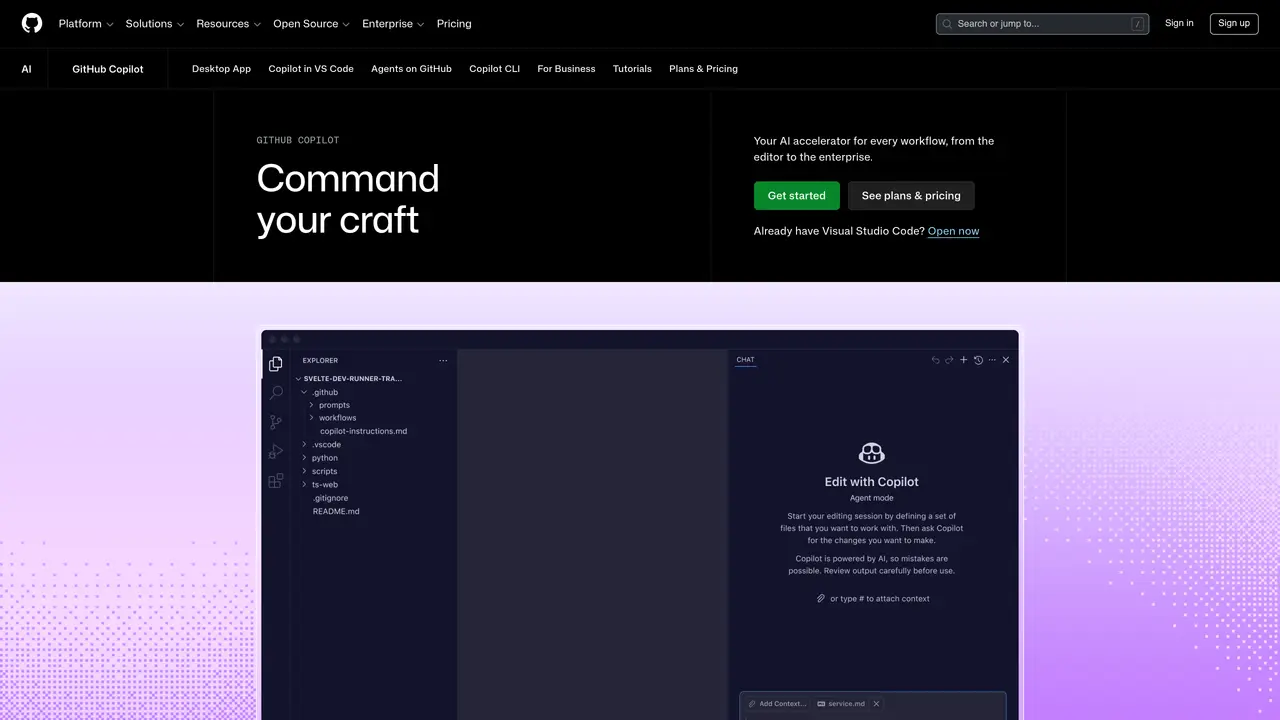
GitHub Copilot is the ultimate code assistant. With this AI pair programmer, you can get suggestions for code and entire functions in real-time, straight from your editor. Powered by OpenAI Codex, Copilot is the perfect way to boost your coding productivity, accuracy, and efficiency. Whether you’re a beginner or experienced programmer, Copilot has you covered. It can provide you with tailored guidance and suggestions on how to write code, as well as alerting you to potential errors and bugs. And because it’s integrated into your editor, you can make changes to your code in an instant. Copilot allows you to work smarter, faster, and better. It’s the perfect tool for streamlining your workflow, so you can spend more time coding and less time debugging. Get access to the latest features, tools, and technologies and take your coding skills to the next level.
GitHub, Inc.
San Francisco, California, US · Founded 2008
GitHub Copilot is an AI-powered coding assistant that provides real-time code suggestions, explanations, and completions directly within your editor or IDE. It functions as an AI pair programmer, helping developers write, review, and debug code more efficiently.
GitHub Copilot is designed for developers of all skill levels, from beginners to experienced programmers. It is also suitable for teams and enterprises looking to enhance productivity, streamline workflows, and integrate AI-driven coding assistance across their development processes.
GitHub Copilot integrates seamlessly with popular editors like Visual Studio Code, IDEs, the command line (CLI), GitHub, and custom MCP servers. It supports workflows from issue tracking to code review and merging, allowing developers to stay within their preferred environments.
GitHub Copilot offers multiple pricing tiers, including a free plan for individuals, a Pro plan for everyday coding, a Pro+ plan for complex development, a Max plan for high-volume workflows, and a Business plan for teams with pooled credits and enterprise controls.
Yes, GitHub Copilot allows organizations to tailor its behavior, knowledge base, and integrations to align with their specific business requirements. This includes customizing what the AI knows, how it acts, and where it connects within the development environment.
Yes, GitHub Copilot includes enterprise-grade security features such as detailed audit logs, governance controls for managing agent usage, and secure integration with MCP servers to prevent unauthorized access.
We use essential cookies to run aitoolnavio™, and optional cookies to analyze traffic and measure our marketing. You choose what we use — optional cookies stay off unless you turn them on. See our Privacy Policy.
One short email a week: fresh tools worth trying, honest takes and the updates that actually matter. No spam, unsubscribe any time.
AI-powered website builder that generates a professional site in under a minute and includes tools for content, SEO, and analytics.
AI-powered coding platform that uses agents to plan, write, and test software with real-time feedback and verifiable artifacts.
Automate code, research, and documents using agents.
AI-powered code assistant that generates, reviews, optimizes, and debugs code with natural language prompts and editor integrations.
AI assistant for safe, reliable productivity with code, collaboration, and integrations.
AI-powered IDE for autonomous coding tasks and agentic development workflows
Privacy-focused AI chatbot that generates uncensored text, code, images, and translations without storing conversations or requiring an account.
A free web-based AI chatbot and agent for writing, coding, research, and content creation with multilingual support.
Write & run code in 50+ languages, auto-complete with AI, and code faster with an intuitive interface.
An IDE that automates legacy-to-modern code migration using autonomous coding agents.
AI models that return typed decisions with calibrated confidence for software automation
Practice coding challenges, improve technical skills, get detailed explanations, compare performance with peers.
Matched on what this tool does — grouped by the job you would be replacing.
matches Automatically generate suggestions for code and functions · Receive tailored guidance to write code accurately · Alerts you to potential errors and bugs
AI-powered IDE that provides free access to Claude models for real-time coding assistance, code generation, and task automation.
Generate code snippets, get real-time recommendations, and integrate with popular coding platforms for efficient code management.
Create tasks, set deadlines, track progress, review code efficiently, automate notifications for team members.
AI coding assistant that generates and explains code from natural language descriptions to speed up development and reduce errors.