AI-powered website builder that generates a professional site in under a minute and includes tools for content, SEO, and analytics.
52M visits/mo+0.7%#4 Coding & Development
Open-source terminal tool that turns a live Codex or Claude Code session into a shared, multiplayer coding experience with a teammate.
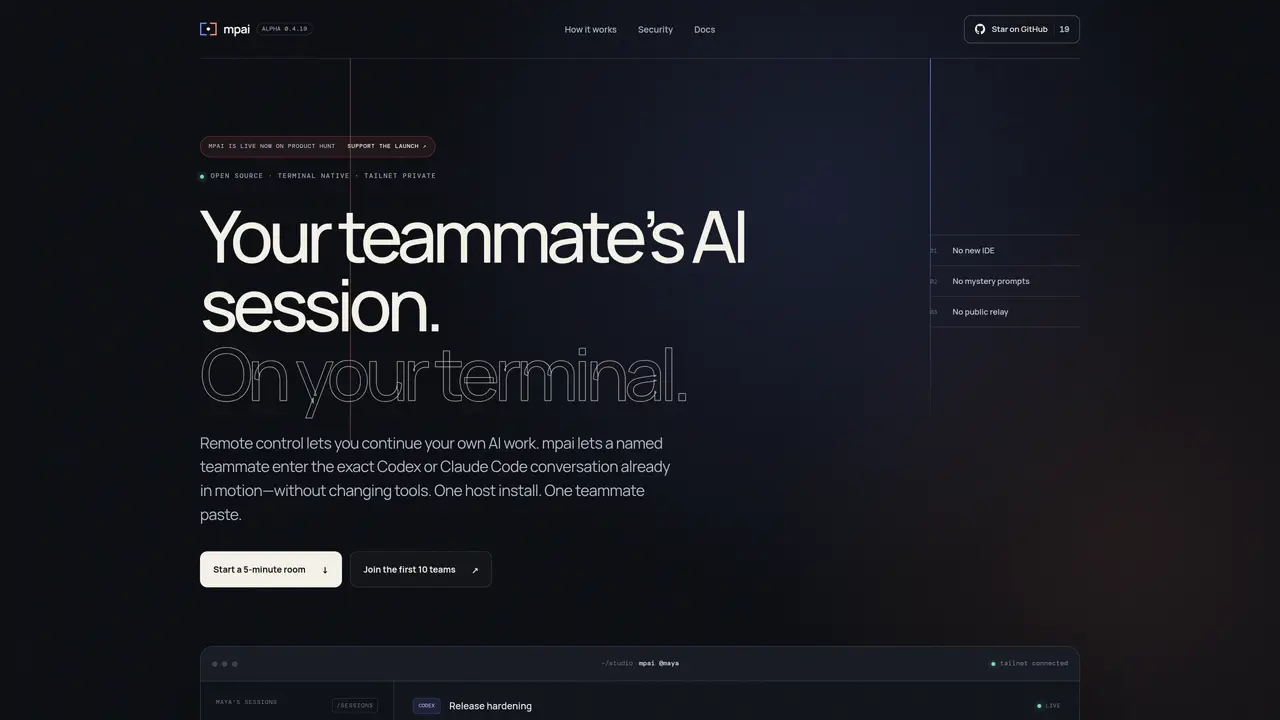
mpai is an open-source terminal tool that transforms a single-user AI coding session into a collaborative, multiplayer experience. The host initiates a session in Codex or Claude Code and shares it with a teammate via a private invite over a Tailscale network. The guest joins directly from their own terminal without needing a new IDE, screen sharing, or transcript pasting. Each participant’s prompts are clearly attributed by name in the native transcript, maintaining transparency and accountability. The host retains full session control while enabling real-time collaboration, ensuring that the workflow remains seamless and secure. By acting as a lightweight coordination layer above the AI agents, mpai preserves the integrity of the original session while extending its accessibility to a teammate. This approach eliminates the friction of traditional multiplayer coding setups, making it ideal for pair programming, code reviews, or onboarding sessions.
mpai is an open-source terminal tool that transforms single-user AI coding sessions into collaborative multiplayer experiences. It allows a host to share an active Codex or Claude Code session with a teammate over a private Tailscale network, enabling real-time collaboration without switching IDEs or pasting transcripts.
mpai is designed for developers, teams, and organizations that use AI coding assistants like Codex or Claude Code and want to collaborate in real time. It is particularly useful for pair programming, code reviews, or onboarding sessions where context sharing is critical.
mpai operates over a private Tailscale network, ensuring that session sharing is secure and controlled. The host explicitly shares only specific sessions, and access is bound to Tailscale identities. The tool does not use public relays or expose sessions broadly.
mpai requires macOS on the host machine and an existing Tailscale network. The host needs to have Codex or Claude Code installed, while the guest only needs Node.js 20+ to paste the invite command and join the session.
Yes, commercial use is allowed under the MIT License. However, the alpha version is intended for pilot use with controlled hosts and clients, and sensitive data should not be shared during this phase.
To get started, install mpai on the host machine using Homebrew or npm, then run the `mpai start` command to initiate a session. The host can then generate an invite command to share with the teammate, who pastes it to join the session directly from their terminal.
We use essential cookies to run aitoolnavio™, and optional cookies to analyze traffic and measure our marketing. You choose what we use — optional cookies stay off unless you turn them on. See our Privacy Policy.
One short email a week: fresh tools worth trying, honest takes and the updates that actually matter. No spam, unsubscribe any time.
AI-powered website builder that generates a professional site in under a minute and includes tools for content, SEO, and analytics.
AI-powered coding platform that uses agents to plan, write, and test software with real-time feedback and verifiable artifacts.
Automate code, research, and documents using agents.
AI-powered code assistant that generates, reviews, optimizes, and debugs code with natural language prompts and editor integrations.
AI assistant for safe, reliable productivity with code, collaboration, and integrations.
AI-powered IDE for autonomous coding tasks and agentic development workflows
Privacy-focused AI chatbot that generates uncensored text, code, images, and translations without storing conversations or requiring an account.
A free web-based AI chatbot and agent for writing, coding, research, and content creation with multilingual support.
Write & run code in 50+ languages, auto-complete with AI, and code faster with an intuitive interface.
An IDE that automates legacy-to-modern code migration using autonomous coding agents.
AI models that return typed decisions with calibrated confidence for software automation
Practice coding challenges, improve technical skills, get detailed explanations, compare performance with peers.
Matched on what this tool does — grouped by the job you would be replacing.
matches Share live Codex or Claude Code sessions with teammates · Join sessions directly from a terminal without additional IDEs · Private invites scoped to specific sessions over Tailscale
Open-source platform for teams to collaborate with local AI agents in shared Discord-style rooms while keeping data on their own machines.
Shared workspace for teams of AI coding agents
A coordination layer for multiple AI coding agents working together