AI-powered website builder that generates a professional site in under a minute and includes tools for content, SEO, and analytics.
52M visits/mo+0.7%#4 Coding & Development

Desktop app that listens to technical interviews and suggests answers using a local transcription and a
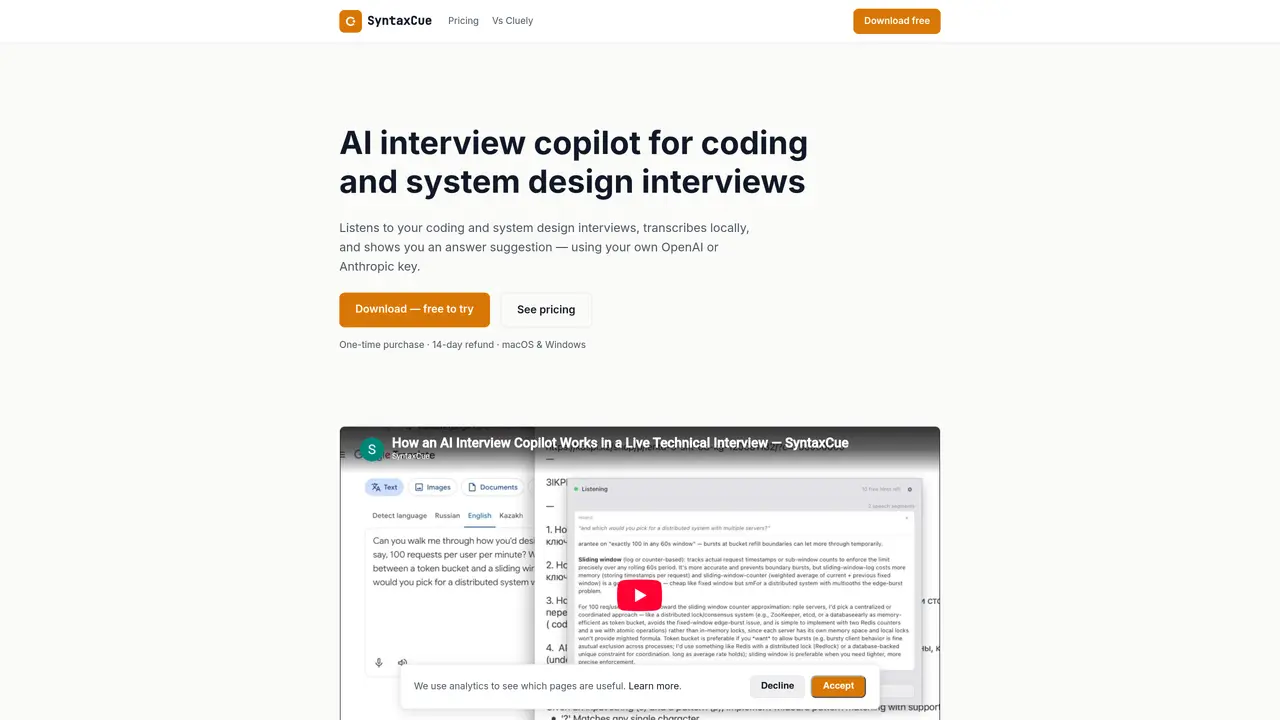
SyntaxCue is a desktop application designed for software engineers preparing for technical interviews. It captures system audio during live calls on platforms such as Zoom, Google Meet, or Microsoft Teams, transcribes the conversation locally on the user’s machine, and then generates suggested answers using the user’s own OpenAI or Anthropic API key. The tool operates without a subscription, backend processing, or data retention, and it provides hints in a private window visible only to the user. It supports both system design and coding interview scenarios, with settings to exclude the hint window from screen shares for privacy. The application is available for macOS and Windows and requires no account creation or telemetry collection within the app itself. The software is purchased once and used for six months, after which users can repurchase if needed, with no recurring charges beyond their LLM provider’s usage fees.
SyntaxCue is a desktop application for software engineers preparing for technical interviews. It listens to live coding or system design interviews, transcribes the conversation locally, and generates suggested answers using the user’s own OpenAI or Anthropic API key.
No, SyntaxCue does not require account creation or telemetry collection within the app. Users can download and activate the software without signing up.
Yes, SyntaxCue captures system audio during calls, so it works with any video call platform, including Zoom, Google Meet, and Microsoft Teams.
SyntaxCue includes an optional screen-share exclusion setting that keeps the hint window out of the user’s screen share or recording stream, ensuring privacy during interviews.
SyntaxCue is a one-time purchase with a 6-month license. There are no subscriptions or recurring charges beyond the user’s own LLM provider usage fees.
Yes, SyntaxCue offers a 14-day refund policy with no hoops or proof-of-defect requirements for technical issues or accidental purchases.
We use essential cookies to run aitoolnavio™, and optional cookies to analyze traffic and measure our marketing. You choose what we use — optional cookies stay off unless you turn them on. See our Privacy Policy.
One short email a week: fresh tools worth trying, honest takes and the updates that actually matter. No spam, unsubscribe any time.
AI-powered website builder that generates a professional site in under a minute and includes tools for content, SEO, and analytics.
AI-powered coding platform that uses agents to plan, write, and test software with real-time feedback and verifiable artifacts.
Automate code, research, and documents using agents.
AI-powered code assistant that generates, reviews, optimizes, and debugs code with natural language prompts and editor integrations.
AI assistant for safe, reliable productivity with code, collaboration, and integrations.
AI-powered IDE for autonomous coding tasks and agentic development workflows
Privacy-focused AI chatbot that generates uncensored text, code, images, and translations without storing conversations or requiring an account.
A free web-based AI chatbot and agent for writing, coding, research, and content creation with multilingual support.
Write & run code in 50+ languages, auto-complete with AI, and code faster with an intuitive interface.
An IDE that automates legacy-to-modern code migration using autonomous coding agents.
AI models that return typed decisions with calibrated confidence for software automation
Practice coding challenges, improve technical skills, get detailed explanations, compare performance with peers.
Matched on what this tool does — grouped by the job you would be replacing.
matches Local speech-to-text transcription using whisper.cpp · Private hint window visible only to the user · Screen-share exclusion toggle for privacy
Real-time AI interview assistant that transcribes interviewer audio and provides hidden answer suggestions during live interviews on Zoom, Google Meet, Teams, and coding sessions.
AI interview assistant that provides real-time answers during live video calls without being detected
Real-time AI interview assistant that transcribes speech and suggests structured answers during live calls on Zoom, Teams, and Meet.
Real-time AI assistant that listens and writes live answers during interviews