AI-powered website builder that generates a professional site in under a minute and includes tools for content, SEO, and analytics.
52M visits/mo+0.7%#4 Coding & Development

Monitors web apps and translates errors into plain language with copy-paste fixes
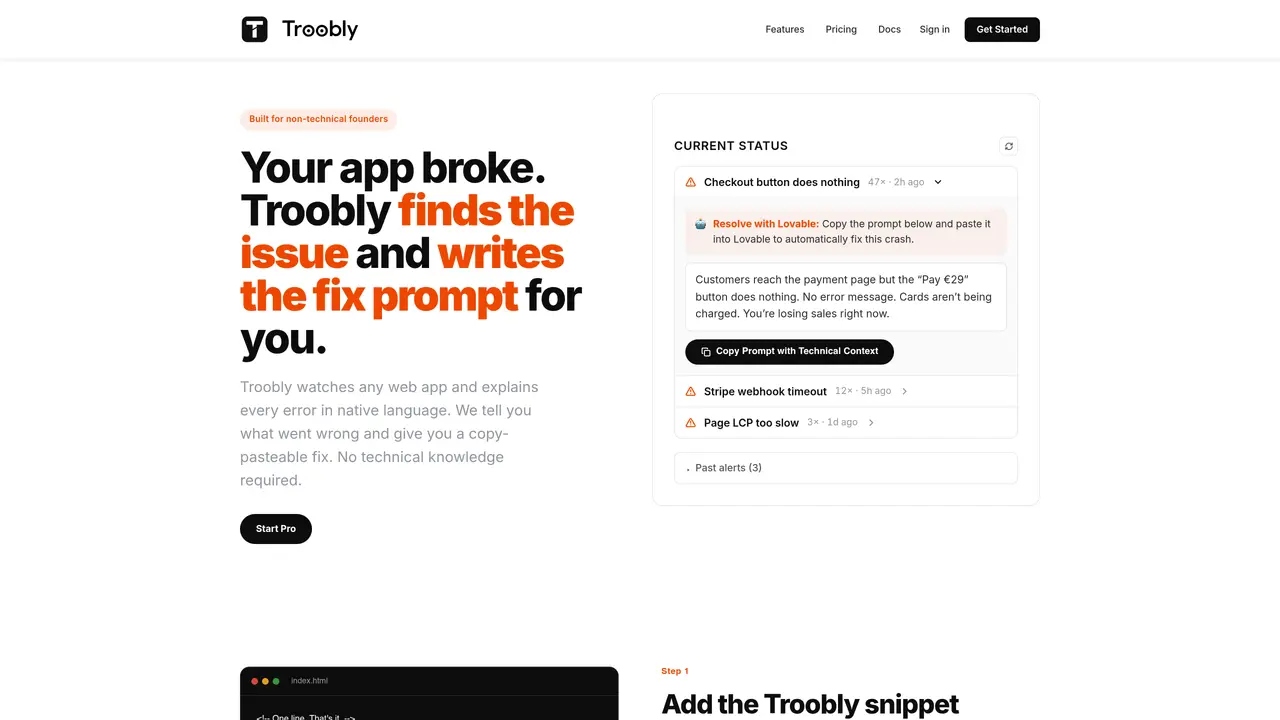
Troobly watches web applications and converts technical errors into human-readable explanations. It provides one-sentence descriptions of issues and generates copy-pasteable prompts to fix them. The tool requires no technical knowledge to use and integrates via a single JavaScript snippet. It tracks failures such as broken checkouts, payment errors, slow page loads, and database issues in real time. Alerts are sent via email when new errors occur, with a history of past issues available for review. The service is designed for non-technical founders and small teams managing multiple projects. It works with any web app that loads a script tag and supports integration with AI development tools like Lovable, Bolt, v0, Replit, and Base44.
Troobly monitors web applications and translates technical errors into clear, human-readable explanations. It provides one-sentence descriptions of issues and generates copy-pasteable prompts to fix them, requiring no technical knowledge to use.
The tool is built for non-technical founders and small teams managing multiple projects, helping them understand and resolve app errors without needing technical expertise.
Integration requires adding a single JavaScript snippet to your web app. The snippet loads a script tag, enabling Troobly to monitor errors in real time.
Yes, Troobly supports integration with AI development tools such as Lovable, Bolt, v0, Replit, and Base44, allowing users to paste generated fix prompts directly into these platforms.
Troobly tracks failures like broken checkouts, payment errors, slow page loads, database issues, and image upload errors, alerting users via email when new issues arise.
Yes, Troobly offers a free plan for trying out the service, with the option to upgrade as your app grows.
We use essential cookies to run aitoolnavio™, and optional cookies to analyze traffic and measure our marketing. You choose what we use — optional cookies stay off unless you turn them on. See our Privacy Policy.
One short email a week: fresh tools worth trying, honest takes and the updates that actually matter. No spam, unsubscribe any time.
AI-powered website builder that generates a professional site in under a minute and includes tools for content, SEO, and analytics.
AI-powered coding platform that uses agents to plan, write, and test software with real-time feedback and verifiable artifacts.
Automate code, research, and documents using agents.
AI-powered code assistant that generates, reviews, optimizes, and debugs code with natural language prompts and editor integrations.
AI assistant for safe, reliable productivity with code, collaboration, and integrations.
AI-powered IDE for autonomous coding tasks and agentic development workflows
Privacy-focused AI chatbot that generates uncensored text, code, images, and translations without storing conversations or requiring an account.
A free web-based AI chatbot and agent for writing, coding, research, and content creation with multilingual support.
Write & run code in 50+ languages, auto-complete with AI, and code faster with an intuitive interface.
An IDE that automates legacy-to-modern code migration using autonomous coding agents.
AI models that return typed decisions with calibrated confidence for software automation
Practice coding challenges, improve technical skills, get detailed explanations, compare performance with peers.
Matched on what this tool does — grouped by the job you would be replacing.
matches Real-time error monitoring · Native-language error explanations · Copy-pasteable fix prompts
Self-hosted error tracking with AI-generated fixes and GitHub pull requests
Diagnose software issues, debug code errors, and customize workflow with a user-friendly interface.