AI-powered website builder that generates a professional site in under a minute and includes tools for content, SEO, and analytics.
52M visits/mo+0.7%#4 Coding & Development

A web-based prompt manager for teams to create, run, label, search, and share generative AI prompts with response storage and analysis.
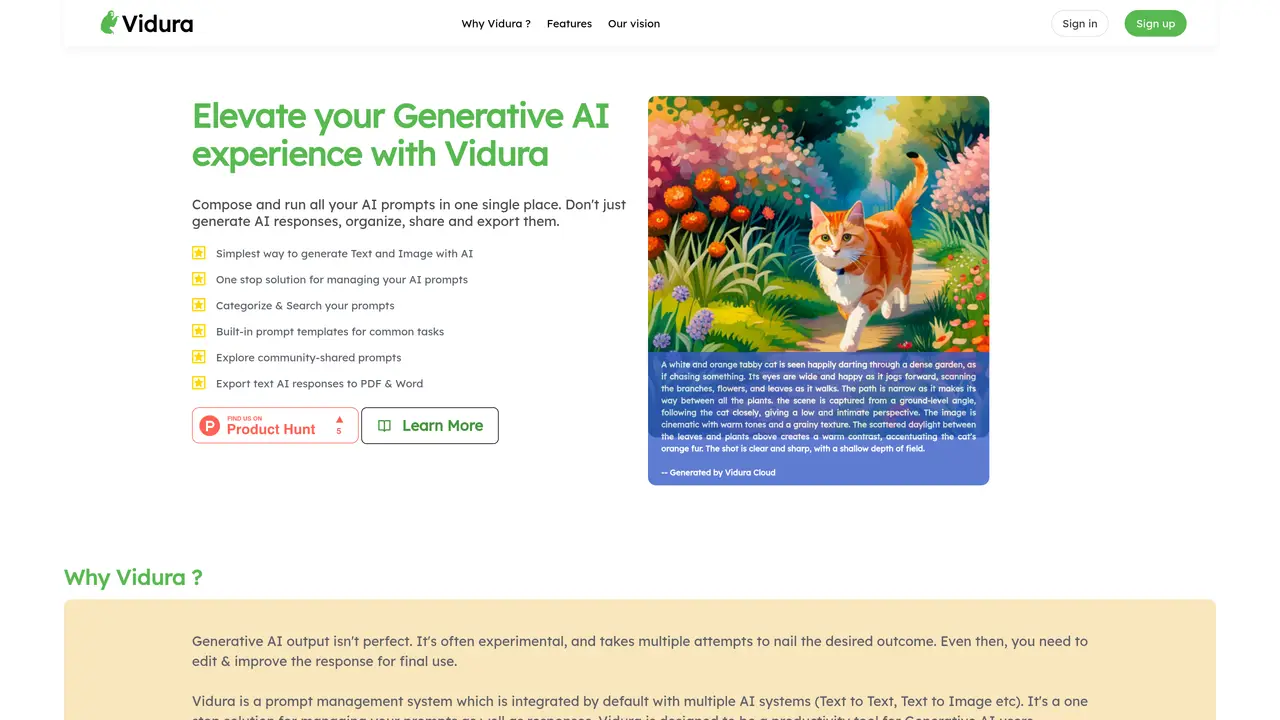
Vidura is a web-based prompt management system designed for AI developers, prompt engineers, and teams working with generative AI workflows across text and media. The platform provides a centralized prompt library where users can create categories, add labels, tag, and search prompts across multiple prompt types, including ChatGPT, Stable Diffusion, and custom prompts. Users can run prompts directly within the interface, track outputs, store raw responses, and compare prompt run history to refine iterations. Vidura includes quality and governance features such as automatic prompt quality checks and an efficiency score to rate prompt effectiveness. Collaboration is supported through community prompt discovery and User Groups with permission controls for secure sharing of selected categories. The tool is accessible via a web browser with no installation required, making it suitable for both individual developers and teams integrating prompts into existing workflows. Vidura operates on a freemium model, offering free signup with Google sign-in and premium features available on a paid tier.
Vidura is a web-based prompt management system designed for users working with generative AI workflows. It centralizes prompt creation, organization, and execution across text and image AI models, while enabling users to track outputs, compare iterations, and share prompts securely within teams or communities.
Vidura suits AI developers, prompt engineers, and teams integrating generative AI into their workflows. It is also useful for individuals seeking to improve their prompting skills through community-shared templates and examples.
Vidura allows users to create categories, add labels, and use quick templates for prompt creation. It supports running prompts directly, storing raw responses, and comparing prompt run history to refine iterations. Responses can be exported to formats like PDF or Word.
Yes, Vidura enables secure sharing of prompts through User Groups with permission controls. Users can share specific categories of prompts with selected members, fostering collaboration while maintaining control over access.
Vidura includes a community dashboard where users can explore and discover shared prompts, view leaderboards, and learn from others. This community-driven approach helps users improve their prompting techniques and find inspiration.
Getting started with Vidura is simple: sign up via Google on the platform’s website, and begin creating categories, prompts, and running AI models directly in the browser. No installation is required, making it accessible for immediate use.
vidura.ai · third-party estimates from Similarweb
Last 4 months · grows by one month every month
Share of visits · estimated visits
Coding & Development · Sep 2026
Traffic figures are third-party estimates, good for scale and trends; they can differ from a company's own numbers. Updated monthly.
We use essential cookies to run aitoolnavio™, and optional cookies to analyze traffic and measure our marketing. You choose what we use — optional cookies stay off unless you turn them on. See our Privacy Policy.
One short email a week: fresh tools worth trying, honest takes and the updates that actually matter. No spam, unsubscribe any time.
AI-powered website builder that generates a professional site in under a minute and includes tools for content, SEO, and analytics.
AI-powered coding platform that uses agents to plan, write, and test software with real-time feedback and verifiable artifacts.
Automate code, research, and documents using agents.
AI-powered code assistant that generates, reviews, optimizes, and debugs code with natural language prompts and editor integrations.
AI assistant for safe, reliable productivity with code, collaboration, and integrations.
AI-powered IDE for autonomous coding tasks and agentic development workflows
Privacy-focused AI chatbot that generates uncensored text, code, images, and translations without storing conversations or requiring an account.
A free web-based AI chatbot and agent for writing, coding, research, and content creation with multilingual support.
Write & run code in 50+ languages, auto-complete with AI, and code faster with an intuitive interface.
An IDE that automates legacy-to-modern code migration using autonomous coding agents.
AI models that return typed decisions with calibrated confidence for software automation
Practice coding challenges, improve technical skills, get detailed explanations, compare performance with peers.
Matched on what this tool does — grouped by the job you would be replacing.
matches Centralized prompt library with categorization and tagging · Run prompts and track outputs with raw response storage · Prompt run history for comparisons and iteration
A web and API platform for developers and teams to build, test, manage, and deploy GPT prompts across AI providers, then integrate into SaaS and mobile apps via one API call.
Centralize, optimize, and share AI prompts across teams to maintain brand consistency and accelerate content production.
An AI prompt management workspace for creating, organizing, versioning, and reusing prompts with sharing and 200+ templates.
Web-based prompt management and evaluation platform for teams building LLM applications with versioning, testing, and secure credential storage.
matches Centralized prompt library with categorization and tagging · Run prompts and track outputs with raw response storage · Prompt run history for comparisons and iteration
A free collection of curated prompts to enhance ChatGPT experiences with community-driven rankings and organizational tools.
A Chrome extension to save, organize, and reuse AI prompts across chatbots with shortcuts and prompt chains.
Store and access GPT-3 prompts with PeakGPT.