AI-powered website builder that generates a professional site in under a minute and includes tools for content, SEO, and analytics.
52M visits/mo+0.7%#4 Coding & Development

Preview HTML & Tailwind CSS code, tweak page designs in real-time, save time & create dynamic websites.
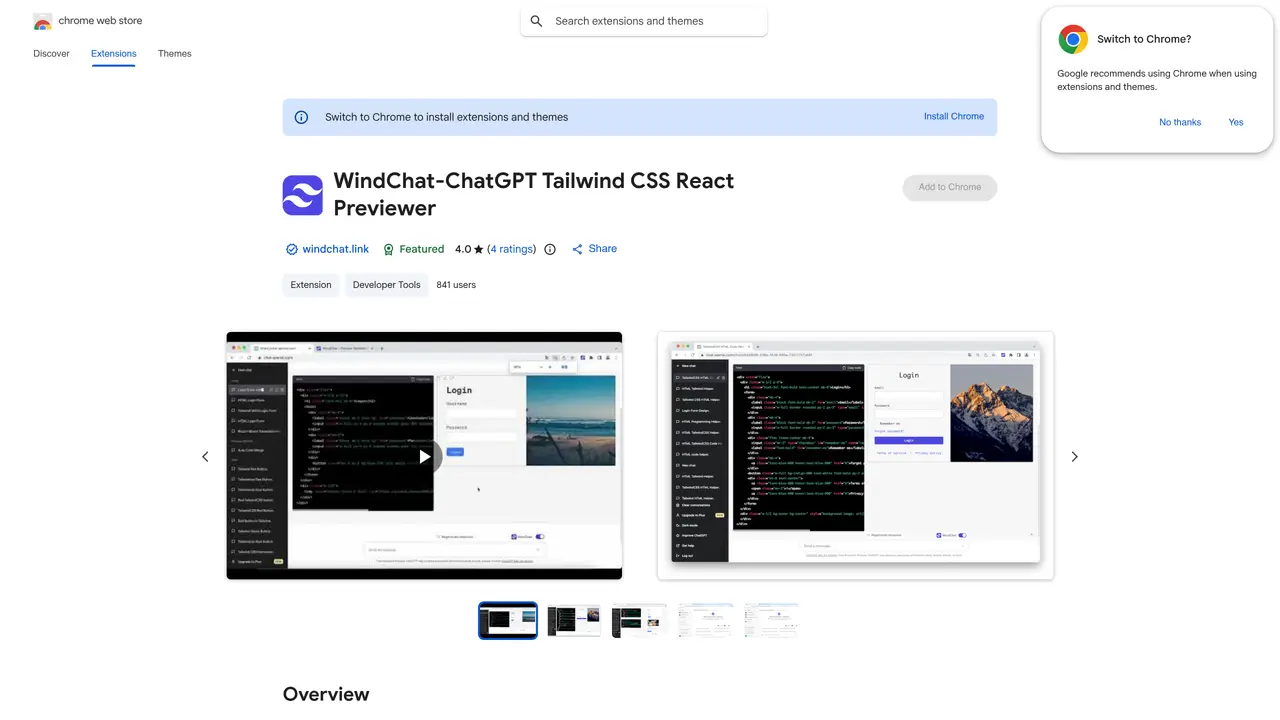
WindChat is a Chrome browser extension designed for developers and designers who work with HTML and Tailwind CSS. It enables real-time preview of code generated during ChatGPT sessions directly within the browser, eliminating the need to manually copy and paste code snippets. The tool automatically renders the entire chat session’s code, allowing users to see changes instantly without leaving the ChatGPT interface. WindChat streamlines the workflow for those iterating on web designs, making it easier to refine layouts, components, and styling on the fly. It supports dynamic adjustments to Tailwind CSS classes and HTML structure, providing immediate visual feedback. The extension is particularly useful for prototyping, debugging, or experimenting with UI elements during development. By integrating seamlessly with ChatGPT, WindChat reduces friction in the design process and accelerates iteration cycles. It caters to users who prioritize efficiency and real-time collaboration in their coding workflows.
WindChat is a Chrome extension that previews HTML and Tailwind CSS code generated by AI assistants like ChatGPT or Gemini directly within the chat window. It helps users visually evaluate and refine frontend code without switching between tools.
The tool is useful for React developers, Tailwind CSS users, designers, product builders, indie hackers, SaaS teams, and students who want to prototype UI ideas quickly and iterate on AI-generated frontend code.
WindChat works by rendering AI-generated HTML, Tailwind CSS, and React components in real-time within the ChatGPT or Gemini chat interface, allowing users to preview and tweak designs without leaving the chat window.
No, WindChat is designed for rapid prototyping and early-stage UI exploration. It is not a replacement for production builds, accessibility reviews, or quality assurance testing.
Yes, WindChat supports previews for code generated in both ChatGPT and Gemini chat windows.
Install the WindChat extension from the Chrome Web Store, then use it within ChatGPT or Gemini to preview AI-generated HTML, Tailwind CSS, or React components directly in your chat session.
We use essential cookies to run aitoolnavio™, and optional cookies to analyze traffic and measure our marketing. You choose what we use — optional cookies stay off unless you turn them on. See our Privacy Policy.
One short email a week: fresh tools worth trying, honest takes and the updates that actually matter. No spam, unsubscribe any time.
AI-powered website builder that generates a professional site in under a minute and includes tools for content, SEO, and analytics.
AI-powered coding platform that uses agents to plan, write, and test software with real-time feedback and verifiable artifacts.
Automate code, research, and documents using agents.
AI-powered code assistant that generates, reviews, optimizes, and debugs code with natural language prompts and editor integrations.
AI assistant for safe, reliable productivity with code, collaboration, and integrations.
AI-powered IDE for autonomous coding tasks and agentic development workflows
Privacy-focused AI chatbot that generates uncensored text, code, images, and translations without storing conversations or requiring an account.
A free web-based AI chatbot and agent for writing, coding, research, and content creation with multilingual support.
Write & run code in 50+ languages, auto-complete with AI, and code faster with an intuitive interface.
An IDE that automates legacy-to-modern code migration using autonomous coding agents.
AI models that return typed decisions with calibrated confidence for software automation
Practice coding challenges, improve technical skills, get detailed explanations, compare performance with peers.
Matched on what this tool does — grouped by the job you would be replacing.
matches Preview HTML & Tailwind CSS code in real-time · Tweak page designs without leaving the ChatGPT window · Save time by eliminating tedious copying and pasting
Turns text prompts into ready-to-use React UI code with Shadcn UI and Tailwind CSS components.
AI tool that generates UI code from text prompts or design files and builds React components.
AI landing page builder that exports production-ready React code from simple descriptions.
Create stunning, responsive webpages effortlessly with customizable background images, menus, and buttons.
matches Preview HTML & Tailwind CSS code in real-time · Create dynamic websites with Tailwind CSS
Turn hand-drawn sketches into working web code, apps, and user interfaces instantly.
Open-source design and prototyping platform that unifies designers and developers using web standards for real-time collaboration.
Clone, extract, and remix any website design with AI, then generate production-ready code instantly.
An AI-powered visual design canvas for editing production UI directly in real React codebases, used by designers and engineers.