
Automate error tracking, monitor application performance, and gain insights with advanced analytics.
3M visits/mo+2%#48 Coding & Development
Be the first member to say you use it
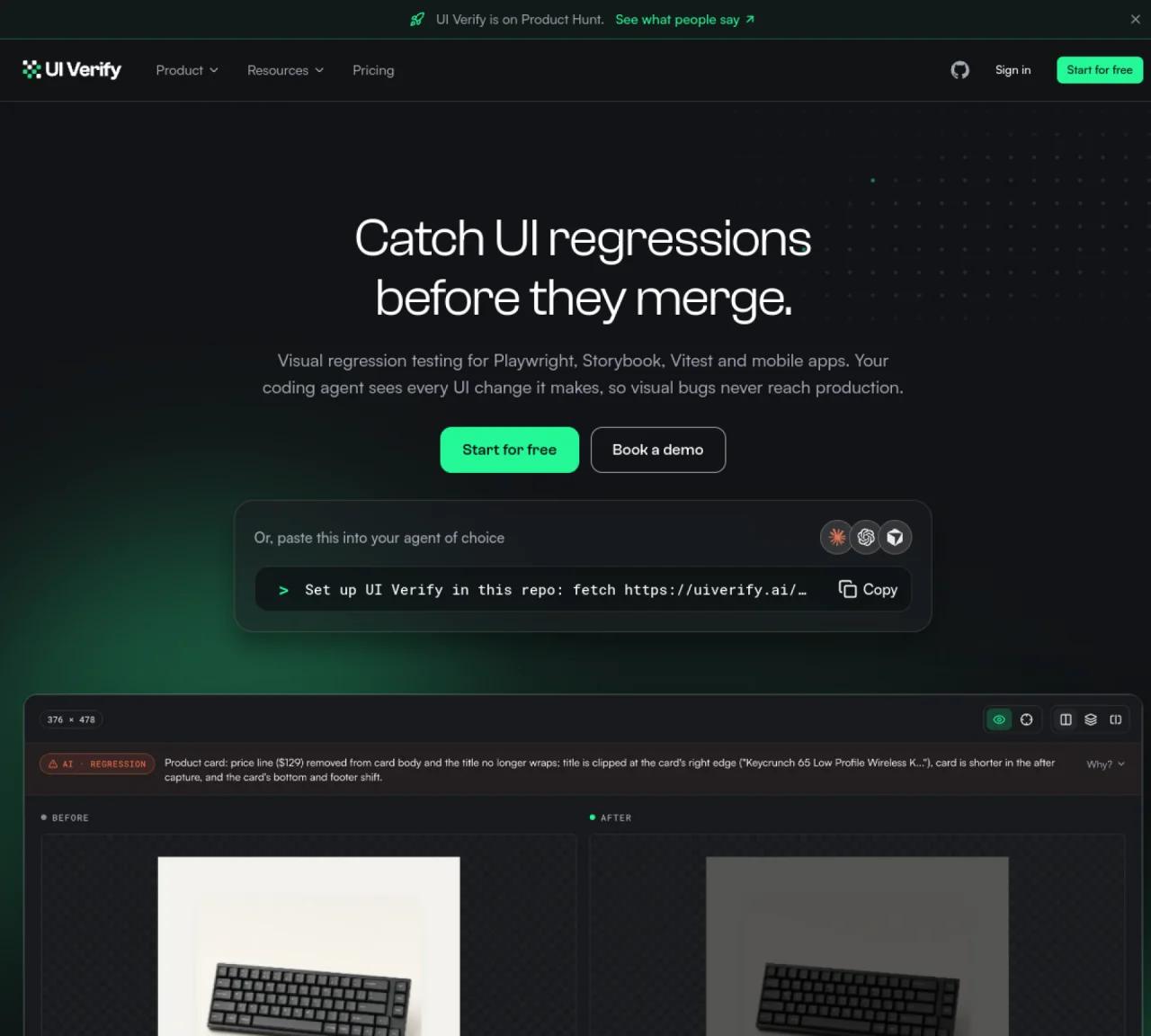
UI Verify integrates with coding agents and CI pipelines to catch visual regressions before code merges. It works with Playwright, Storybook, Vitest, Bun, and mobile app screenshots to detect unintended UI changes such as color shifts, layout breaks, or missing elements. When a pull request is opened, the tool automatically captures affected screens and posts a verdict on the PR with side-by-side comparisons highlighting every changed pixel. Teams can review, accept, or flag changes directly in the dashboard or via comments. Flagged regressions are sent back to the coding agent through an MCP server, which can fix the code and rerun checks. The service supports multiple browsers and screen sizes, including Chrome, Firefox, and Safari, and pins rendering conditions like animations, fonts, and async data to ensure consistent results. Baseline snapshots are versioned, allowing teams to track changes over time.
UI Verify is a visual regression testing tool that integrates with coding agents and CI pipelines to catch unintended UI changes before code merges. It automatically captures screenshots of affected screens when a pull request is opened and posts a verdict with side-by-side comparisons highlighting every changed pixel.
UI Verify is designed for engineering and product teams that want to ensure visual consistency in their applications. It is particularly useful for teams using coding agents like Claude Code or Cursor, as it allows agents to review, accept, or fix visual changes directly.
UI Verify provides an MCP server that connects with coding agents such as Claude Code, Cursor, or Codex. The agent can review visual changes, accept intended changes, and automatically fix regressions by rerunning checks after making code adjustments.
UI Verify supports visual regression testing for Storybook, Playwright, Vitest, Bun, and mobile app screenshots. It captures renders from these frameworks to detect changes in UI elements like colors, layouts, or missing components.
Yes, UI Verify supports multiple browsers including Chrome, Firefox, and Safari, as well as various screen sizes such as desktop and phone widths. It ensures consistent rendering conditions by pinning elements like animations, fonts, and async data.
To get started, you can paste a provided prompt into your coding agent, which will guide you through setting up UI Verify in your repository. The setup process typically takes about 5 minutes to complete, from installation to running your first build.
We use essential cookies to run aitoolnavio™, and optional cookies to analyze traffic and measure our marketing. You choose what we use — optional cookies stay off unless you turn them on. See our Privacy Policy.
One short email a week: fresh tools worth trying, honest takes and the updates that actually matter. No spam, unsubscribe any time.
Automate error tracking, monitor application performance, and gain insights with advanced analytics.
Instant threat detection and response, AI-powered prevention, unified dashboard for full visibility and control.
Open-source platform combining product analytics, session replay, A/B testing, and feature flags in one toolkit for product engineers.
Open-source framework for reliable, cross-browser web testing with auto-waiting, parallel execution, and built-in debugging tools.
CodeRabbit is an AI tool that helps you review and improve your code easily.
An AI-native cloud testing platform for developers and QA teams to automate cross-browser and real-device tests with self-healing automation and reporting.
Labelbox is an enterprise-grade data labeling platform designed to help organizations create, manage, and deploy AI applications.
Parallel AI coding agent IDE that runs multiple agents side by side in isolated git worktrees for faster, comparative development.
AI-powered bug reporting and feedback collaboration tool that streamlines issue identification and resolution for developers.
Monitor IT infrastructure, detect and resolve system issues, and proactively identify risks and threats.
Create tests, evaluate results in real-time with analytics, and save time and money with advanced automation.
An AI-powered code review tool that automates GitHub and GitLab pull request reviews with inline comments, PR summaries, and custom rules for software teams.
Matched on what this tool does — grouped by the job you would be replacing.
matches Visual regression testing for pull requests · Side-by-side pixel-level comparisons · Multi-browser and multi-size testing
Cloud-based platform for cross-browser, mobile app, and automation testing across real devices and browsers.
AI-powered frontend testing that records user sessions and flags UI bugs automatically before release.
AI agents that test pull requests on real devices and monitor production
Diffs AI agent runs against baselines to detect regression in CI/CD