
Create detailed 3D models instantly from text.
15M visits/mo+9.6%#8 Image & Design
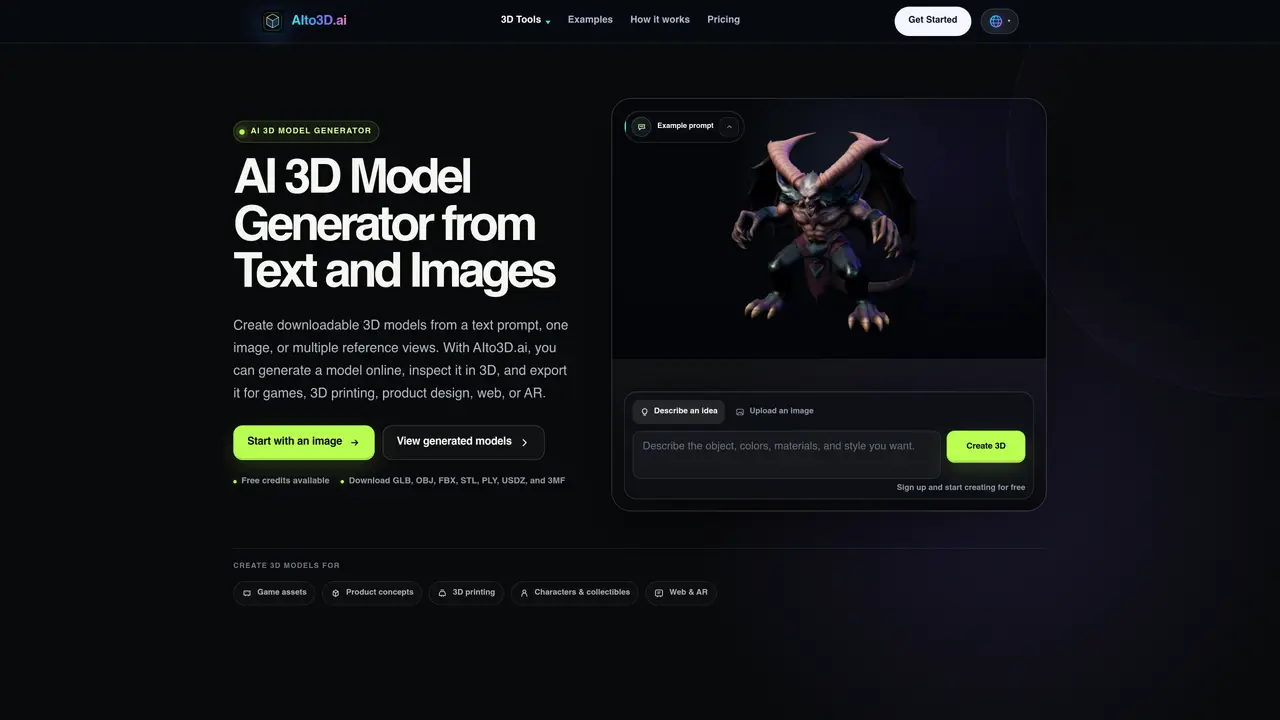
AIto3D generates 3D models from text prompts, single images, or multiple reference views. The tool supports three primary workflows: text-to-3D for conceptual modeling, image-to-3D for converting photos or sketches, and multi-view-to-3D for improving shape accuracy with front, side, and back references. Users can preview models in a browser-based 3D viewer and export them in multiple formats including GLB, OBJ, FBX, STL, PLY, USDZ, and 3MF. Additional utilities include file conversion, model compression, volume calculation, and rendering to images or 360° videos. The platform is designed for game asset creation, product design, 3D printing, web and AR applications, and architectural visualization. Workflows can be completed entirely online without requiring specialized software installation.
AIto3D supports creating 3D models from text prompts, single images, or multiple reference views, covering a wide range of subjects including characters, products, props, vehicles, buildings, and architectural concepts.
The platform is designed for game developers, product designers, 3D printing enthusiasts, web and AR developers, and architects who need to generate, refine, or convert 3D models online without specialized software.
Yes, AIto3D provides free credits to start creating 3D models, with the option to upgrade to a premium plan for additional features and higher usage limits.
Exported formats include GLB, OBJ, FBX, STL, PLY, USDZ, and 3MF, allowing compatibility with most 3D software and platforms.
Yes, AIto3D includes a 3D file converter that supports formats like GLB, OBJ, FBX, STL, PLY, USDZ, 3MF, and glTF, enabling format conversion and optimization.
Sign up for an account on the AIto3D website, then choose a workflow such as text-to-3D, image-to-3D, or multi-view-to-3D to begin generating or converting 3D models.
We use essential cookies to run aitoolnavio™, and optional cookies to analyze traffic and measure our marketing. You choose what we use — optional cookies stay off unless you turn them on. See our Privacy Policy.
One short email a week: fresh tools worth trying, honest takes and the updates that actually matter. No spam, unsubscribe any time.
Create detailed 3D models instantly from text.
Meshy turns text prompts or images into fully textured 3D models in minutes.
Effortlessly generate realistic 3D models with AI.
Create precise 3D models, collaborate on designs, and analyze simulations in real-time.
Create realistic 3D environments, customize 3D creations, and generate high-resolution visuals using AI-driven technology.
Generate lifelike 3D visuals, transform 2D media, and capture intricate details for video production, games, and animations.
API-first platform for integrating image, video, and 3D generative AI models into applications with fast inference and pay-as-you-go pricing.
An AI design agent that turns natural language prompts into logos, social graphics, videos, 3D assets, and web pages in a single web canvas.
Turn hand-drawn sketches into editable 3D models and photorealistic images with AI.
AI-powered 3D editor that lets users create, edit, and animate 3D models using simple text prompts.
A web-based AI toolkit that converts text prompts or images into textured 3D models with exports to FBX, OBJ, GLB, and STL formats.
Build 3D models, optimize for real-time use, and generate within game engines using the Sloyd SDK.
Matched on what this tool does — grouped by the job you would be replacing.
matches Text to 3D model generation
Meshy turns text prompts or images into fully textured 3D models in minutes.
AI-powered platform to convert text, images and videos into 3D models
Convert text prompts or images into ready-to-print 3D models without prior modeling experience.
matches Image to 3D model conversion · Multiple images to 3D for improved accuracy
A web-based AI toolkit that converts text prompts or images into textured 3D models with exports to FBX, OBJ, GLB, and STL formats.
Turns single furniture photos into editable, production-ready 3D models with automatic part separation and industry-standard exports.
Convert text or images into production-ready 3D models using multiple AI engines with export options for Unity, Unreal, Blender, or 3D printing.