Create detailed 3D models instantly from text.
15M visits/mo+9.6%#8 Image & Design

Design, render, and animate 3D models effortlessly with a vast library of textures, materials, and real-time preview.
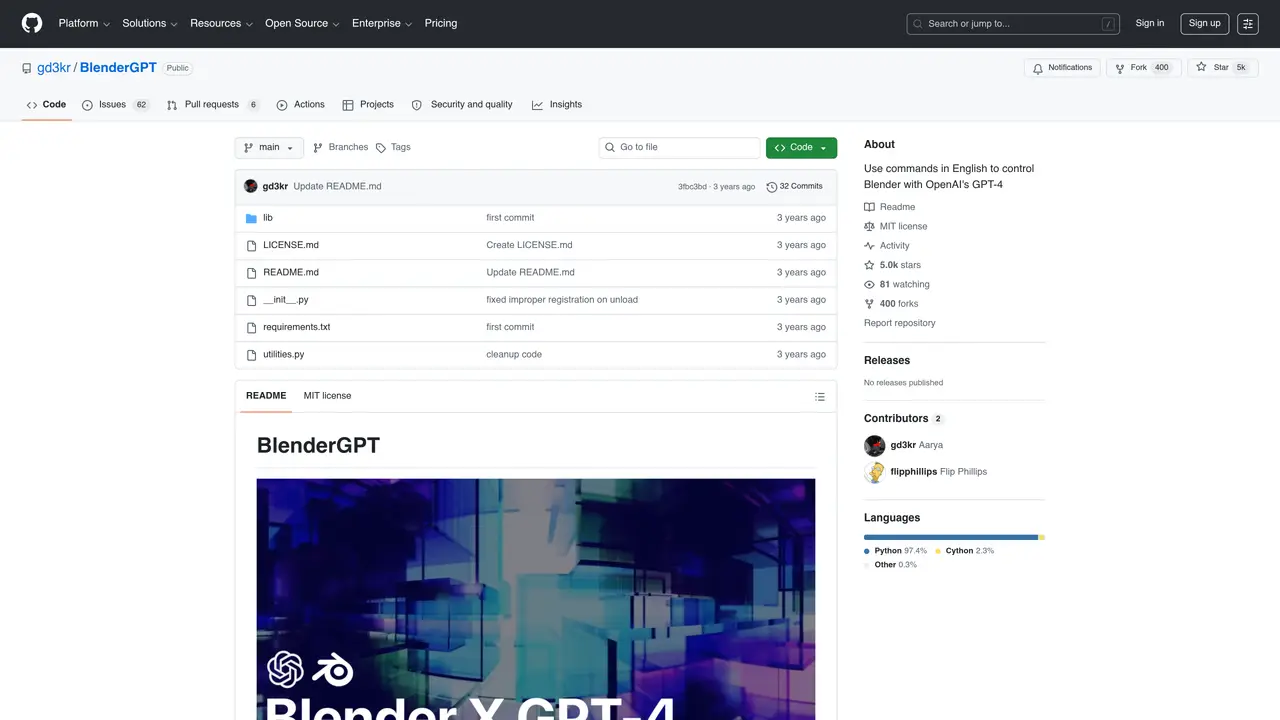
BlenderGPT is an AI-powered extension for Blender that enables users to generate and manipulate 3D models, animations, and scenes using natural language prompts. Designed to integrate seamlessly with Blender’s existing workflow, it allows creators to describe their desired 3D assets or modifications in plain English, which the tool then translates into actionable commands within the software. This bridges the gap between conceptual design and technical execution, making 3D modeling more accessible to users without deep expertise in Blender’s interface or scripting. The tool leverages AI to automate repetitive tasks, such as generating complex geometries, applying textures, or adjusting lighting, while still providing full manual control for fine-tuning. It is particularly useful for artists, designers, and developers who need to rapidly prototype ideas, iterate on designs, or explore creative possibilities without spending excessive time on manual modeling. BlenderGPT supports a wide range of 3D creation tasks, from sculpting and texturing to animation and rendering, all within the familiar environment of Blender.
GitHub, Inc.
San Francisco, California, US · Founded 2008
BlenderGPT is a Blender add-on that integrates OpenAI's GPT-4 or GPT-3.5 to control Blender using natural language commands. Users type English instructions in the sidebar, and the plugin generates and executes corresponding Python scripts in Blender.
The tool is designed for Blender users, including 3D artists, designers, and developers who want to streamline workflows by using conversational commands instead of manual scripting.
BlenderGPT requires Blender 3.1 or later and an OpenAI API key. Access to GPT-4 is only available through the OpenAI waitlist for API usage.
Installation involves downloading the repository as a ZIP file, opening Blender, navigating to Edit > Preferences > Add-ons > Install, selecting the ZIP file, and enabling the add-on. Users must then paste their OpenAI API key in the add-on preferences.
Yes, BlenderGPT supports both GPT-4 and GPT-3.5, provided you have access to the respective OpenAI API models.
To view the code generations in real time, users can open the System Console via Window > Toggle System Console in Blender.
We use essential cookies to run aitoolnavio™, and optional cookies to analyze traffic and measure our marketing. You choose what we use — optional cookies stay off unless you turn them on. See our Privacy Policy.
One short email a week: fresh tools worth trying, honest takes and the updates that actually matter. No spam, unsubscribe any time.
Create detailed 3D models instantly from text.
Meshy turns text prompts or images into fully textured 3D models in minutes.
Effortlessly generate realistic 3D models with AI.
Create precise 3D models, collaborate on designs, and analyze simulations in real-time.
Create realistic 3D environments, customize 3D creations, and generate high-resolution visuals using AI-driven technology.
Generate lifelike 3D visuals, transform 2D media, and capture intricate details for video production, games, and animations.
API-first platform for integrating image, video, and 3D generative AI models into applications with fast inference and pay-as-you-go pricing.
An AI design agent that turns natural language prompts into logos, social graphics, videos, 3D assets, and web pages in a single web canvas.
Turn hand-drawn sketches into editable 3D models and photorealistic images with AI.
AI-powered 3D editor that lets users create, edit, and animate 3D models using simple text prompts.
A web-based AI toolkit that converts text prompts or images into textured 3D models with exports to FBX, OBJ, GLB, and STL formats.
Build 3D models, optimize for real-time use, and generate within game engines using the Sloyd SDK.
Matched on what this tool does — grouped by the job you would be replacing.
matches Design and render 3D models in various styles and formats · Real-time preview of changes · Powerful animation tools
Effortlessly generate realistic 3D models with AI.
AI-powered 3D editor that lets users create, edit, and animate 3D models using simple text prompts.
AI-powered tool that converts 3D models into photorealistic renders using text-based editing for instant design changes.
Blender Copilot is an AI-powered add-on that lets 3D artists model, animate, and render with simple phrases while providing access to thousands of free assets.