Create detailed 3D models instantly from text.
15M visits/mo+9.6%#8 Image & Design

Visualize projects, identify issues, optimize results with 3D modeling, real-time data monitoring, and customizable options.
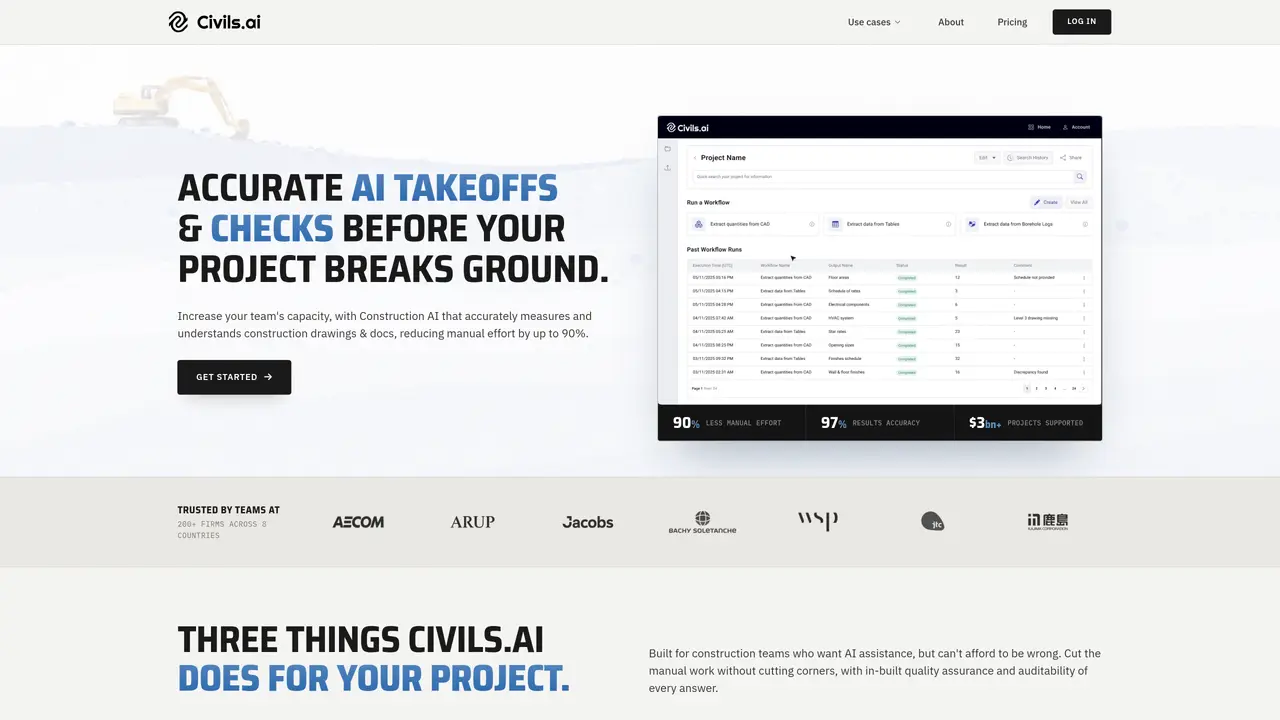
Civils.ai is an AI-powered platform that helps civil engineers streamline their workflows and optimize their projects. It provides a comprehensive set of tools and features that enable users to create and manage 3D models, access real-time data, monitor projects, and analyze performance. Civils.ai also offers an intuitive user interface and a range of customizable options for creating and managing projects. Civils.ai is designed to make complex tasks easier for civil engineers, helping them to save time and money. With its powerful AI algorithms, it can quickly generate 3D models and analyze data, enabling users to make faster, more informed decisions about their projects. It also provides real-time data and insights, making it easier for engineers to monitor project progress and performance. Additionally, Civils.ai offers a variety of customization options so users can tailor the platform to their needs.
Civils.ai supports a range of takeoffs including measuring areas, lengths, volumes, and counts from PDF drawings. It covers groundworks, landscaping, utilities, concrete, earthworks, and subsurface data extraction from geotechnical reports.
Each takeoff is counted as one measurement on one drawing sheet for one trade. For example, measuring floor areas on one sheet counts as one takeoff, while measuring multiple trades on the same sheet may count as multiple takeoffs, capped at five per sheet.
Unlimited AI searches and checks apply to standard in-app queries under a fair use policy for a single user account. It includes tasks like reviewing documents, checking information, and running AI-assisted checks, but may not cover multi-step agent workflows.
Civils.ai works with scanned, historic, and multi-sheet drawings. Users can drag and drop PDFs, and the platform extracts CAD data from these documents for analysis.
Yes, Civils.ai provides marked-up sources and cites original documents for all AI-generated outputs, ensuring transparency and traceability of results.
The workflow involves uploading PDF drawings, selecting an AI Agent, typing a prompt to specify the takeoff scope, and reviewing or exporting the results. The QA team reviews AI measurements before final outputs are provided.
civils.ai · third-party estimates from Similarweb
Last 4 months · grows by one month every month
Share of visits · estimated visits
Other countries: 49.5%
Image & Design · Sep 2026
Traffic figures are third-party estimates, good for scale and trends; they can differ from a company's own numbers. Updated monthly.
We use essential cookies to run aitoolnavio™, and optional cookies to analyze traffic and measure our marketing. You choose what we use — optional cookies stay off unless you turn them on. See our Privacy Policy.
One short email a week: fresh tools worth trying, honest takes and the updates that actually matter. No spam, unsubscribe any time.
Create detailed 3D models instantly from text.
Meshy turns text prompts or images into fully textured 3D models in minutes.
Effortlessly generate realistic 3D models with AI.
Create precise 3D models, collaborate on designs, and analyze simulations in real-time.
Create realistic 3D environments, customize 3D creations, and generate high-resolution visuals using AI-driven technology.
Generate lifelike 3D visuals, transform 2D media, and capture intricate details for video production, games, and animations.
API-first platform for integrating image, video, and 3D generative AI models into applications with fast inference and pay-as-you-go pricing.
An AI design agent that turns natural language prompts into logos, social graphics, videos, 3D assets, and web pages in a single web canvas.
Turn hand-drawn sketches into editable 3D models and photorealistic images with AI.
AI-powered 3D editor that lets users create, edit, and animate 3D models using simple text prompts.
A web-based AI toolkit that converts text prompts or images into textured 3D models with exports to FBX, OBJ, GLB, and STL formats.
Build 3D models, optimize for real-time use, and generate within game engines using the Sloyd SDK.
Matched on what this tool does — grouped by the job you would be replacing.
matches 3D modeling · AI-powered algorithms for generating 3D models and analyzing data · Real-time data and insights
A platform for architects and designers to create, customize, and share 3D architectural models and materials efficiently.
Automates electrical takeoffs by extracting and quantifying devices, fixtures, and circuits from PDF drawings for faster, more accurate estimating.
AI-powered preconstruction platform that delivers cited code answers, estimator-reviewed takeoffs, and clash-detected coordinated models for construction teams.
matches Real-time data monitoring · AI-powered algorithms for generating 3D models and analyzing data · Real-time data and insights
Monitor, resolve issues, visualize performance metrics, and gain insights for real-time application performance.
AI-driven platform that helps businesses analyze data, track progress, and uncover new opportunities through an integrated dashboard and predictive modeling.
Track, visualize, and optimize models with version control, real-time monitoring, and hyperparameter optimization.
Quickly automate model selection and streamline model building with an intuitive user interface.