Create detailed 3D models instantly from text.
15M visits/mo+9.6%#8 Image & Design
AI-powered tool that converts photos into 3D depth-mapped meshes for creating detailed interior or exterior scenes.
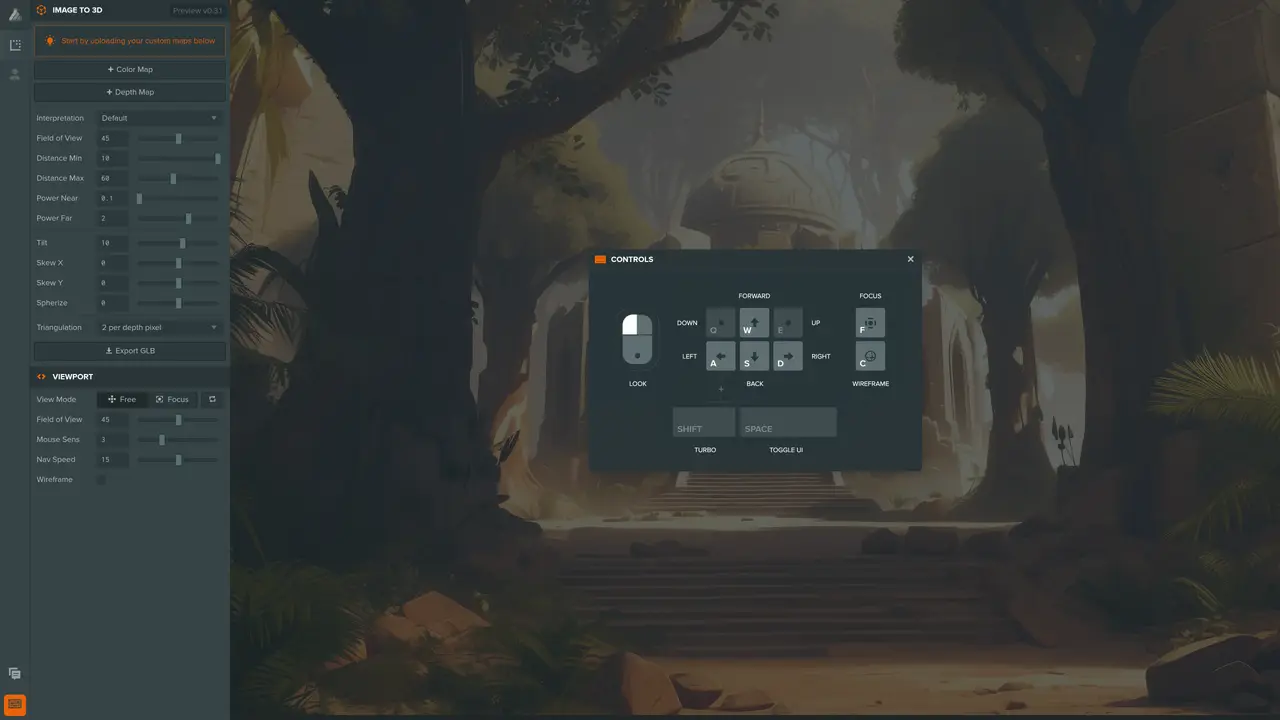
Retrovision App transforms standard 2D images into extruded 3D meshes using AI-generated depth maps. Users can adjust projection parameters to refine the output before downloading the result as a GLB file. Unlike tools focused on single objects or characters, Retrovision specializes in reconstructing full interior or exterior scenes from photographs. The process requires no manual modeling, making it accessible to designers, architects, and visualizers who need quick 3D representations of real-world spaces. The resulting meshes can be imported into 3D software for further editing, rendering, or integration into larger projects. This approach streamlines the creation of immersive environments for presentations, virtual tours, or digital storytelling without requiring advanced 3D modeling skills.
Retrovision App converts 2D photographs of interior or exterior spaces into 3D meshes using AI-generated depth maps, enabling quick 3D representations without manual modeling.
The tool is designed for designers, architects, and visualizers who need fast 3D representations of real-world spaces for presentations, virtual tours, or digital storytelling.
Users can adjust projection parameters within the app to refine the depth and quality of the generated 3D mesh before exporting.
The app exports the resulting 3D mesh as a GLB file, which is compatible with most 3D software for further editing or rendering.
Yes, Retrovision specializes in reconstructing full interior or exterior scenes from photographs, unlike tools focused on single objects.
No, the tool is designed to be accessible to users without advanced 3D modeling expertise, streamlining the creation of immersive environments.
retrovisionlabs.com · third-party estimates from Similarweb
Last 4 months · grows by one month every month
Share of visits by channel
Share of visits · estimated visits
Image & Design · Sep 2026
Traffic figures are third-party estimates, good for scale and trends; they can differ from a company's own numbers. Updated monthly.
We use essential cookies to run aitoolnavio™, and optional cookies to analyze traffic and measure our marketing. You choose what we use — optional cookies stay off unless you turn them on. See our Privacy Policy.
One short email a week: fresh tools worth trying, honest takes and the updates that actually matter. No spam, unsubscribe any time.
Create detailed 3D models instantly from text.
Meshy turns text prompts or images into fully textured 3D models in minutes.
Effortlessly generate realistic 3D models with AI.
Create precise 3D models, collaborate on designs, and analyze simulations in real-time.
Create realistic 3D environments, customize 3D creations, and generate high-resolution visuals using AI-driven technology.
Generate lifelike 3D visuals, transform 2D media, and capture intricate details for video production, games, and animations.
API-first platform for integrating image, video, and 3D generative AI models into applications with fast inference and pay-as-you-go pricing.
An AI design agent that turns natural language prompts into logos, social graphics, videos, 3D assets, and web pages in a single web canvas.
Turn hand-drawn sketches into editable 3D models and photorealistic images with AI.
AI-powered 3D editor that lets users create, edit, and animate 3D models using simple text prompts.
A web-based AI toolkit that converts text prompts or images into textured 3D models with exports to FBX, OBJ, GLB, and STL formats.
Build 3D models, optimize for real-time use, and generate within game engines using the Sloyd SDK.
Matched on what this tool does — grouped by the job you would be replacing.
matches Converts images into 3D meshes with AI-generated depth · Exports results as GLB files for 3D software compatibility · Tailored for interior and exterior scene reconstruction
Alpha3D is a revolutionary generative AI-powered platform that transforms 2D images into high-quality 3D assets at scale.
Convert text prompts or images into ready-to-print 3D models without prior modeling experience.
Turns a single 2D photo into a ready-to-use 3D model in GLB format with one click.