
AI-powered tool for creating professional product descriptions, designing 3D avatars, and generating engaging product videos.
4.6M visits/mo+179.4%#23 Image & Design

Browser-based AI photo editor for background removal, sharpening and retouching
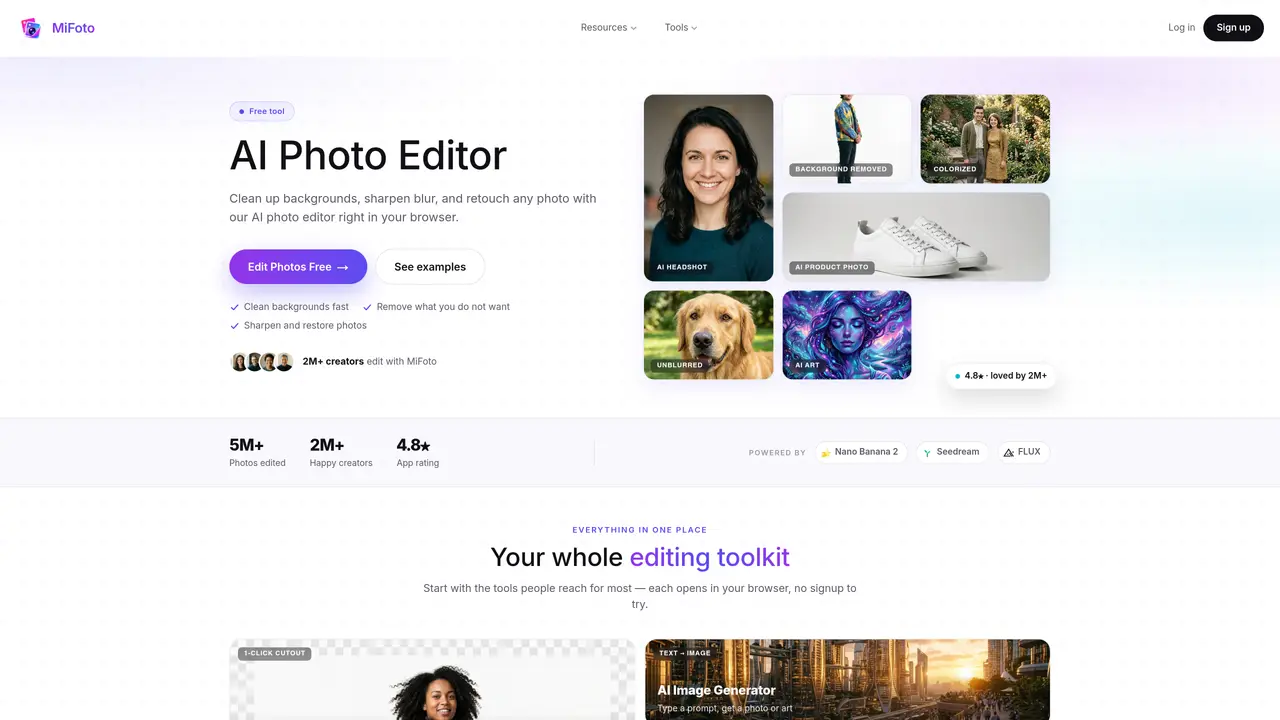
MiFoto provides a browser-based AI photo editor that allows users to clean backgrounds, sharpen blurry images, remove unwanted objects and retouch portraits without installing software. The platform offers over fifty tools including background removers, image upscalers, colorizers, headshot generators and product photo enhancers, all accessible directly from a web browser. It supports editing of selfies, product shots, pet photos, travel images, old family pictures and AI-generated art. Users upload a photo, select the desired edit, and the AI performs the adjustment automatically, producing a polished result in seconds. The interface emphasizes simplicity, requiring no sign-up to try basic edits and no advanced skills to achieve natural-looking results. Edits include one-click background removal, object erasure with automatic fill, blur reduction up to four times, black-and-white photo colorization and studio-quality product photo backgrounds.
MiFoto is a browser-based AI photo editor that allows users to clean backgrounds, sharpen blurry images, remove unwanted objects, and retouch portraits without installing software. It offers over fifty tools, including background removers, image upscalers, colorizers, headshot generators, and product photo enhancers.
MiFoto suits everyday users, small business owners, job seekers, family archivists, and creators who need quick, polished photo edits without advanced skills or expensive software. It supports editing selfies, product shots, pet photos, travel images, old family pictures, and AI-generated art.
Users upload a photo, select the desired edit, and the AI performs the adjustment automatically, producing a polished result in seconds. The process involves three steps: adding a photo, choosing the edit, and saving the finished result.
No, MiFoto does not require sign-up to try basic edits and works directly in a web browser without installation. Users can start editing immediately after uploading a photo.
MiFoto offers edits such as one-click background removal, object erasure with automatic fill, blur reduction, black-and-white photo colorization, headshot generation, and studio-quality product photo enhancements.
MiFoto supports both editing existing photos and generating new images from text prompts. Users can create new photos or art by typing a prompt, in addition to enhancing uploaded images.
We use essential cookies to run aitoolnavio™, and optional cookies to analyze traffic and measure our marketing. You choose what we use — optional cookies stay off unless you turn them on. See our Privacy Policy.
One short email a week: fresh tools worth trying, honest takes and the updates that actually matter. No spam, unsubscribe any time.
AI-powered tool for creating professional product descriptions, designing 3D avatars, and generating engaging product videos.
Upload a photo to receive AI-generated celebrity look-alike suggestions based on facial recognition.
All-in-one AI platform for face swapping, image generation, upscaling, and art creation with free access and batch processing.
Generate unique avatars and craft effective, engaging copy effortlessly.
VTuber software suite to create and animate custom VTuber avatars with VTuber Maker.
AI-enhanced photo editing with background removal and enhancements.
Create face swap memes, generate AI-powered GIFs, make movie role-refacing videos.
Create precise images, videos, and talking photo avatars with Dzine AI.
Generate realistic avatars, online store models, and unique faces for web design projects.
Create unique art, transform yourself in GIFs and videos, and share with friends using fun memes and artwork.
AI-powered selfie editor and profile picture generator for enhancing photos and videos with filters and touch-ups.
Free Japanese kaomoji library with 10,000+ text emoticons, an AI generator, and one-click copy for any platform.
Matched on what this tool does — grouped by the job you would be replacing.
matches Background removal with transparent or clean backgrounds · Product photo background replacement
Instantly remove people, text, watermarks, and backgrounds from photos with an AI-powered web editor—no signup required.
AI image editor for creators and marketers that removes backgrounds, erases objects, swaps faces, enhances images, and generates visuals from text.
AI-powered automotive photo editor for cleaning up car listing images
Online AI photo editor for object removal, background changes and generative edits
matches Image sharpening and blur reduction up to 4x · Portrait retouching and blemish smoothing · Photo colorization for black-and-white images
matches AI headshot generation from selfies · Portrait retouching and blemish smoothing
Kaze.ai is an AI-powered photo editing platform that provides powerful tools for image editing with a few clicks.
Online AI image enhancer for unblurring, restoring and upscaling photos
AI-powered tool to repair damaged photos, colorize black-and-white images, and remove noise and blur
One-click AI tool to upscale, unblur, denoise, colorize, and restore photos while preserving quality.
AI-enhanced photo editing with background removal and enhancements.
Create stunning selfies, transform photos & videos, and edit videos in real-time with intuitive controls, filters, and retouching.
AI-powered mobile photo editor for body sculpting, makeup, and background changes