Identify and edit fonts from images, saving edited fonts for later use.
2.1M visits/mo-2%#46 Image & Design

Generate 6 unique app designs, preview and crop icons, and automatically upscale for highest quality output.
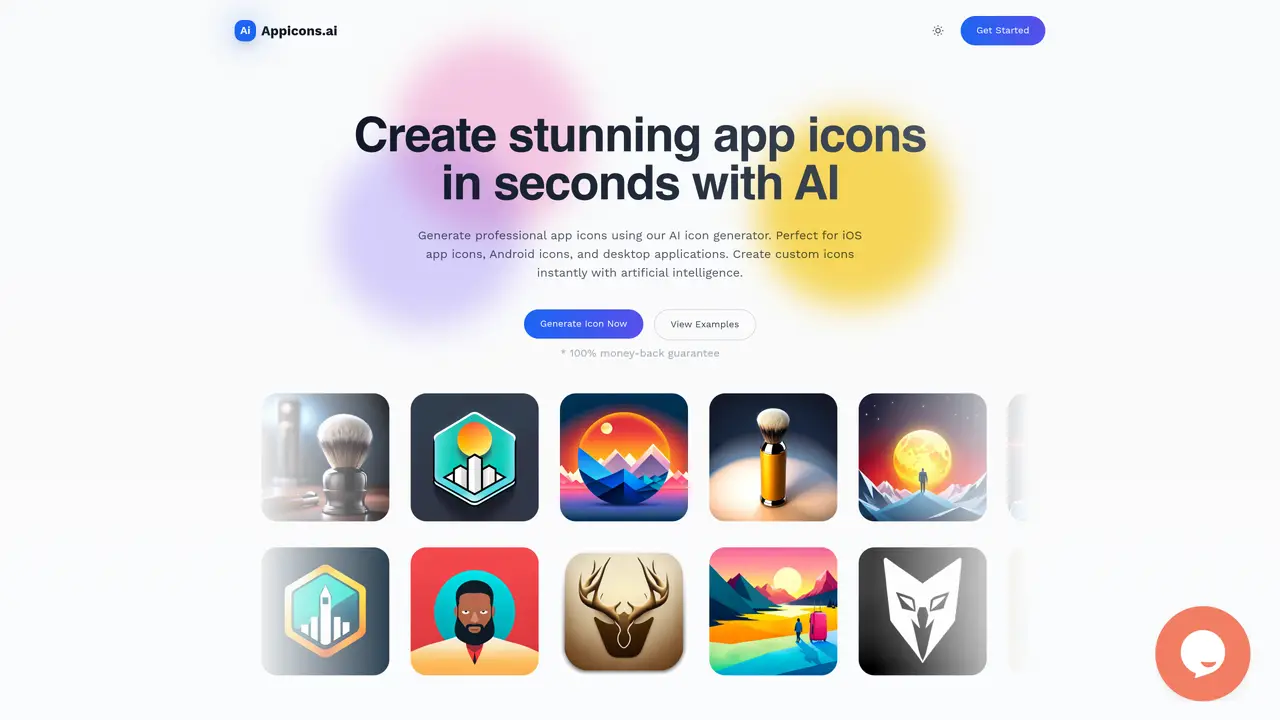
AppIcons AI is an essential tool for mobile app developers. It allows users to effortlessly create beautiful, professional-looking icons for both Android and iOS platforms with no need for image editing software or any technical skills. With AppIcons AI, you can generate up to 6 unique designs and select the one that best fits your project. After you’ve chosen a design, you can crop and preview it, and then upscale it for the highest quality output. Finally, you can download the icon and use it in your mobile app. AppIcons AI is a great solution for developers who want to create stunning graphics quickly and easily. Leave the tedious image editing to the professionals and focus on creating the best mobile app you can. With AppIcons AI, you can produce high-quality, professional icons in minutes. Use Cases And Features 1. Generate multiple designs: AppIcons AI allows users to create up to 6 unique designs for their mobile apps. 2. Preview and crop icons: Easily preview and crop the icons before downloading. 3. Upscale for highest quality: Automatically upscale the icon for the highest quality output.
AppIcons AI allows exporting icons in PNG format, typically at 1024 x 1024 pixels, with options to upscale for higher quality output.
Yes, the icons generated by AppIcons AI are intended for commercial use and can be used in mobile apps, including iOS, Android, and desktop applications.
Yes, users can edit the generated icons using Photopea, a free online Photoshop alternative, to customize them further before downloading.
The number of icons you can generate depends on the plan you choose, with each plan offering a specific number of credits for icon generation.
The scraped content does not explicitly mention SVG file support, so availability may vary or require further inquiry.
AppIcons AI uses GPT-powered prompt enhancement to improve the quality and relevance of the generated icons based on user descriptions.
appicons.ai · third-party estimates from Similarweb
Last 4 months · grows by one month every month
Share of visits · estimated visits
Other countries: 52.8%
Image & Design · Sep 2026
Traffic figures are third-party estimates, good for scale and trends; they can differ from a company's own numbers. Updated monthly.
We use essential cookies to run aitoolnavio™, and optional cookies to analyze traffic and measure our marketing. You choose what we use — optional cookies stay off unless you turn them on. See our Privacy Policy.
One short email a week: fresh tools worth trying, honest takes and the updates that actually matter. No spam, unsubscribe any time.
Identify and edit fonts from images, saving edited fonts for later use.
AI font generator that turns text prompts or reference images into installable typefaces in minutes.
Generate and download free AI-generated 3D icons for personal or commercial use.
AI-powered app icon generator for Android, iOS, and web apps with no design skills required.
Generate PFPs with AI & explore thousands of free PFPs for Discord, TikTok, Fortnite, and More
Create stunning, platform-specific icons with a vast collection of designs curated by expert designers.
Generate custom icons, brand assets, and scalable vectors from plain-English prompts or uploaded references using AI models.
Create Airbnb-style isometric icons with this AI tool.
An AI-powered icon generator for creating custom icons with style controls, image transformations, and a REST API for workflows.
Easily create personalized app icons, select from a vast library, and save costs by bypassing the need for a designer.
Unleash AI to swiftly craft unique, high-quality icons and logos with ease.
The AI Logo Generator is a free, user-friendly online tool that creates unique, handwritten-style calligraphy logos instantly, no design skills required.
Matched on what this tool does — grouped by the job you would be replacing.
matches Generate up to 6 unique app designs · Preview and crop icons · Automatically upscale for highest quality output
Create stunning, platform-specific icons with a vast collection of designs curated by expert designers.
Create custom logos with AI-driven design engine, generate options in minutes, and customize with image and text editing tools.
Instantly create logos, icons, illustrations, charts, maps, and high-quality images with transparent backgrounds.
Generate custom logos in minutes with a vast selection of designs and high-resolution downloads for any business need.