Identify and edit fonts from images, saving edited fonts for later use.
2.1M visits/mo-2%#46 Image & Design
AI font generator that turns text prompts or reference images into installable typefaces in minutes.
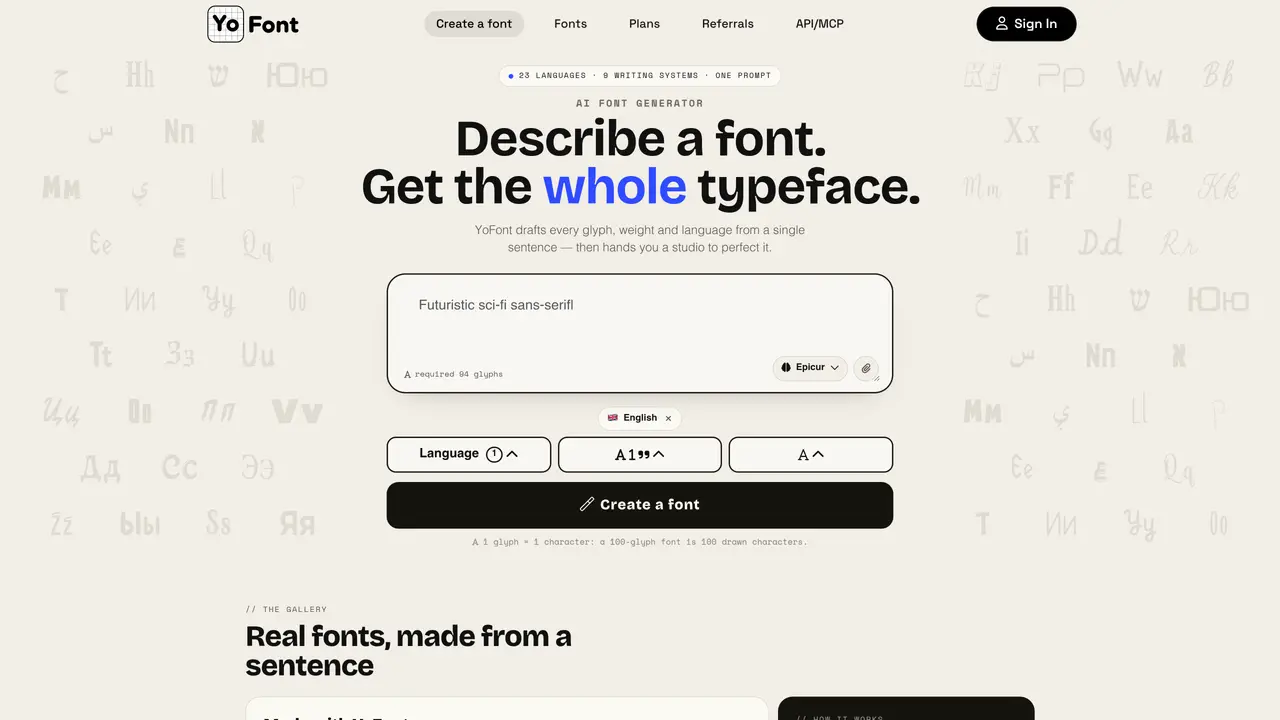
YoFont is an AI-powered font generator that transforms a one-sentence text description or a reference image into a complete, installable typeface. It supports 19 languages across 9 writing systems and generates multiple weights with per-glyph editing capabilities. A full draft of up to 2,682 glyphs is produced in roughly one minute and exported as TTF, OTF, WOFF, and WOFF2 files. The tool is designed for designers, developers, and creators who need custom fonts without manual design work. YoFont streamlines the font creation process by automating the generation of glyphs, weights, and styles based on user input. It is particularly useful for projects requiring unique typography, branding, or multilingual support. The first font generated is free, with paid tiers available for additional fonts and advanced features.
An AI font generator like YoFont transforms a text description or reference image into a complete, installable typeface with professional typography, including kerning and ligatures, ready for use in design or development projects.
You describe the typeface in plain language or upload a reference image, select languages and weights, and the tool generates a finished font file with up to 2,682 glyphs in under two minutes. You can then refine individual glyphs in the Studio.
Yes, YoFont supports 23 languages across 9 writing systems, including Cyrillic, Arabic, Devanagari, Chinese, Japanese, and Korean, all in a single consistent style within one typeface.
The first font generated is free to use. For commercial use, a license is required, costing a fixed annual fee per font. Fonts published in the catalog can be downloaded and embedded by others.
Yes, the Studio interface allows you to edit each glyph separately, regenerate single letters, adjust outlines, swap weights, and rebuild the font file on the spot.
ChatGPT or Claude alone cannot generate installable font files, but YoFont provides an MCP server and REST API to integrate directly with these tools for font generation.
yofont.com · third-party estimates from Similarweb
Last 2 months · grows by one month every month
Share of visits by channel
No measurable traffic from Paid Referrals.
Share of visits · estimated visits
Other countries: 70.5%
How people reach this site from other AI tools
4 a month
Image & Design · Sep 2026
Traffic figures are third-party estimates, good for scale and trends; they can differ from a company's own numbers. Updated monthly.
We use essential cookies to run aitoolnavio™, and optional cookies to analyze traffic and measure our marketing. You choose what we use — optional cookies stay off unless you turn them on. See our Privacy Policy.
One short email a week: fresh tools worth trying, honest takes and the updates that actually matter. No spam, unsubscribe any time.
Identify and edit fonts from images, saving edited fonts for later use.
Generate and download free AI-generated 3D icons for personal or commercial use.
AI-powered app icon generator for Android, iOS, and web apps with no design skills required.
Generate PFPs with AI & explore thousands of free PFPs for Discord, TikTok, Fortnite, and More
Generate 6 unique app designs, preview and crop icons, and automatically upscale for highest quality output.
Create stunning, platform-specific icons with a vast collection of designs curated by expert designers.
Generate custom icons, brand assets, and scalable vectors from plain-English prompts or uploaded references using AI models.
Create Airbnb-style isometric icons with this AI tool.
An AI-powered icon generator for creating custom icons with style controls, image transformations, and a REST API for workflows.
Easily create personalized app icons, select from a vast library, and save costs by bypassing the need for a designer.
Unleash AI to swiftly craft unique, high-quality icons and logos with ease.
The AI Logo Generator is a free, user-friendly online tool that creates unique, handwritten-style calligraphy logos instantly, no design skills required.
Matched on what this tool does — grouped by the job you would be replacing.
matches Creates full typefaces from text prompts or reference images · Converts prompts or images into custom fonts · Exports fonts in TTF and WOFF2 formats
AI font generator that turns prompts or images into custom, exportable TTF/WOFF2 fonts in minutes.
Generate custom fonts to match your brand identity and download them in multiple formats for projects.