Remove image backgrounds instantly, save time with advanced AI, and create stunning images effortlessly.
54M visits/mo-8.6%#2 Image & Design

Create stunning artwork, organize and tag images, and automatically sort and manage photos with facial recognition technology.
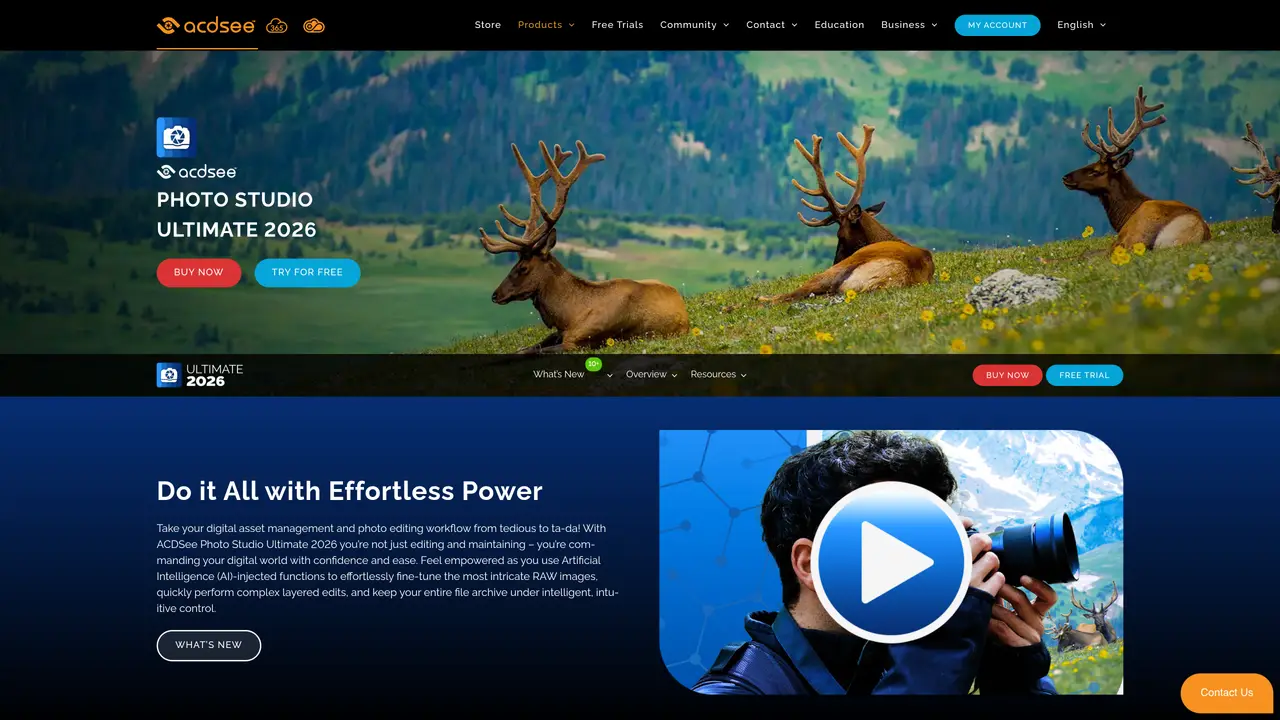
ACDSee Photo Studio Ultimate is a comprehensive photo editing, management, and asset management solution designed for photographers, designers, and creative professionals seeking advanced creative control. The software combines robust editing tools with a powerful digital asset management system, enabling users to efficiently process, organize, and enhance their images. It supports RAW file editing, batch processing, and a wide range of adjustments including color, tone, and exposure, as well as the application of effects, textures, and frames. The platform features an advanced asset management system that allows for intuitive tagging, categorization, and facial recognition, making it easier to locate and manage large collections of images. ACDSee Photo Studio Ultimate also integrates seamlessly with Adobe Photoshop and Illustrator, providing a streamlined workflow for professionals who rely on these tools. With its focus on flexibility and precision, the software empowers users to refine their creative vision while maintaining efficient workflows for sharing and exporting their work.
ACDSee Photo Studio Ultimate is a comprehensive photo editing and digital asset management software designed for photographers and designers. It combines RAW photo editing, layered image editing, and AI-powered tools with robust asset organization features.
The software is ideal for professional photographers, designers, and creative professionals who require advanced editing capabilities alongside efficient digital asset management. It also suits enthusiasts seeking powerful yet intuitive tools.
Yes, ACDSee Photo Studio Ultimate includes full support for RAW photo editing, allowing users to process and enhance high-quality images directly from their cameras.
The software incorporates several AI-powered features such as AI Denoise for reducing noise in photos, AI Hair Masking for precise hair selection, AI Develop Presets for automated RAW adjustments, and AI Face Edit for facial enhancements.
Yes, it supports integration with Adobe Photoshop and Illustrator, enabling users to seamlessly incorporate ACDSee’s edits into their existing workflows.
Users can start by downloading a free trial from the official website or purchasing the software. The platform offers video tutorials and workshops to help users familiarize themselves with its features.
We use essential cookies to run aitoolnavio™, and optional cookies to analyze traffic and measure our marketing. You choose what we use — optional cookies stay off unless you turn them on. See our Privacy Policy.
One short email a week: fresh tools worth trying, honest takes and the updates that actually matter. No spam, unsubscribe any time.
Remove image backgrounds instantly, save time with advanced AI, and create stunning images effortlessly.
AI platform for upscaling images, enhancing photos, and generating high-quality creative assets with contextual detail.
Remove backgrounds, adjust colors, add text, filters, and shapes with ease.
Unleash creativity: edit photos, videos, and designs with AI-enhanced tools.
Transform photos effortlessly with AI: edit, enhance, and remove backgrounds.
Web and mobile AI platform for generating, editing, and training custom visuals from prompts with community models and face-swap tools.
Convert raster images into scalable vector graphics within seconds.
Create stunning designs, edit photos, remove objects, make collages, and transform images with powerful AI tools and effects.
Create stunning visuals, access image recognition and processing, and express creatively with natural language processing.
Cloudinary provides APIs and tools to integrate, manage, and optimize images and videos for AI-driven visual experiences.
All-in-one AI suite for creators to automate workflows, edit media, and generate content across video, design, and productivity tools.
Identify stolen identities, uncover copyright infringements, and find unauthorized use of images with precision.
ACDSee Photo Studio UltimateContact for Pricing Topaz LabsSubscriptionACDSee Photo Studio UltimateContact for Pricing
 PhotoDirectorFreeACDSee Photo Studio UltimateContact for Pricing
 PicWish for WindowsFree TrialACDSee Photo Studio UltimateContact for Pricing
 HitPaw Photo EnhancerFree Trial
Matched on what this tool does — grouped by the job you would be replacing.
matches Robust suite of editing tools for adjusting color, tone, and exposure · Support for batch processing and RAW format · Support for adding effects, textures, and frames to photos
AI-enhanced photo and video editing software with local, secure processing.
Create stunning images, adjust colors, retouch photos, apply effects, and edit HDR and 360° photos professionally.
Automate color correction, enhance photos, export to social networks, and personalize with drag-and-drop.
One-click AI tool to upscale, unblur, denoise, colorize, and restore photos while preserving quality.
matches Advanced facial recognition technology
matches Powerful asset management system for organizing and tagging images
matches Integration with Adobe Photoshop and Illustrator
Automate retouching, enhance skin texture and detail with AI algorithms, and compatible with multiple photo editing platforms.
Enhance images, correct colors, and retouch faces effortlessly with AI-powered technology.
Automate skin smoothing, enhance color and create unique compositions with lighting effects.
Transform digital chaos into searchable libraries with AI-powered tagging.
Create stunning works of art, enhance photos, apply effects, and batch process multiple photos effortlessly.
AI-powered Photoshop plugin for one-click color grading, shadow/highlight control, and creative effects like bokeh and flares.
Enhance skin tones, facial features, add photo-realistic makeup and accessories, and customize images to stand out.