Remove image backgrounds instantly, save time with advanced AI, and create stunning images effortlessly.
54M visits/mo-8.6%#2 Image & Design

Combines a group photo with a separate portrait to create a single composition
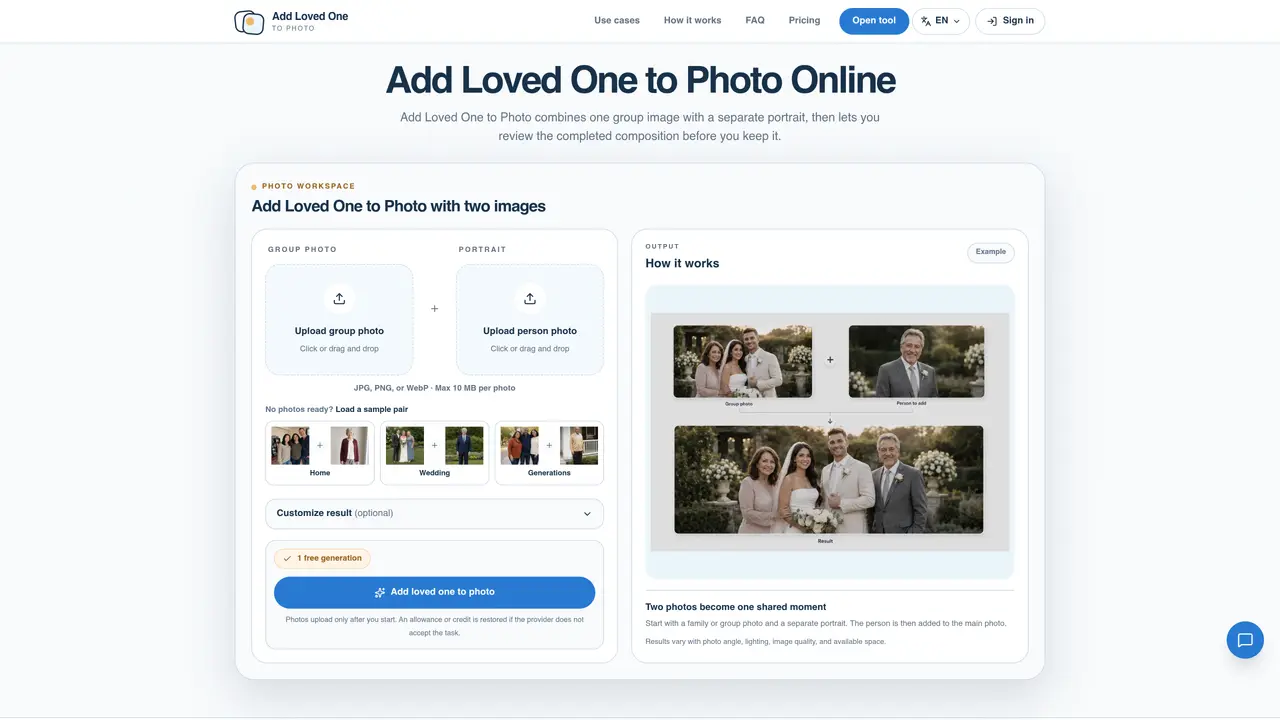
Add Loved One to Photo integrates a separate portrait into an existing group or event photo, producing a single composition. The tool requires two images: one group photo as the base and one portrait of the person to be added. Users can optionally provide guidance on placement, clothing, pose, expression, or details to preserve. The process involves uploading both photos, reviewing the generated result, and downloading the temporary output. Results depend on factors such as face visibility, camera angle, lighting, and source photo quality. The tool is designed for scenarios where a group photo was taken without an important person present. It supports JPG, PNG, or WebP formats with a maximum file size of 10 MB per image. The service operates through a one-time credit system, with no subscription required.
It integrates a separate portrait into an existing group or event photo to create a single composition. Users upload a base group photo and a portrait of the person to be added, then optionally provide guidance on placement, clothing, pose, or expression.
It suits users who want to include a missing person in a group photo, such as families, wedding parties, or event attendees. It is designed for scenarios where a group photo was taken without an important person present.
The service operates through a one-time credit system, with no subscription required. Users pay a fee per task, and credits are restored if the provider does not accept the task.
It supports JPG, PNG, or WebP formats with a maximum file size of 10 MB per image. Both the group photo and the portrait must meet these requirements.
Yes. You can use a group photo as the base and a separate portrait of the person you want to include. Review the generated result carefully before printing or sharing it.
Upload the group photo you want to complete, then upload the separate portrait of the person to add. Optionally provide guidance on placement, clothing, pose, or expression, then review and download the generated result.
We use essential cookies to run aitoolnavio™, and optional cookies to analyze traffic and measure our marketing. You choose what we use — optional cookies stay off unless you turn them on. See our Privacy Policy.
One short email a week: fresh tools worth trying, honest takes and the updates that actually matter. No spam, unsubscribe any time.
Remove image backgrounds instantly, save time with advanced AI, and create stunning images effortlessly.
AI platform for upscaling images, enhancing photos, and generating high-quality creative assets with contextual detail.
Remove backgrounds, adjust colors, add text, filters, and shapes with ease.
Unleash creativity: edit photos, videos, and designs with AI-enhanced tools.
Transform photos effortlessly with AI: edit, enhance, and remove backgrounds.
Web and mobile AI platform for generating, editing, and training custom visuals from prompts with community models and face-swap tools.
Convert raster images into scalable vector graphics within seconds.
Create stunning designs, edit photos, remove objects, make collages, and transform images with powerful AI tools and effects.
Create stunning visuals, access image recognition and processing, and express creatively with natural language processing.
Cloudinary provides APIs and tools to integrate, manage, and optimize images and videos for AI-driven visual experiences.
All-in-one AI suite for creators to automate workflows, edit media, and generate content across video, design, and productivity tools.
Identify stolen identities, uncover copyright infringements, and find unauthorized use of images with precision.
Matched on what this tool does — grouped by the job you would be replacing.
matches Combines group photo with separate portrait · Optional guidance for placement and details
Free web-based AI face swap tool for instant photo and video face replacements with no sign-up, watermarks, or limits.
Online tool to combine two images into one coherent composition with matched lighting, perspective and color
Free browser tool that swaps faces in photos and videos with AI, auto-deleting uploads for privacy.