Remove image backgrounds instantly, save time with advanced AI, and create stunning images effortlessly.
54M visits/mo-8.6%#2 Image & Design

A web-based AI photo editor that edits and generates images from text prompts with a credit-based system and optional commercial licensing.
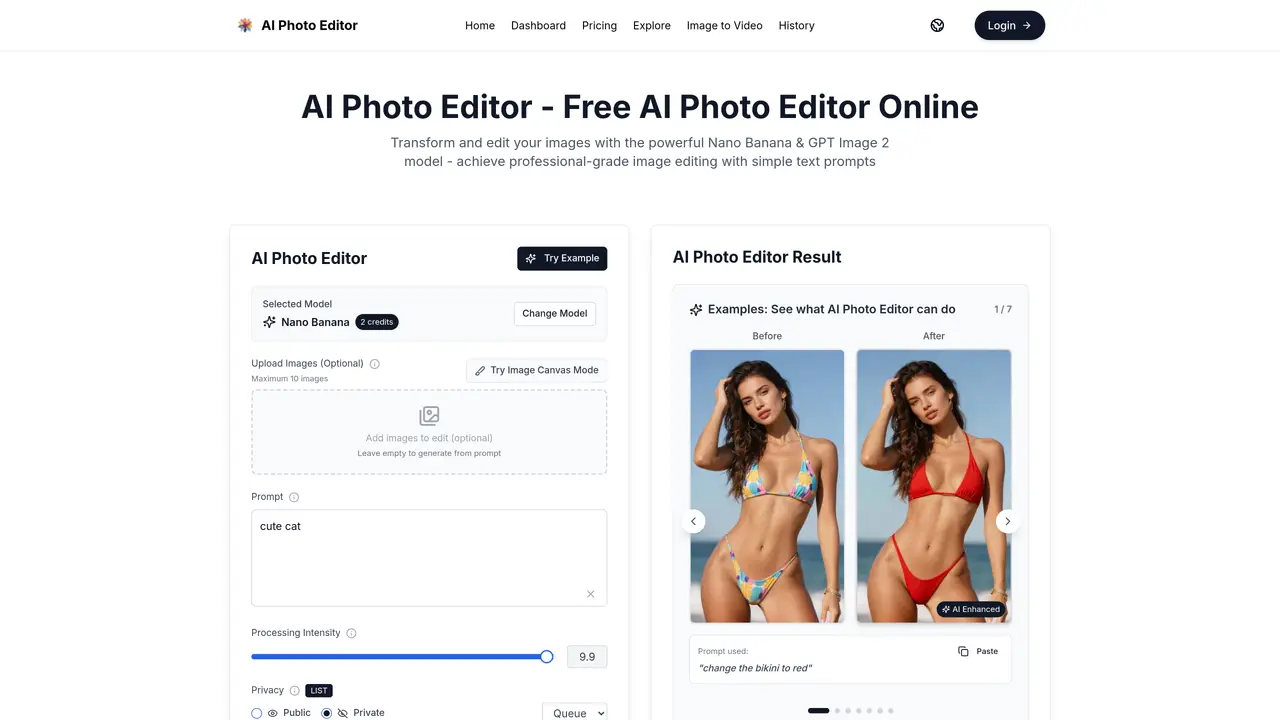
AI Photo Editor is a web-based tool for creators, designers, photographers, and professionals that enables image editing and generation using text prompts. Users can upload up to 10 images and adjust edit intensity for stronger or lighter transformations. The platform leverages Nano Banana models for high-quality outputs and supports both casual hobbyists and commercial workflows. It operates on a credit system where monthly credits map to output volume, with paid plans offering higher credit allowances and additional features. Download options vary by plan, ranging from PNG exports on lower tiers to full-format downloads and commercial licensing on higher tiers. Workflow enhancements include priority generation queues, priority support, and dedicated account managers on premium plans, along with optional add-ons like permanent history records. The tool is designed for users who prefer fast, prompt-driven edits without complex workflows, making it suitable for content creation, photo editing, and commercial projects. It offers a freemium model with subscription tiers and one-time credit purchases for heavier usage.
AI Photo Editor is an online tool that uses advanced AI models like Nano Banana and GPT Image 2 to edit and generate images from text prompts. Users can upload images for transformations such as changing colors, styles, or adding elements, or generate entirely new images based on prompts.
The tool is designed for a wide range of users, including hobbyists, creators, designers, photographers, and professionals who need fast, prompt-driven image editing or generation without complex workflows. It supports both casual and commercial projects.
AI Photo Editor operates on a credit system where users purchase credits to generate or edit images. Plans include monthly or annual subscriptions with varying credit allowances, as well as one-time credit purchases. Higher-tier plans offer additional features like commercial licensing and priority support.
The tool supports multiple output resolutions (up to 4K) and aspect ratios. Download options vary by plan, ranging from PNG exports on lower tiers to full-format downloads and commercial licensing on higher tiers. Users can also generate videos from edited images.
Users can upload up to 10 images at a time for editing. The tool operates on a credit system, so users must have sufficient credits to generate or edit images. Some advanced features, such as commercial licensing and priority support, are only available on paid plans.
Users can start creating immediately without signing up or providing a credit card. Simply visit the website, upload images (optional), enter a text prompt, and adjust settings like processing intensity and resolution before generating the image.
aiphotoeditor.ai · third-party estimates from Similarweb
Last 4 months · grows by one month every month
Share of visits · estimated visits
Other countries: 44.5%
Image & Design · Sep 2026
Traffic figures are third-party estimates, good for scale and trends; they can differ from a company's own numbers. Updated monthly.
We use essential cookies to run aitoolnavio™, and optional cookies to analyze traffic and measure our marketing. You choose what we use — optional cookies stay off unless you turn them on. See our Privacy Policy.
One short email a week: fresh tools worth trying, honest takes and the updates that actually matter. No spam, unsubscribe any time.
Remove image backgrounds instantly, save time with advanced AI, and create stunning images effortlessly.
AI platform for upscaling images, enhancing photos, and generating high-quality creative assets with contextual detail.
Remove backgrounds, adjust colors, add text, filters, and shapes with ease.
Unleash creativity: edit photos, videos, and designs with AI-enhanced tools.
Transform photos effortlessly with AI: edit, enhance, and remove backgrounds.
Web and mobile AI platform for generating, editing, and training custom visuals from prompts with community models and face-swap tools.
Convert raster images into scalable vector graphics within seconds.
Create stunning designs, edit photos, remove objects, make collages, and transform images with powerful AI tools and effects.
Create stunning visuals, access image recognition and processing, and express creatively with natural language processing.
Cloudinary provides APIs and tools to integrate, manage, and optimize images and videos for AI-driven visual experiences.
All-in-one AI suite for creators to automate workflows, edit media, and generate content across video, design, and productivity tools.
Identify stolen identities, uncover copyright infringements, and find unauthorized use of images with precision.
Matched on what this tool does — grouped by the job you would be replacing.
matches Text-prompt image editing and generation using Nano Banana models · Upload up to 10 images for editing with adjustable intensity controls · Credit-based usage system mapping monthly credits to output volume
A web-based AI image generator for creators and designers using Flux.1 models to produce high-quality images and videos from text or reference visuals.
AI image editor for creators and marketers that removes backgrounds, erases objects, swaps faces, enhances images, and generates visuals from text.
Online AI photo generator and editor that creates or modifies images from text prompts or uploaded photos
Online AI image generator creating visuals from text prompts or reference images