Remove image backgrounds instantly, save time with advanced AI, and create stunning images effortlessly.
54M visits/mo-8.6%#2 Image & Design

Browser-based tool for cutting objects from photos with transparent backgrounds
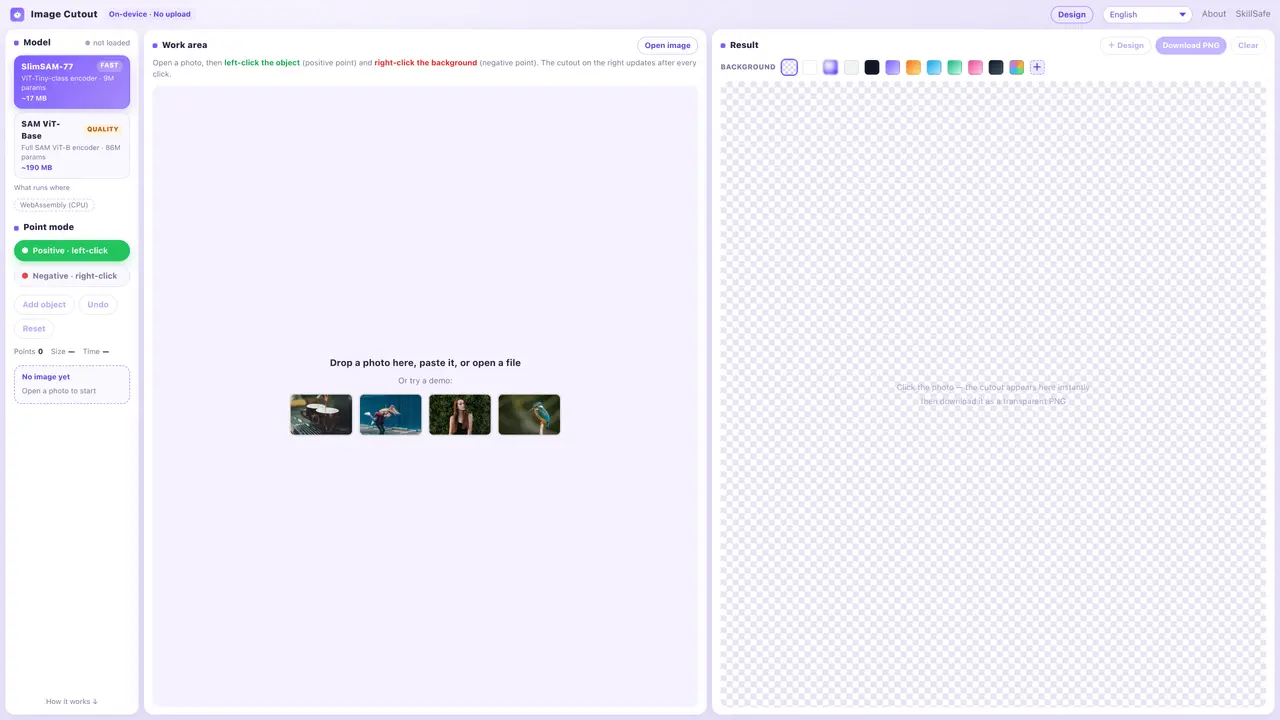
Image Cutout is a free online application that removes backgrounds from images directly in the user’s browser. It uses the Segment Anything model to identify and isolate objects based on user clicks, supporting both a lightweight SlimSAM-77 model and the full SAM ViT-Base model for higher precision. Users open an image, mark the desired object with left clicks and exclude areas with right clicks, with the mask updating in real time. The tool offers background replacement options including transparency, solid colors, gradients, blurred versions of the original, or custom images. Multiple cutouts can be arranged on a design canvas for collage creation before exporting as PNG or JPG files. All processing occurs locally using WebAssembly or WebGPU, and images are never uploaded to servers. The interface supports multiple languages and allows switching between models without restarting the session.
Yes, Image Cutout is completely free with no sign-up required, no watermarks, and no usage limits. All processing happens in the user's browser, and images are never uploaded to servers.
Open a photo, then left-click the object you want to keep and right-click anything you want to exclude. The cutout updates after every click, and you can download the result as a transparent PNG once satisfied.
Yes. Left-click the item you want to keep and right-click the identical item you want to exclude. The Segment Anything model will separate the boundaries between them.
Yes. You can choose from options like transparency, white, a blurred version of the original, color or gradient presets, or upload a custom background image. The download includes the selected background as a PNG or JPG.
Image Cutout offers two models: SlimSAM-77, a lightweight model (~17 MB) that runs quickly, and SAM ViT-Base, a full model (~190 MB) for cleaner edges on small or low-contrast objects. Both run locally, and you can switch between them without restarting.
No. All processing occurs locally in the user's browser using WebAssembly or WebGPU. The only network activity is downloading the AI model once, which is then cached on the device.
We use essential cookies to run aitoolnavio™, and optional cookies to analyze traffic and measure our marketing. You choose what we use — optional cookies stay off unless you turn them on. See our Privacy Policy.
One short email a week: fresh tools worth trying, honest takes and the updates that actually matter. No spam, unsubscribe any time.
Remove image backgrounds instantly, save time with advanced AI, and create stunning images effortlessly.
AI platform for upscaling images, enhancing photos, and generating high-quality creative assets with contextual detail.
Remove backgrounds, adjust colors, add text, filters, and shapes with ease.
Unleash creativity: edit photos, videos, and designs with AI-enhanced tools.
Transform photos effortlessly with AI: edit, enhance, and remove backgrounds.
Web and mobile AI platform for generating, editing, and training custom visuals from prompts with community models and face-swap tools.
Convert raster images into scalable vector graphics within seconds.
Create stunning designs, edit photos, remove objects, make collages, and transform images with powerful AI tools and effects.
Create stunning visuals, access image recognition and processing, and express creatively with natural language processing.
Cloudinary provides APIs and tools to integrate, manage, and optimize images and videos for AI-driven visual experiences.
All-in-one AI suite for creators to automate workflows, edit media, and generate content across video, design, and productivity tools.
Identify stolen identities, uncover copyright infringements, and find unauthorized use of images with precision.
Matched on what this tool does — grouped by the job you would be replacing.
matches Point-and-click object selection · Transparent PNG export · Background replacement presets
Free online AI tool that removes backgrounds from images instantly
Free online background removal tool with no signup or watermark
Browser-based AI tool that removes watermarks, objects, text, and backgrounds from images using AI inpainting.