Remove image backgrounds instantly, save time with advanced AI, and create stunning images effortlessly.
54M visits/mo-8.6%#2 Image & Design

AI-powered tool that transforms apparel images into professional e-commerce product photos like ghost mannequin, on-model, and flat lay shots.
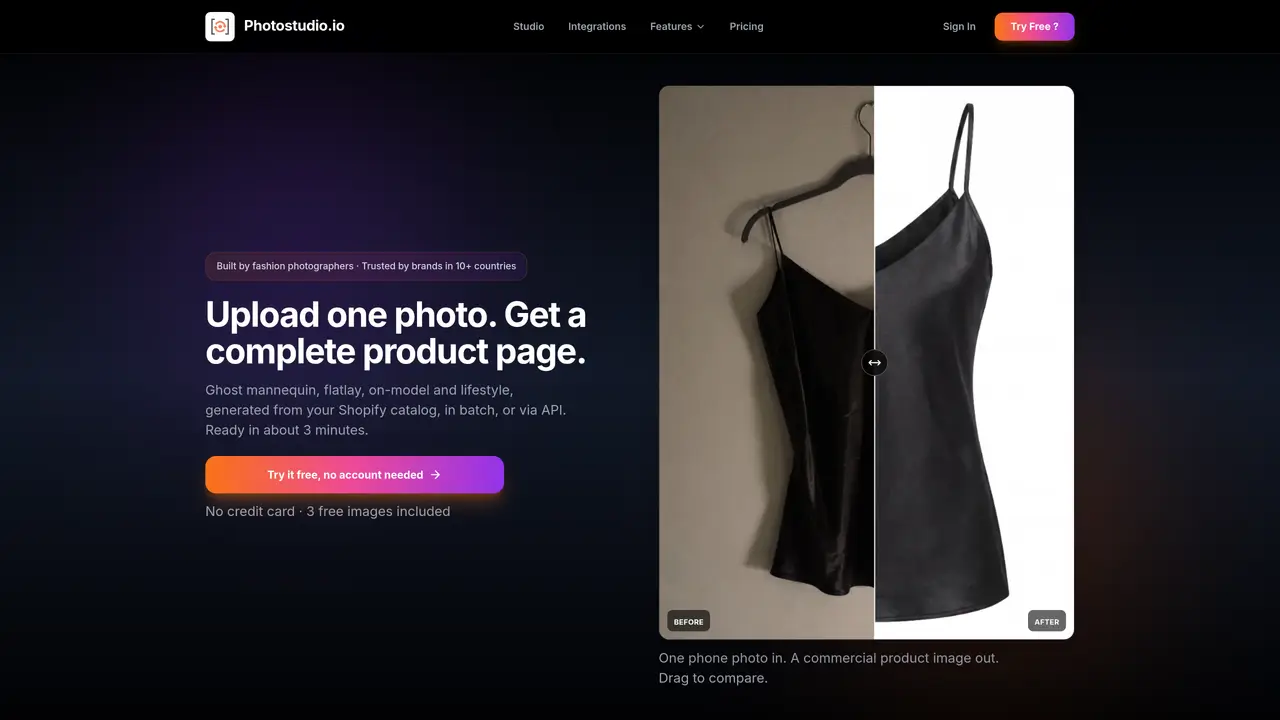
Photostudio is an AI-powered product photography tool designed for retailers and e-commerce brands. It automates the creation of professional product images by processing user-uploaded apparel photos to generate multiple styled variants such as ghost mannequin, on-model, flat lay, and lifestyle shots. The tool removes backgrounds, simulates models, and produces consistent, high-converting visuals without the need for costly traditional photoshoots. It supports batch processing, allowing users to scale production efficiently and maintain uniformity across product collections. Photostudio is particularly useful for businesses looking to quickly enhance their online storefronts with polished, market-ready imagery. By leveraging AI, it reduces the time and resources typically required for product photography, making it accessible for small to large retailers alike.
Any clear product photo works, including smartphone images. The tool is designed to handle a range of input qualities, but higher resolution improves output fidelity.
Yes, Photostudio offers a free tier with 3 images per month and no credit card required. Paid plans include a 14-day money-back guarantee.
Generation typically completes in about 3 minutes per garment, with batch processing available for entire catalogs.
Yes, all generated images are intended for commercial use, including marketing, listings, and social media.
Photostudio provides multiple output options per upload, allowing you to select the best results. If an output is unsatisfactory, you can regenerate or adjust settings.
Yes, Photostudio offers a Resale Studio format that preserves stains and wear for authentic second-hand product presentations.
photostudio.io · third-party estimates from Similarweb
Last 4 months · grows by one month every month
Share of visits by channel
Share of visits · estimated visits
How people reach this site from other AI tools
42 a month · 0.9% of all visits
Image & Design · Sep 2026
Traffic figures are third-party estimates, good for scale and trends; they can differ from a company's own numbers. Updated monthly.
We use essential cookies to run aitoolnavio™, and optional cookies to analyze traffic and measure our marketing. You choose what we use — optional cookies stay off unless you turn them on. See our Privacy Policy.
One short email a week: fresh tools worth trying, honest takes and the updates that actually matter. No spam, unsubscribe any time.
Remove image backgrounds instantly, save time with advanced AI, and create stunning images effortlessly.
AI platform for upscaling images, enhancing photos, and generating high-quality creative assets with contextual detail.
Remove backgrounds, adjust colors, add text, filters, and shapes with ease.
Unleash creativity: edit photos, videos, and designs with AI-enhanced tools.
Transform photos effortlessly with AI: edit, enhance, and remove backgrounds.
Web and mobile AI platform for generating, editing, and training custom visuals from prompts with community models and face-swap tools.
Convert raster images into scalable vector graphics within seconds.
Create stunning designs, edit photos, remove objects, make collages, and transform images with powerful AI tools and effects.
Create stunning visuals, access image recognition and processing, and express creatively with natural language processing.
Cloudinary provides APIs and tools to integrate, manage, and optimize images and videos for AI-driven visual experiences.
All-in-one AI suite for creators to automate workflows, edit media, and generate content across video, design, and productivity tools.
Identify stolen identities, uncover copyright infringements, and find unauthorized use of images with precision.
Matched on what this tool does — grouped by the job you would be replacing.
matches AI-powered background removal · Ghost mannequin effect generation · On-model and flat lay shot creation
AI platform that turns product photos into studio-quality images, lifestyle scenes, and video ads in seconds.
AI platform that transforms basic apparel shots into studio-quality product images, videos, and 3D-style rotations for e-commerce and marketplaces.
Turn a single product photo into multiple high-converting e-commerce visuals with AI, optimized for real-world selling scenarios.
AI tool that turns garment images into realistic fashion model photos without photoshoots, helping e-commerce brands visualize products instantly.