Remove image backgrounds instantly, save time with advanced AI, and create stunning images effortlessly.
54M visits/mo-8.6%#2 Image & Design

Crop, resize, and enhance photos with filters and effects using an intuitive user interface and drag & drop features.
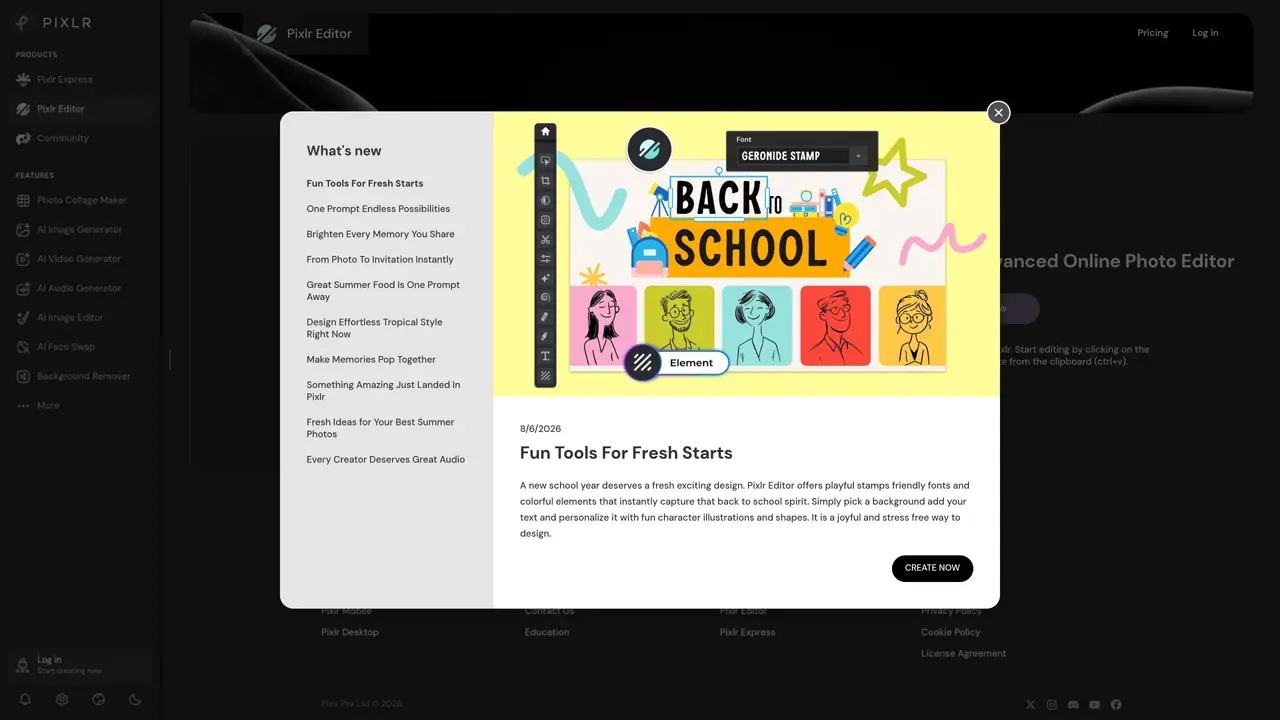
Pixlr Editor is a browser-based photo editing application designed for users of all skill levels, from beginners to professional photographers. It provides a comprehensive suite of editing tools accessible directly through a web browser, eliminating the need for software installation. The platform supports both basic adjustments, such as cropping, resizing, and color correction, as well as advanced features like layer-based editing, clone tools, and brush controls. Users can apply a variety of filters, effects, and overlays to achieve creative and professional results with minimal effort. The interface is intuitive, featuring drag-and-drop functionality and customizable toolbars to streamline the editing workflow. Pixlr Editor also includes options for batch processing, allowing users to apply edits to multiple images simultaneously. It is particularly well-suited for quick edits, social media content creation, and graphic design tasks. The tool is compatible with most modern web browsers and supports common image formats like JPEG, PNG, and PSD. Additionally, it offers cloud storage integration and collaboration features for sharing and editing projects with others.
Pixlr Editor is a free, cloud-based online photo editor that provides professional-level editing tools accessible directly through a web browser. It allows users to perform tasks such as cropping, resizing, color adjustments, retouching, applying filters, and using AI-powered features like background removal and generative fill.
Pixlr Editor is designed for both amateur and experienced photographers, designers, and content creators who need a powerful yet user-friendly tool for editing images without installing software. Its intuitive interface and drag-and-drop functionality make it accessible to users of all skill levels.
To start using Pixlr Editor, visit the Pixlr website and click 'Open image' to upload a file, drag and drop an image, or paste from the clipboard. The editor loads directly in the browser, allowing immediate access to editing tools and features.
Yes, Pixlr Editor allows users to save projects temporarily in the browser cache, but these are deleted if the cache is cleared. For long-term storage, projects can be downloaded as .PXZ files. Images can also be exported in various formats such as PNG, JPEG, or PDF.
Pixlr Editor includes AI-powered tools such as background removal, generative fill, noise removal, skin enhancement, and super sharpening. These features automate complex tasks, making advanced editing more efficient and accessible.
Pixlr Editor is primarily designed for desktop use and works best in a web browser on computers. While it may be accessible on mobile devices, the full range of features and usability is optimized for larger screens and mouse/keyboard input.
We use essential cookies to run aitoolnavio™, and optional cookies to analyze traffic and measure our marketing. You choose what we use — optional cookies stay off unless you turn them on. See our Privacy Policy.
One short email a week: fresh tools worth trying, honest takes and the updates that actually matter. No spam, unsubscribe any time.
Remove image backgrounds instantly, save time with advanced AI, and create stunning images effortlessly.
AI platform for upscaling images, enhancing photos, and generating high-quality creative assets with contextual detail.
Remove backgrounds, adjust colors, add text, filters, and shapes with ease.
Unleash creativity: edit photos, videos, and designs with AI-enhanced tools.
Transform photos effortlessly with AI: edit, enhance, and remove backgrounds.
Web and mobile AI platform for generating, editing, and training custom visuals from prompts with community models and face-swap tools.
Convert raster images into scalable vector graphics within seconds.
Create stunning designs, edit photos, remove objects, make collages, and transform images with powerful AI tools and effects.
Create stunning visuals, access image recognition and processing, and express creatively with natural language processing.
Cloudinary provides APIs and tools to integrate, manage, and optimize images and videos for AI-driven visual experiences.
All-in-one AI suite for creators to automate workflows, edit media, and generate content across video, design, and productivity tools.
Identify stolen identities, uncover copyright infringements, and find unauthorized use of images with precision.
Matched on what this tool does — grouped by the job you would be replacing.
matches Enhance photos with filters and effects · Color adjustments and retouching · Basic and advanced editing tools
Create stunning designs, edit photos, remove objects, make collages, and transform images with powerful AI tools and effects.
Adjust exposure, color, contrast, and more, automate photo problems, and create stunning visuals with an intuitive UI.
Remove unwanted elements, replace objects, and retouch images professionally with ease.
Create stunning images, adjust colors, retouch photos, apply effects, and edit HDR and 360° photos professionally.
matches Crop and resize photos · Drag & drop functionality
matches Remove unwanted elements from photos · AI Background Remover
Easily edit images with filters, text, clip art, and more; adjust colors, brightness, saturation, and size.
Create unique visuals with drag-and-drop functionality, access templates, photos, and vectors, and edit photos with powerful tools.
Quickly edit, crop, resize, rotate images, change colors, add effects, experiment with suggested images and filters.
Automate color correction, enhance photos, export to social networks, and personalize with drag-and-drop.
Transform images with AI-powered enhancements.
AI-enhanced photo editing with background removal and enhancements.
Generate stunning images with AI, easily remove or change backgrounds, and add blur effects to achieve professional results in seconds.
Online tool that removes backgrounds from images and videos with simple drag-and-drop or paste actions.