

Remove image backgrounds instantly, save time with advanced AI, and create stunning images effortlessly.
54M visits/mo-8.6%#2 Image & Design
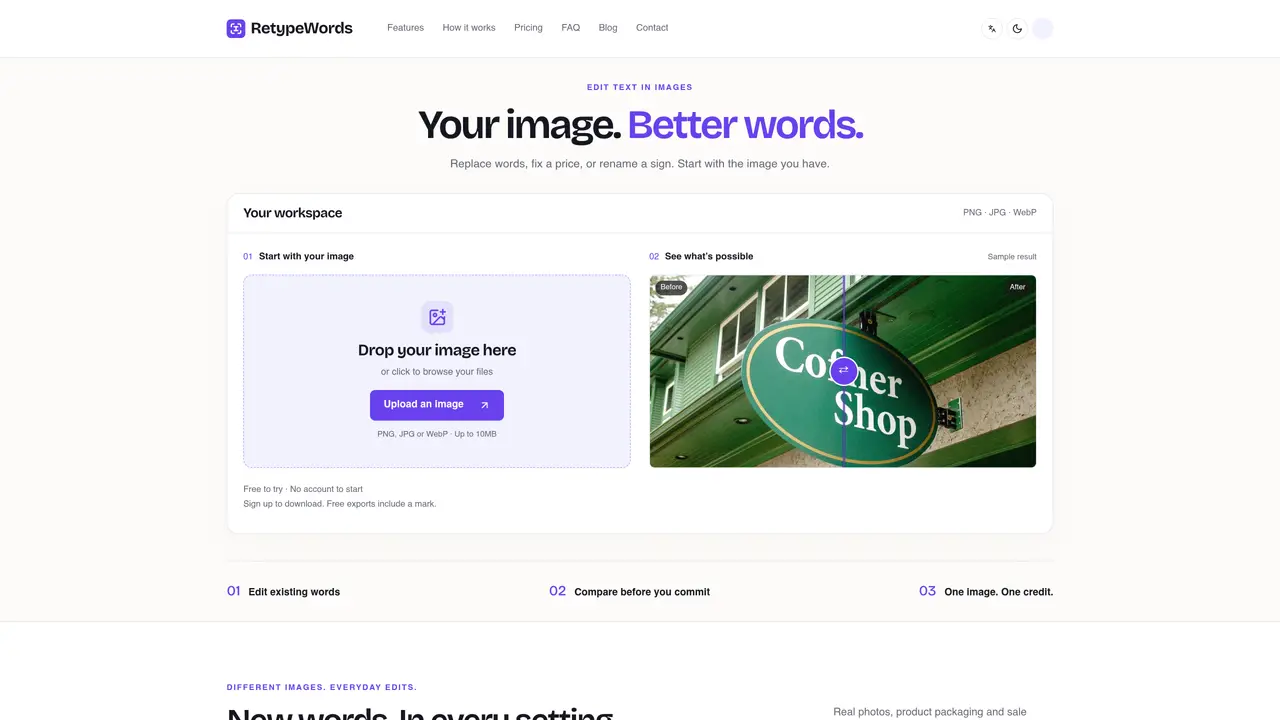
RetypeWords allows users to edit text within images by replacing existing words with new ones while aiming to match the surrounding font style and layout. The tool accepts PNG, JPG, or WebP files up to 10MB and supports multilingual text editing in English, Spanish, German, French, Japanese, and Simplified or Traditional Chinese. Users upload an image, select the text to replace, and type the new wording; the system generates a preview for comparison before finalizing the edit. It is designed for quick adjustments such as correcting typos, updating prices, renaming signs, or localizing text in product packaging, posters, or photos. The workflow emphasizes a final review step where users can inspect font size, spacing, and surrounding details before downloading the edited image. Source images and exports expire after 48 hours and are not used for training purposes.
RetypeWords allows users to edit text within images by replacing existing words with new ones while aiming to match the surrounding font style and layout. It supports multilingual text editing in English, Spanish, German, French, Japanese, and Simplified or Traditional Chinese.
The tool is designed for users who need quick adjustments such as correcting typos, updating prices, renaming signs, or localizing text in product packaging, posters, or photos. It suits individuals, creators, and businesses handling visual content.
RetypeWords uses a credit-based system where each image edit consumes one credit. It offers monthly subscription plans and one-time credit packs, with paid exports removing the product mark. Unused credits roll over, and there is no expiry.
RetypeWords operates as a standalone web-based tool and does not list specific integrations with other software platforms. Users interact directly with the tool via its website.
The tool works best with clear, readable text in digital artwork or photos. Small, curved, or heavily stylized lettering may require closer review. The final output is a visual approximation and should always be inspected before use.
Users can start by uploading an image in PNG, JPG, or WebP format up to 10MB. They select the text to replace, type the new wording, and review a preview before finalizing the edit. An account is required to download the edited image.
We use essential cookies to run aitoolnavio™, and optional cookies to analyze traffic and measure our marketing. You choose what we use — optional cookies stay off unless you turn them on. See our Privacy Policy.
One short email a week: fresh tools worth trying, honest takes and the updates that actually matter. No spam, unsubscribe any time.
Remove image backgrounds instantly, save time with advanced AI, and create stunning images effortlessly.
AI platform for upscaling images, enhancing photos, and generating high-quality creative assets with contextual detail.
Remove backgrounds, adjust colors, add text, filters, and shapes with ease.
Unleash creativity: edit photos, videos, and designs with AI-enhanced tools.
Transform photos effortlessly with AI: edit, enhance, and remove backgrounds.
Web and mobile AI platform for generating, editing, and training custom visuals from prompts with community models and face-swap tools.
Convert raster images into scalable vector graphics within seconds.
Create stunning designs, edit photos, remove objects, make collages, and transform images with powerful AI tools and effects.
Create stunning visuals, access image recognition and processing, and express creatively with natural language processing.
Cloudinary provides APIs and tools to integrate, manage, and optimize images and videos for AI-driven visual experiences.
All-in-one AI suite for creators to automate workflows, edit media, and generate content across video, design, and productivity tools.
Identify stolen identities, uncover copyright infringements, and find unauthorized use of images with precision.
Matched on what this tool does — grouped by the job you would be replacing.
matches Replace text in PNG, JPG, or WebP images · Multilingual text editing (English, Spanish, German, French, Japanese, Chinese) · Font style matching for edited text
AI-powered online editor to edit, replace, or style text inside images without design skills.
Online AI tool to replace existing text in finished images while matching original font, style and background
Online tool to replace embedded text in JPG, PNG, or WebP images without the original design file