
Remove image backgrounds instantly, save time with advanced AI, and create stunning images effortlessly.
54M visits/mo-8.6%#2 Image & Design
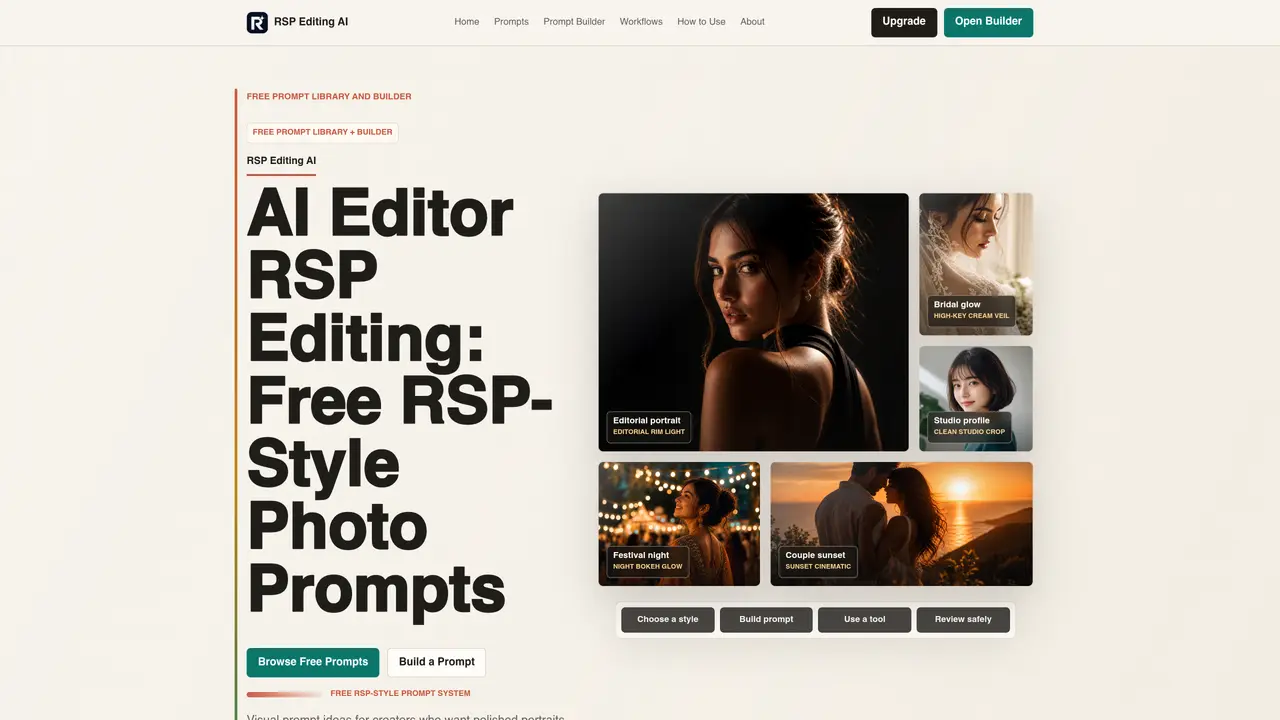
RSP Editing AI provides a free prompt library and builder designed for creators who want polished photo editing ideas in the RSP style. The platform offers structured prompts for portrait, couple, bridal, festival, and profile photography, each tailored for third-party AI or mobile editing tools. Users can browse a free library of copy-ready prompts or build custom prompts locally without uploading images or creating an account. The builder allows selection of subject, style, background, lighting, lens feel, target tool, and output goal to generate structured prompts. Prompts are intended for tools like ChatGPT, Gemini, CapCut, or Snapseed, and focus on visual directions rather than direct photo editing. The site emphasizes independent resource status and does not generate, edit, upload, or store photos.
RSP Editing AI is an independent prompt library and builder that provides structured, RSP-style photo editing ideas for creators. It offers copy-ready prompts and a local builder to generate prompts without uploading images or creating an account.
The tool is designed for creators who want polished photo editing ideas, including portrait, couple, bridal, festival, and profile photographers. It suits users who edit photos using third-party AI or mobile tools like ChatGPT, Gemini, CapCut, or Snapseed.
The prompt builder allows users to select a subject, style, background, lighting, lens feel, target tool, and output goal. It generates a structured prompt locally in the browser, which can be copied and used in third-party editing tools without backend storage or account creation.
No, RSP Editing AI does not generate, edit, upload, or store photos. It provides visual prompt ideas and workflows for users to apply in their preferred editing tools.
Yes, the free prompt library and builder can be used without creating an account. The builder operates locally in the browser, and inputs are not sent to a backend or saved.
Prompts generated by RSP Editing AI are designed for use with third-party tools such as ChatGPT, Gemini, CapCut, Snapseed, and other AI or mobile editing applications.
We use essential cookies to run aitoolnavio™, and optional cookies to analyze traffic and measure our marketing. You choose what we use — optional cookies stay off unless you turn them on. See our Privacy Policy.
One short email a week: fresh tools worth trying, honest takes and the updates that actually matter. No spam, unsubscribe any time.
Remove image backgrounds instantly, save time with advanced AI, and create stunning images effortlessly.
AI platform for upscaling images, enhancing photos, and generating high-quality creative assets with contextual detail.
Remove backgrounds, adjust colors, add text, filters, and shapes with ease.
Unleash creativity: edit photos, videos, and designs with AI-enhanced tools.
Transform photos effortlessly with AI: edit, enhance, and remove backgrounds.
Web and mobile AI platform for generating, editing, and training custom visuals from prompts with community models and face-swap tools.
Convert raster images into scalable vector graphics within seconds.
Create stunning designs, edit photos, remove objects, make collages, and transform images with powerful AI tools and effects.
Create stunning visuals, access image recognition and processing, and express creatively with natural language processing.
Cloudinary provides APIs and tools to integrate, manage, and optimize images and videos for AI-driven visual experiences.
All-in-one AI suite for creators to automate workflows, edit media, and generate content across video, design, and productivity tools.
Identify stolen identities, uncover copyright infringements, and find unauthorized use of images with precision.
Matched on what this tool does — grouped by the job you would be replacing.
matches Free prompt library for portrait, couple, bridal, festival, and profile styles · Local prompt builder with structured fields · Copy-ready prompt generation for third-party tools
AIForWork.co is the most advanced ChatGPT prompt and resource library with custom GPTs and helpful resources.
Web-based workspace for building and exporting MiniMax H3 video prompts
A tool for finding precise AI photo editing prompts by edit type
Free community-built library for finding, saving and organizing AI prompts