

Remove image backgrounds instantly, save time with advanced AI, and create stunning images effortlessly.
54M visits/mo-8.6%#2 Image & Design
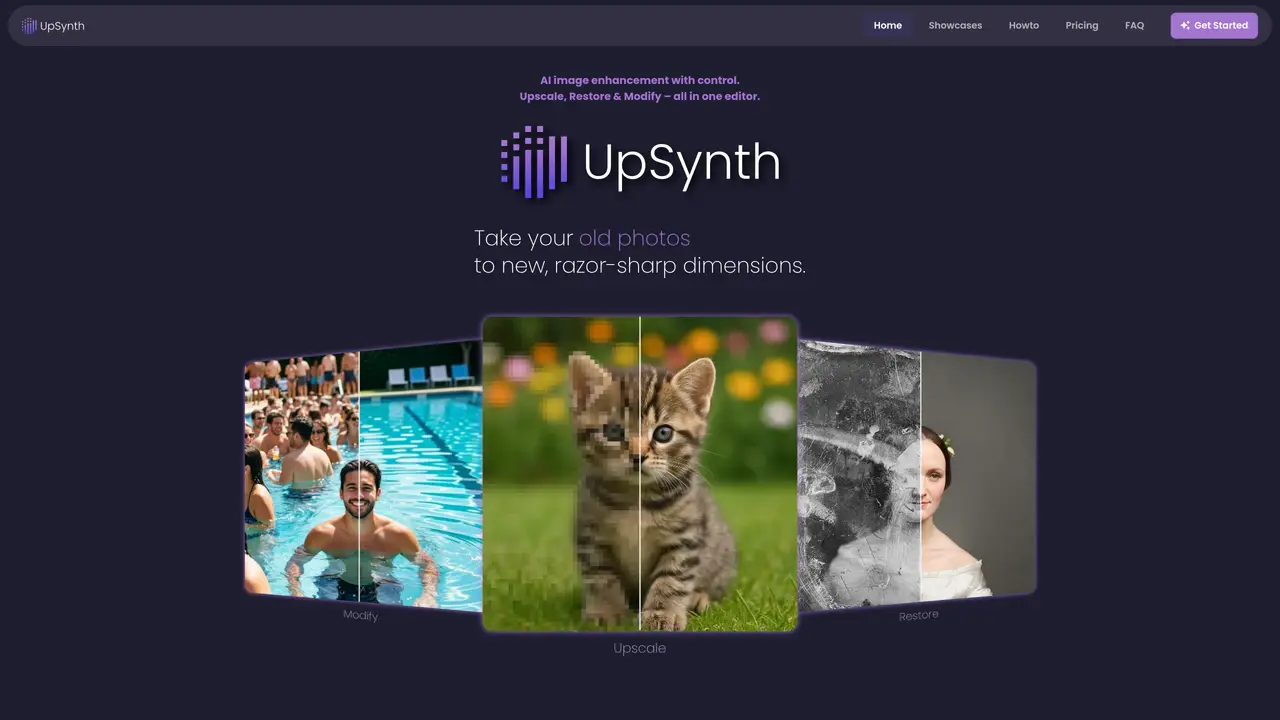
UpSynth is a browser-based AI image editor focused on controlled upscaling, restoration, and selective modification. Instead of guessing what a user wants, it lets them decide exactly how much the AI is allowed to change an image, from subtle clean-up through to more imaginative enhancement. Old photos, movie posters, illustrations, and digital artwork can be repaired, sharpened, and reworked in a single interface that combines three AI tools: Upscale, Restore, and Modify. Key Features: AI Upscale: Intelligently enlarges images while preserving overall appearance. Selective Restore: Targets problem areas such as distorted faces, damaged regions, or overcooked AI details. Prompt-Based Modify: Lets users mark an area and describe, in plain language, what should change. This supports object replacement, cleanup, and stylistic tweaks without regenerating the entire frame, and returns multiple variants to choose from. Magic Creativity Control: A “magic” slider determines how conservative or imaginative the AI can be. Low values stay very close to source pixels, medium values add detail while staying on-style, and higher values lean into more generative interpretation. Stepwise Browser Editor: Upscale, Restore, and Modify can be combined in stages, with the ability to undo and refine each step. Everything runs in the browser, avoiding complex settings or separate apps. UpSynth is suitable for professional photographers and retouchers who need to rescue soft wedding, portrait, and event shots; graphic designers and illustrators who want to clean and enlarge posters, cover art, and illustrations; print shops, agencies, and publishers who refresh older campaign assets; marketing teams and online sellers who sharpen product photos and promotional imagery. It can also be used by archivists and film enthusiasts to revive vintage posters and scanned memorabilia; tabletop game creators and indie comic artists to revive low-res assets for reprints and special editions.
UpSynth is a browser-based AI image editor that provides controlled upscaling, selective restoration, and prompt-based modification of images. It allows users to decide how much the AI can alter an image, from subtle clean-up to more imaginative enhancements.
UpSynth is designed for professional photographers, graphic designers, illustrators, print shops, marketing teams, archivists, and film enthusiasts who need to enhance, restore, or modify images with precision.
UpSynth offers a free trial for the first upscale. Users can then purchase credit packages as needed to continue using the service.
UpSynth operates entirely within the browser and does not require integration with external tools or software.
UpSynth is not a one-click solution and requires user input to guide the AI. Higher creativity settings may introduce interpretation risks, and results depend on the quality of the original image.
Users can start by uploading an image for a free upscale trial on the UpSynth website. No complex settings or separate apps are required.
We use essential cookies to run aitoolnavio™, and optional cookies to analyze traffic and measure our marketing. You choose what we use — optional cookies stay off unless you turn them on. See our Privacy Policy.
One short email a week: fresh tools worth trying, honest takes and the updates that actually matter. No spam, unsubscribe any time.
Remove image backgrounds instantly, save time with advanced AI, and create stunning images effortlessly.
AI platform for upscaling images, enhancing photos, and generating high-quality creative assets with contextual detail.
Remove backgrounds, adjust colors, add text, filters, and shapes with ease.
Unleash creativity: edit photos, videos, and designs with AI-enhanced tools.
Transform photos effortlessly with AI: edit, enhance, and remove backgrounds.
Web and mobile AI platform for generating, editing, and training custom visuals from prompts with community models and face-swap tools.
Convert raster images into scalable vector graphics within seconds.
Create stunning designs, edit photos, remove objects, make collages, and transform images with powerful AI tools and effects.
Create stunning visuals, access image recognition and processing, and express creatively with natural language processing.
Cloudinary provides APIs and tools to integrate, manage, and optimize images and videos for AI-driven visual experiences.
All-in-one AI suite for creators to automate workflows, edit media, and generate content across video, design, and productivity tools.
Identify stolen identities, uncover copyright infringements, and find unauthorized use of images with precision.
Matched on what this tool does — grouped by the job you would be replacing.
matches AI Upscale: intelligently enlarges images while preserving overall appearance · Selective Restore: targets problem areas such as distorted faces, damaged regions, or overcooked AI details · Prompt-Based Modify: lets users mark an area and describe what should change
A free online AI picture editor that lets you remove backgrounds, erase objects, restore old photos, and apply artistic styles — just describe what you want, no signup or download needed.
Upscale, remove backgrounds or objects... just describe what you want.
BeautyPlus Image Enhancer enhances photo clarity and resolution with one-click AI-powered image quality enhancement.
One-click AI tool to upscale, unblur, denoise, colorize, and restore photos while preserving quality.