Remove image backgrounds instantly, save time with advanced AI, and create stunning images effortlessly.
54M visits/mo-8.6%#2 Image & Design
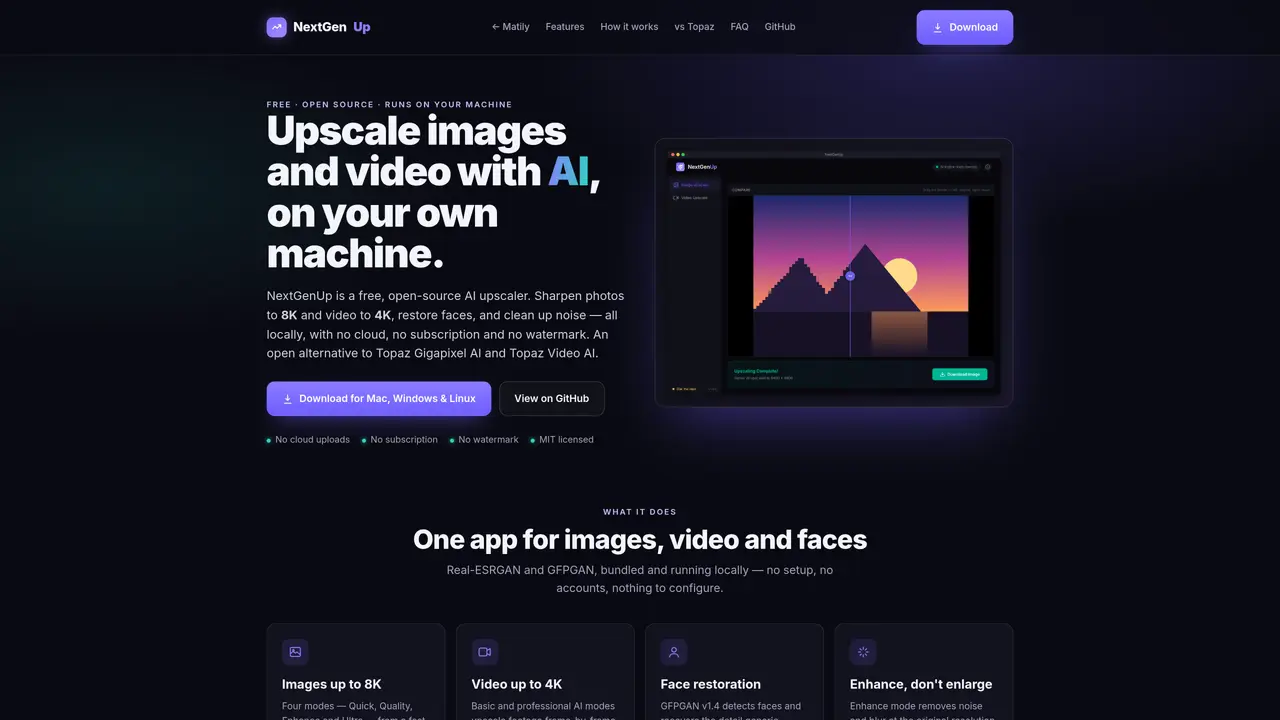
NextGenUp is a free, open-source AI tool for upscaling images and videos on local hardware. It supports images up to 8K resolution and video up to 4K, with modes ranging from Quick to Ultra for images and basic to professional for video. The application includes face restoration using GFPGAN v1.4, noise and blur reduction in Enhance mode, and batch processing for folders. It operates entirely offline, with no cloud uploads, subscriptions, or watermarks. The desktop app runs on macOS, Windows, and Linux, while a self-hosted web version can be accessed from any device on the same network. The tool uses Real-ESRGAN for super-resolution, GFPGAN for face restoration, and ONNX Runtime for local AI processing, with FFmpeg handling video tasks.
Yes, NextGenUp is completely free and open-source under the MIT license, with no subscription, watermark, or account required.
No, all processing occurs locally on your machine, including the AI models, FFmpeg, and server. Files never leave your computer.
NextGenUp offers similar core features—image upscaling to 8K, video upscaling to 4K, and face restoration—without a subscription or watermark.
No, NextGenUp runs on the CPU by default and automatically uses GPU acceleration if available. In the browser, it can leverage WebGPU on supported versions of Chrome or Edge.
Desktop apps are available for macOS (Apple Silicon and Intel), Windows 10/11 (64-bit), and Linux (AppImage and .deb), alongside a self-hosted web app accessible from any device on the same network.
Yes, the tool supports batch processing for folders, allowing users to upscale multiple images or videos in a single run and export results as a zip file.
We use essential cookies to run aitoolnavio™, and optional cookies to analyze traffic and measure our marketing. You choose what we use — optional cookies stay off unless you turn them on. See our Privacy Policy.
One short email a week: fresh tools worth trying, honest takes and the updates that actually matter. No spam, unsubscribe any time.
Remove image backgrounds instantly, save time with advanced AI, and create stunning images effortlessly.
AI platform for upscaling images, enhancing photos, and generating high-quality creative assets with contextual detail.
Remove backgrounds, adjust colors, add text, filters, and shapes with ease.
Transform photos effortlessly with AI: edit, enhance, and remove backgrounds.
Convert raster images into scalable vector graphics within seconds.
Quickly upscale multiple images, get stunning visuals in less time, and easily batch process images.
Enhance and edit photos with 15+ professional-grade tools, delivering HD quality results on both desktop and Android.
Automate image transformations, bulk upload and store images, and reduce load time with built-in CDN.
Free AI tool that adds realistic color to black and white images and enhances photo realism.
All-in-one AI platform for face swapping, image generation, upscaling, and art creation with free access and batch processing.
Edit, transform, and enhance photos with text prompts using our free AI photo editor online.
Upsize images for prints, enlarge artwork for wall displays, and create stunning visuals for online use.
Matched on what this tool does — grouped by the job you would be replacing.
matches Image upscaling up to 8K · Video upscaling up to 4K · Face restoration with GFPGAN v1.4
AI platform for upscaling images, enhancing photos, and generating high-quality creative assets with contextual detail.
Free, open-source AI image upscaler that enlarges JPG, PNG, and WEBP images while reducing blur and noise on desktop or web.
AI-powered image and video upscaler that enhances resolution up to 8K
Effortlessly upscale low-res images with AI, adjust sharpness and noise reduction, and enjoy lightweight, fast performance.
matches Video upscaling up to 4K · Batch processing for folders · Before/after slider for comparison
Transform videos, enhance images, animate characters effortlessly.
Browser-based AI video upscaler that converts 720p to 1440p locally without installation
AI-powered tool upscales videos to stunning 8K quality.
Enhance and restore video quality up to 8K with HitPaw VikPea.