Remove image backgrounds instantly, save time with advanced AI, and create stunning images effortlessly.
54M visits/mo-8.6%#2 Image & Design

Increase image resolution up to 4x, detect edges and details, reduce size for faster loading without compromising quality.
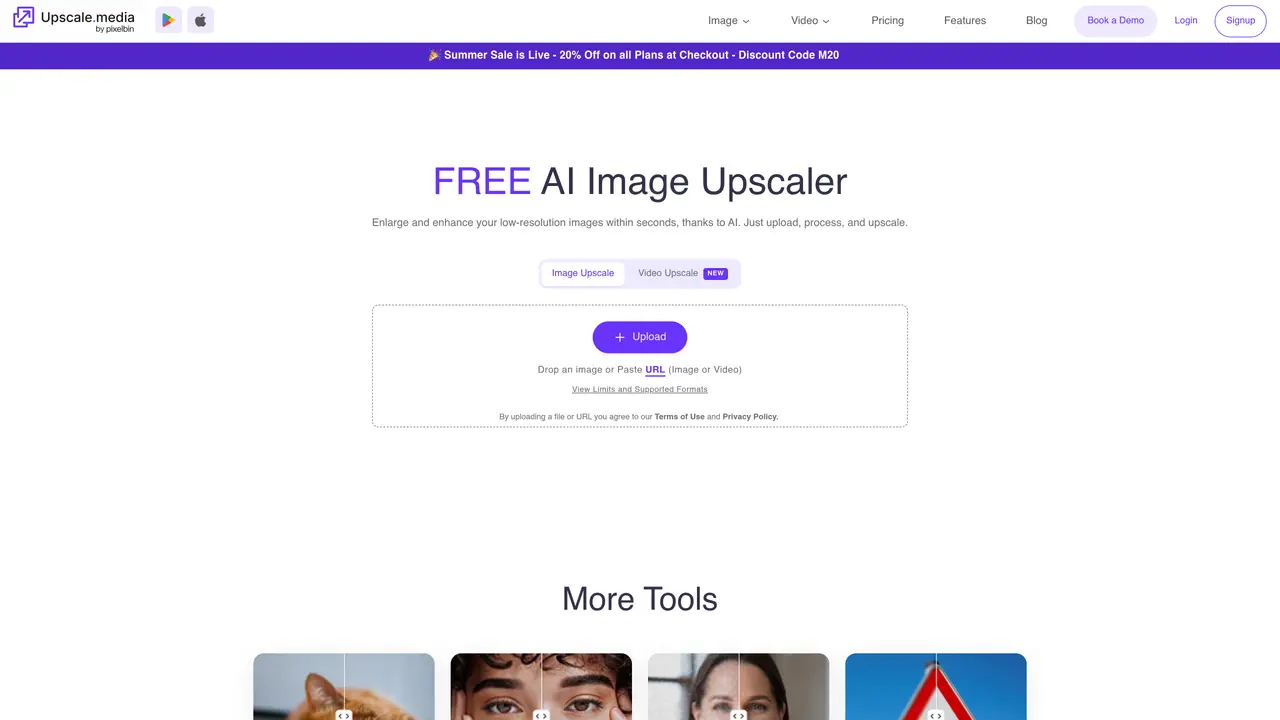
Upscale Media is the perfect tool for creative professionals and everyday users who need to quickly and easily upscale image resolution up to 4x the original size without loss in quality. With Upscale Media, you can take low-quality images and transform them into high-quality digital visuals with a single click. Our advanced algorithms automatically detect edges and details to retain the original image quality while significantly increasing the resolution. With Upscale Media, you can quickly produce rich, vibrant images that are ready for use in print, digital, or multimedia projects. Not only will your images look better, but they’ll also take up less space, meaning faster loading times and better loading performance. Upscale Media is the perfect solution for anyone seeking to enhance their images with the most effective and efficient technology available.
Upscale.media is an AI-powered image upscaling tool that enlarges and enhances low-resolution images up to 8x their original size while preserving quality. It supports various image and video formats and provides features like sharpening, retouching, face restoration, and deblurring.
Upscale.media is designed for individuals, professionals, e-commerce businesses, artists, photographers, and enterprises needing high-quality visuals for print, digital, or multimedia projects. It also serves users who require bulk image processing or API integration for workflow automation.
Yes, Upscale.media provides a free version for personal use, allowing users to upload and process images without cost. Additional features and higher processing limits may require a paid plan.
Upscale.media supports image formats such as PNG, JPEG, JPG, WEBP, and HEIC, as well as video formats like MP4, MOV, and WEBM. The tool also offers specialized features for enhancing faces, restoring photos, and sharpening images.
Yes, Upscale.media provides seamless API integration, allowing users to incorporate its image enhancement capabilities directly into their existing systems for automated workflows and improved productivity.
To get started, visit the Upscale.media website, upload an image or paste a URL, select the desired upscaling level (1X to 8X), and process the image. The tool handles the rest, delivering enhanced visuals within seconds.
We use essential cookies to run aitoolnavio™, and optional cookies to analyze traffic and measure our marketing. You choose what we use — optional cookies stay off unless you turn them on. See our Privacy Policy.
One short email a week: fresh tools worth trying, honest takes and the updates that actually matter. No spam, unsubscribe any time.
Remove image backgrounds instantly, save time with advanced AI, and create stunning images effortlessly.
AI platform for upscaling images, enhancing photos, and generating high-quality creative assets with contextual detail.
Remove backgrounds, adjust colors, add text, filters, and shapes with ease.
Transform photos effortlessly with AI: edit, enhance, and remove backgrounds.
Convert raster images into scalable vector graphics within seconds.
Quickly upscale multiple images, get stunning visuals in less time, and easily batch process images.
Enhance and edit photos with 15+ professional-grade tools, delivering HD quality results on both desktop and Android.
Automate image transformations, bulk upload and store images, and reduce load time with built-in CDN.
Free AI tool that adds realistic color to black and white images and enhances photo realism.
All-in-one AI platform for face swapping, image generation, upscaling, and art creation with free access and batch processing.
Edit, transform, and enhance photos with text prompts using our free AI photo editor online.
Upsize images for prints, enlarge artwork for wall displays, and create stunning visuals for online use.
Matched on what this tool does — grouped by the job you would be replacing.
matches Upscales image resolution up to 4x · Upscales image resolution up to 4K quality · Upscale images up to 4x original resolution
AI Image Upscaler enlarges images up to 4x original resolution while preserving detail and quality.
PhotoUpscaler.ai - Enhance and upscale any image instantly with AI, achieving HD quality in seconds.
Elevate product photos, revitalize historical images, and enhance marketing visuals with stunning 4K clarity and vibrancy.
Online AI image upscaler for enlarging and enhancing photos in bulk
matches Detects edges and details · Automatically detects edges and details · Removes noise and sharpens details
Free, open-source AI image upscaler that enlarges JPG, PNG, and WEBP images while reducing blur and noise on desktop or web.
Enhance photo resolution, remove noise, sharpen faces effortlessly.
One-click AI tool to upscale, unblur, denoise, colorize, and restore photos while preserving quality.
AI-powered image upscaler and enhancer for photos, anime and old images