AI chatbot for conversation, work, research, coding, and content creation.
5.9B visits/mo+5%#1 Chatbots & Assistants

Professional visual AI engine for node-based image, video, 3D, audio and generative workflows with full control over models and outputs.
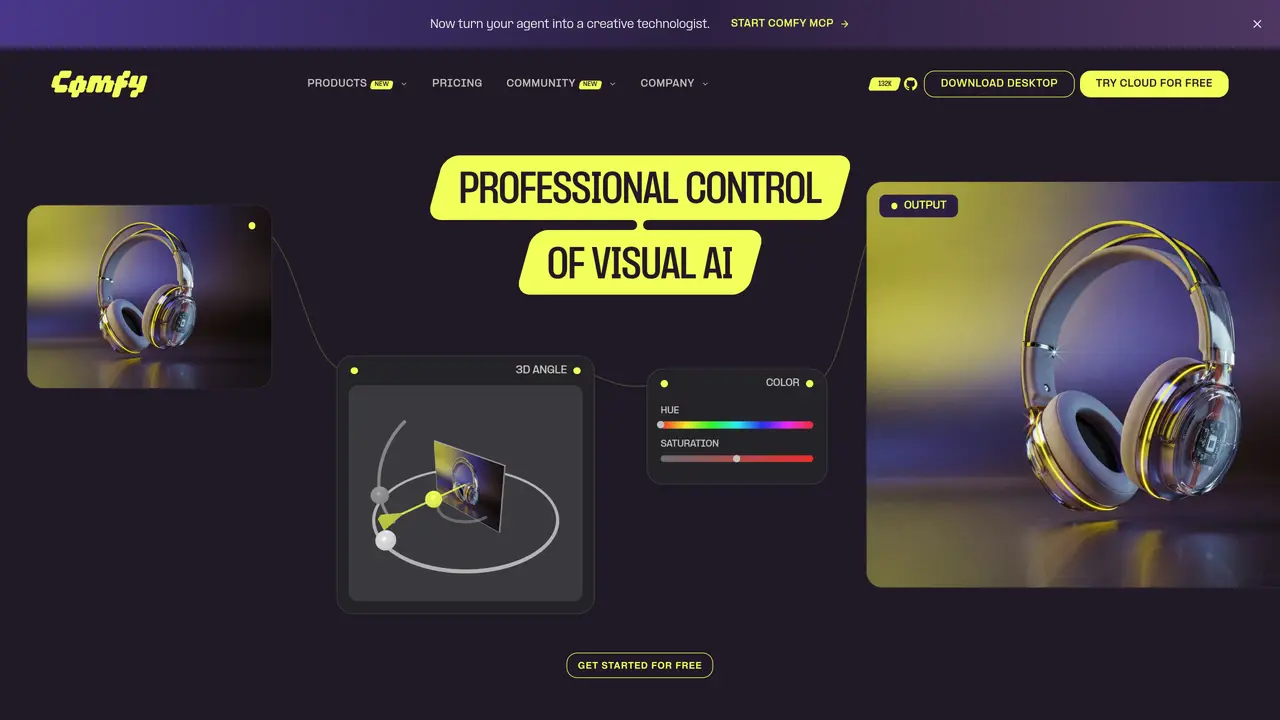
Comfy is a professional visual AI creation platform built around ComfyUI, enabling node-based control over image, video, 3D, audio, and generative AI workflows. It serves creators and technical teams who require repeatable creative pipelines, custom model orchestration, and production-ready visual AI systems. The platform supports local execution, cloud workflows, and API deployment, making it suitable for professionals who need precise control over every generation step. Instead of relying on simple prompt interfaces, Comfy uses a node-based interface where every model, parameter, workflow step, and output can be visually managed. This approach allows users to build advanced workflows for tasks such as image generation, image editing, video generation, upscaling, ControlNet workflows, LoRA-based customization, 3D generation, audio workflows, and multi-model creative systems. Comfy is particularly valuable for AI artists, designers, VFX teams, studios, developers, researchers, product teams, creative agencies, and enterprises building advanced AI generation pipelines. Comfy provides a powerful foundation for professional visual AI production by combining open-source ComfyUI workflows with local execution, cloud infrastructure, and an extensible node ecosystem. Users can download ComfyUI locally or use Comfy Cloud, choose or build a workflow, load required models and nodes, connect prompts and generation settings, run the workflow, refine outputs, and then save or deploy the workflow for repeatable creative production. The platform also supports community workflows and extensions, enabling users to expand creative possibilities and integrate custom nodes for enhanced functionality.
Comfy is a professional visual AI creation platform built around ComfyUI, designed for creators, technical teams, developers, researchers, and enterprises who require precise control over AI generation workflows. It suits professionals building repeatable creative pipelines, custom model orchestration, and production-ready visual AI systems.
Comfy uses a node-based interface where users connect models, processing steps, and outputs on an infinite canvas. Workflows can be built from scratch or adapted from community templates, with every step visible and adjustable. The platform supports local execution, cloud workflows, and API deployment.
Yes, Comfy supports video generation, image editing, upscaling, ControlNet workflows, LoRA-based customization, 3D generation, and audio workflows. It includes partner nodes and models like Seedance 2.5, LTX 2.5, and Wan Animate 2 for these purposes.
Comfy is the official reseller of MiniMax commercial-use licenses, allowing users to run MiniMax models locally with full commercial rights to outputs, fine-tuning, LoRA training, and downstream work.
Comfy offers Comfy Desktop for local execution, Comfy Cloud for cloud-based workflows, and a Developer Platform for deploying ComfyUI workflows as production APIs. Comfy Enterprise provides infrastructure for organizational use.
Users can download Comfy Desktop, try Comfy Cloud for free, or explore workflows directly. The platform provides community templates, learning resources, and documentation to help users build and refine workflows.
comfy.org · third-party estimates from Similarweb
Last 4 months · grows by one month every month
Share of visits by channel
No measurable traffic from Paid Referrals.
Share of visits · estimated visits
Other countries: 57.4%
How people reach this site from other AI tools
93K a month · 2.4% of all visits
Image & Design · Sep 2026
Traffic figures are third-party estimates, good for scale and trends; they can differ from a company's own numbers. Updated monthly.
We use essential cookies to run aitoolnavio™, and optional cookies to analyze traffic and measure our marketing. You choose what we use — optional cookies stay off unless you turn them on. See our Privacy Policy.
One short email a week: fresh tools worth trying, honest takes and the updates that actually matter. No spam, unsubscribe any time.
AI chatbot for conversation, work, research, coding, and content creation.
Generate captions, optimize content, and enhance with custom images for maximum engagement.
xAI builds Grok frontier AI models for reasoning, coding, voice, images, video, enterprise workflows, and developer APIs.
Explore and test Google’s experimental AI tools and prototypes before they become products.
Creates licensed videos, images, music.
Privacy-focused AI chatbot that generates uncensored text, code, images, and translations without storing conversations or requiring an account.
Web and mobile AI platform for generating, editing, and training custom visuals from prompts with community models and face-swap tools.
A drag-and-drop design platform for presentations and social graphics with AI photo tools and a large template library.
Generate unique artwork, customize with an intuitive interface, and push creative boundaries with AI-generated art.
Generate unique AI art, share your creations, and explore a vast selection of AI artwork.
Generate custom visuals for blogs, create unique social media images, and design eye-catching visuals for marketing campaigns.
Easily find and explore diverse AI art and prompts with a vast library of 10 million+ creations.
Matched on what this tool does — grouped by the job you would be replacing.
matches Node-based visual workflows for precise control over models, parameters, and outputs · Support for image, video, 3D, audio, and generative AI workflows · Local and cloud execution options for flexible deployment
Intelligent canvas for AI creative studios to generate, compare, edit, and connect image, video, audio, and 3D models in one collaborative workspace.
A visual low-code backend builder for creating AI workflows, APIs, automations, and cloud functions with full code access.
No-code automation platform for building generative AI media workflows without coding.
Builds AI agents that execute predefined business processes with control and visibility
matches Support for image, video, 3D, audio, and generative AI workflows · Integration of models, ControlNets, LoRAs, upscalers, and custom nodes
matches API deployment to convert workflows into production endpoints · Local and cloud execution options for flexible deployment
AI platform for upscaling images, enhancing photos, and generating high-quality creative assets with contextual detail.
A platform that converts text, image, or audio prompts into high-quality images in seconds and videos in minutes.
X Imagine AI is an all-in-one AI image and video generator for creating cinematic visuals from text and images using advanced AI models.
AI-driven tool for exceptional, high-quality image generation.
API-first platform for integrating image, video, and 3D generative AI models into applications with fast inference and pay-as-you-go pricing.
Generate media instantly with cost-effective API.
Create custom visuals and audio, convert images into stunning visuals, and scale AI projects with a powerful API.