AI chatbot for conversation, work, research, coding, and content creation.

SpriteSheetMaker
$5.99/moStarting price
0Popularity
About SpriteSheetMaker
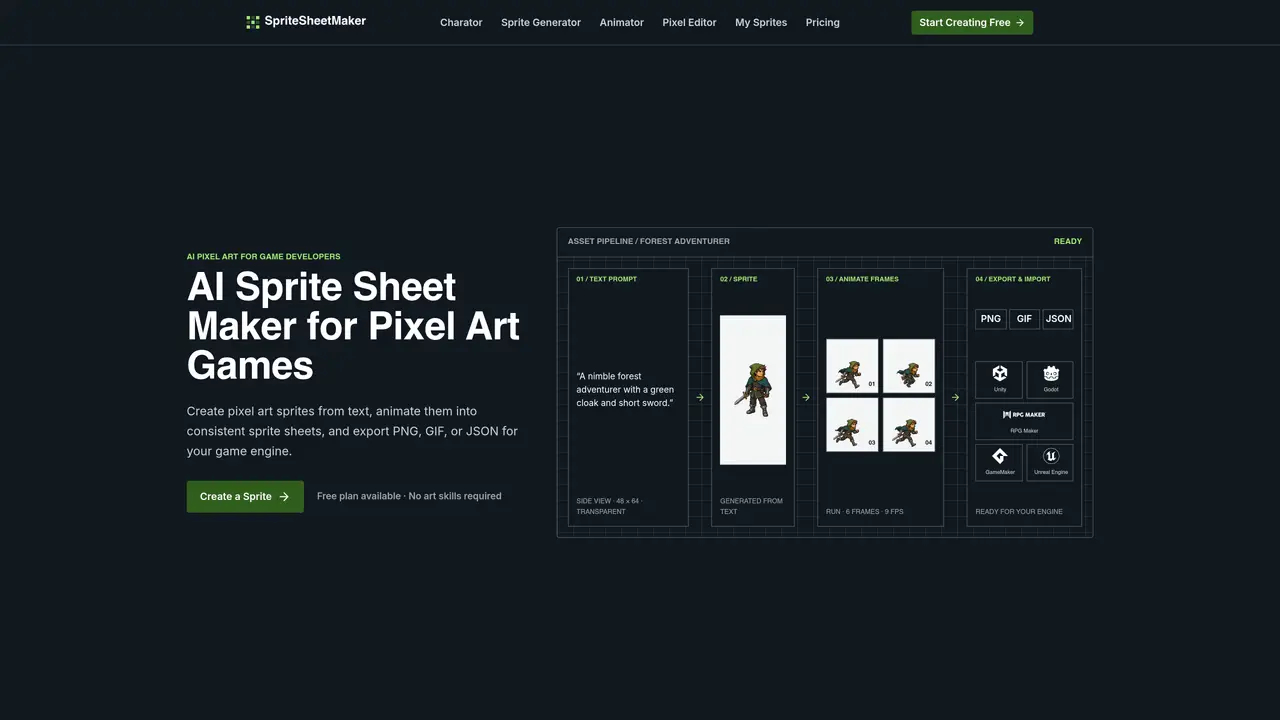
SpriteSheetMaker is an AI-powered tool designed for game developers to create pixel-art sprites and animations without requiring artistic skills. Users can generate sprites from text descriptions, refine their appearance by adjusting perspective, direction, size, and outline, and then animate them into consistent frame sequences. The tool supports side-view, top-down, isometric, and 3/4 perspectives, allowing for varied character and object designs. Once generated, sprites can be exported as PNG, GIF, or JSON files, making them compatible with common game engines like Unity, Godot, RPG Maker, GameMaker, and Unreal Engine. The platform also includes a pixel editor for fine-tuning sprites, a sprite sheet splitter, and tools for converting between GIFs and sprite sheets. Additional features include sprite resizing, atlas building, and specialized formats for engines like RPG Maker and GameMaker.
Key features
- Text-to-sprite generation
- Sprite animation with frame sequences
- Pixel editor for fine-tuning
- Sprite sheet splitter and converter
- Sprite resizer and atlas builder
- Export to PNG, GIF, and JSON
- Engine-specific formats (RPG Maker, GameMaker)
- Four-view turnaround for characters
Use cases
- Prototyping game characters and enemies
- Generating NPCs and quest items
- Creating weapon and loot sprites
Pros
- Generates pixel-art sprites from text prompts
- Supports multiple perspectives and animation sequences
- Exports to PNG, GIF, and JSON formats for game engines
- Includes pixel editor and sprite sheet tools
- Free plan available for basic use
Cons
- No free tier for exporting assets
- Limited to pixel-art style
- Requires credits for most features beyond basic generation
Frequently asked questions about SpriteSheetMaker
What is a sprite sheet?
A sprite sheet is a single image that arranges multiple sprite frames in a grid or sequence, allowing games to display animations by cycling through the frames.
Who is SpriteSheetMaker designed for?
SpriteSheetMaker is designed for game developers, particularly those working on pixel-art games who need to create sprites and animations without requiring artistic skills.
What file formats can I export sprites in?
Sprites can be exported as PNG, GIF, or JSON files, which are compatible with common game engines like Unity, Godot, RPG Maker, GameMaker, and Unreal Engine.
Can I animate sprites with SpriteSheetMaker?
Yes, the tool allows users to animate sprites by creating consistent frame sequences from a single sprite, with options to set frame count and preview motion.
Does SpriteSheetMaker support different camera perspectives?
Yes, it supports side-view, top-down, isometric, and 3/4 perspectives, enabling varied character and object designs for different game styles.
How do I get started with SpriteSheetMaker?
Start by describing the sprite you need, then generate it by choosing perspective, direction, size, and outline. After refining, animate the sprite and export it in your preferred format.