
AI chatbot for conversation, work, research, coding, and content creation.
5.9B visits/mo+5%#1 Chatbots & Assistants
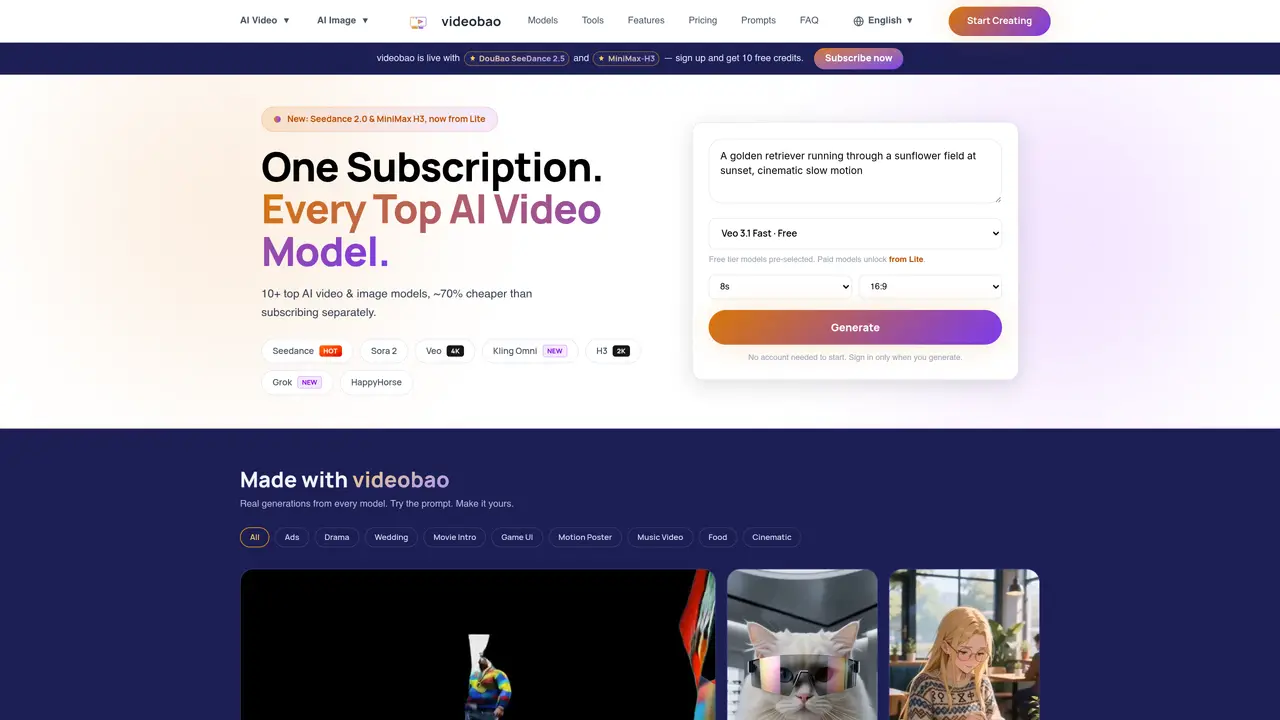
videobao aggregates over ten AI video and image generation models into a single subscription service. Users can create videos or images by entering text prompts or uploading reference images. The platform supports text-to-video, image-to-video, text-to-image, and image-to-image workflows with models such as Veo 3.1, Kling 2.5, Sora 2, and Wan 3.0. Generation times vary by model, with some producing images in under ten seconds and videos in under two minutes. Outputs can be downloaded in multiple resolutions up to 4K and aspect ratios including 16:9, 9:16, and 1:1. A history library stores past creations for reuse or organization by project tags and dates. Commercial usage rights are granted for all generated content across paid tiers.
AI models are specialized programs that generate images or videos from text descriptions or reference images. videobao provides access to over ten models such as Veo 3.1, Kling 2.5, Sora 2, and others to create diverse content types.
To create a video, select a model from the available options, enter a text prompt describing the desired video, and generate the content. The platform processes the request and delivers the video for download with full commercial rights.
videobao supports text-to-video, image-to-video, text-to-image, and image-to-image workflows. Users can generate ads, movie intros, fashion content, short dramas, game UI, motion posters, music videos, and cinematic scenes.
Yes, all generated content on videobao comes with full commercial usage rights across paid tiers, allowing users to use the outputs for advertisements, social media, or other commercial projects.
Yes, videobao offers a free tier with pre-selected models and 10 free credits to test the platform before committing to a subscription.
Outputs can be downloaded in multiple resolutions up to 4K and various aspect ratios, including 16:9, 9:16, and 1:1, depending on the model and user selection.
We use essential cookies to run aitoolnavio™, and optional cookies to analyze traffic and measure our marketing. You choose what we use — optional cookies stay off unless you turn them on. See our Privacy Policy.
One short email a week: fresh tools worth trying, honest takes and the updates that actually matter. No spam, unsubscribe any time.
AI chatbot for conversation, work, research, coding, and content creation.
Generate captions, optimize content, and enhance with custom images for maximum engagement.
xAI builds Grok frontier AI models for reasoning, coding, voice, images, video, enterprise workflows, and developer APIs.
Explore and test Google’s experimental AI tools and prototypes before they become products.
Creates licensed videos, images, music.
Privacy-focused AI chatbot that generates uncensored text, code, images, and translations without storing conversations or requiring an account.
Web and mobile AI platform for generating, editing, and training custom visuals from prompts with community models and face-swap tools.
A drag-and-drop design platform for presentations and social graphics with AI photo tools and a large template library.
Generate unique artwork, customize with an intuitive interface, and push creative boundaries with AI-generated art.
Generate unique AI art, share your creations, and explore a vast selection of AI artwork.
Generate custom visuals for blogs, create unique social media images, and design eye-catching visuals for marketing campaigns.
Easily find and explore diverse AI art and prompts with a vast library of 10 million+ creations.
Matched on what this tool does — grouped by the job you would be replacing.
matches Multi-model access across video and image generators · Text-to-video and image-to-video generation · Text-to-image and image-to-image transformation
All-in-one AI platform for generating images, videos and editing assets
Generates images and videos from text or existing visuals using multiple AI models
AI platform for generating on-brand videos and images from text or existing assets
Creates videos and images from text or reference images using multiple AI models