

AI job search copilot that matches roles to skills, optimizes resumes for ATS, generates cover letters, and autofills applications with real-time insights.
6.5M visits/mo+9.9%#8 Automation & Agents
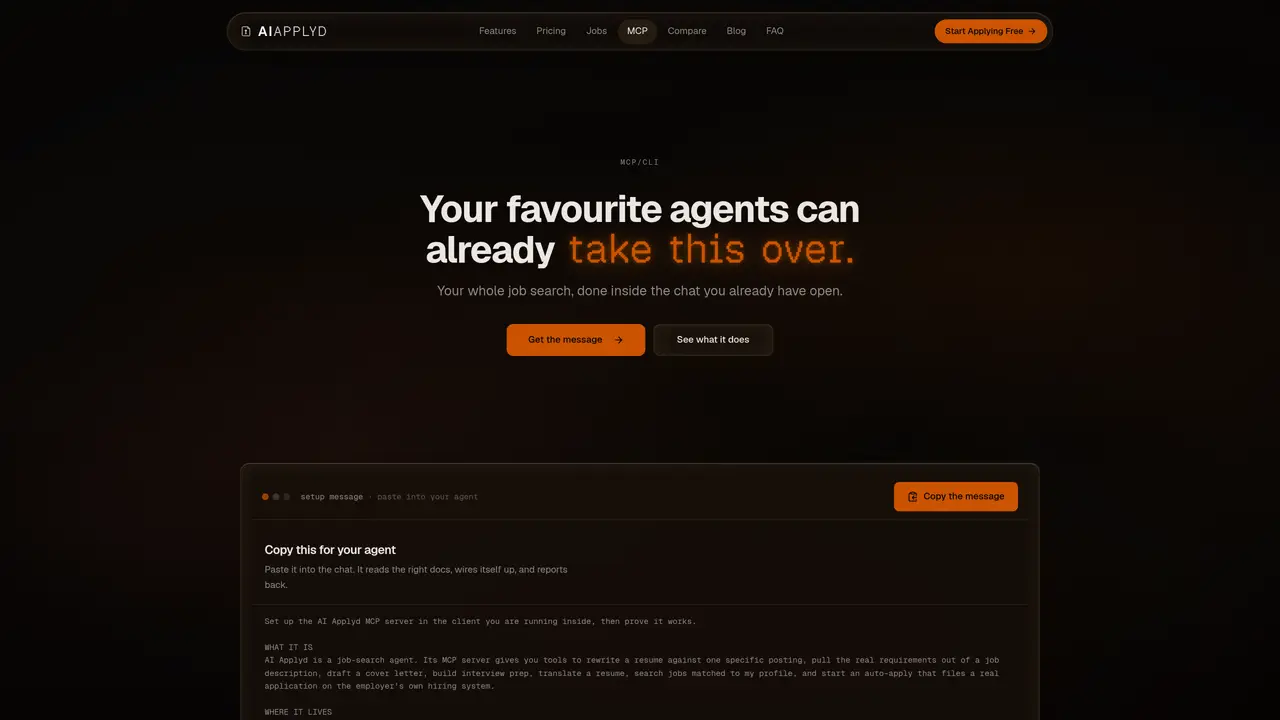
The AI Applyd MCP server connects job-search capabilities directly to AI assistants such as ChatGPT or Claude through the MCP open standard, enabling users to interact with job-search tools without leaving their chat interface. It allows users to analyze job descriptions, rewrite resumes to align with specific postings, draft tailored cover letters, translate resumes into other languages, prepare for interviews, and search for matched job opportunities. The server operates via a remote Streamable HTTP endpoint at https://mcp.aiapplyd.com/mcp and requires users to authenticate using OAuth 2.1. Free accounts provide access to core features like resume rewriting, job matching, and interview preparation, while advanced functionalities such as cover letter generation and automated job applications on platforms like Greenhouse, Workday, or Lever are available on paid plans. The service prioritizes real-time confirmation of application submissions from employers, ensuring users receive verified updates rather than relying on self-reported completion.
The AI Applyd MCP server integrates job-search tools directly into AI assistants like ChatGPT or Claude through the MCP open standard. It allows users to analyze job descriptions, rewrite resumes, draft cover letters, translate resumes, prepare for interviews, and search for matched jobs without leaving the chat interface.
Any MCP-compatible client can connect to the AI Applyd MCP server, including ChatGPT, Claude, Cursor, Codex CLI, and Cline. The server operates via a remote Streamable HTTP endpoint at https://mcp.aiapplyd.com/mcp.
Register the server in your MCP-compatible client using the provided URL (https://mcp.aiapplyd.com/mcp) and sign in via OAuth 2.1 with PKCE. The first tool call will prompt a browser sign-in, after which the client stores the token for future use.
The free account includes job matching, resume rewriting, and interview preparation. Cover letters and auto-applying to jobs on platforms like Greenhouse, Workday, or Lever require a paid plan.
On paid plans, the service auto-applies to jobs by filling out application forms on employer systems like Greenhouse, Workday, or Lever. The employer must confirm the submission before it is considered complete.
WebMCP is a browser-native feature that allows a compatible agent to interact with AI Applyd within a browser session. Remote MCP connects the server directly to AI assistants like ChatGPT or Claude, enabling use outside the browser.
We use essential cookies to run aitoolnavio™, and optional cookies to analyze traffic and measure our marketing. You choose what we use — optional cookies stay off unless you turn them on. See our Privacy Policy.
One short email a week: fresh tools worth trying, honest takes and the updates that actually matter. No spam, unsubscribe any time.
AI job search copilot that matches roles to skills, optimizes resumes for ATS, generates cover letters, and autofills applications with real-time insights.
Online learning platform offering structured courses and practical projects to master deep learning from beginner to advanced levels.
AI-powered platform that builds tailored resumes, matches job descriptions, and tracks applications for job seekers.
AI-powered platform automates job applications and interview prep.
Generate tailored feedback on your resume and LinkedIn profile within minutes.
AI-powered platform that automates job applications across thousands of company career pages.
Kodree delivers hands-on coding, data, and design training through real projects, instant AI feedback, and a supportive community to build job-ready skills.
LockedIn AI is a 100% hidden interview copilot that helps you crack live interviews in any industry in real time.
Build polished resumes and cover letters with customizable templates, AI assistance, and HR-endorsed guidance.
Search and apply to jobs, receive tailored interview tips, and stay updated with job notifications and feedback.
AI-powered network search tool that finds warm introductions by indexing your professional contacts into a searchable graph.
Final Round AI is an AI Interview Assistant that helps candidates prepare for and respond to interview questions in real-time.
Matched on what this tool does — grouped by the job you would be replacing.
matches Live job matching against user profile · Auto-application to ATS platforms · OAuth 2.1 authentication flow
AI-powered tool that auto-applies to fresh job postings with tailored resumes and cover letters
AI-powered job application tool that tailors and submits applications automatically
Automates job discovery, resume tailoring, cover letter writing and application submission
AI tool that adapts resumes for ATS screening and provides interview preparation
matches Resume rewriting against job postings · Cover letter drafting · Resume translation to any language
matches Interview preparation with role-specific questions
AI-powered resume optimizer that aligns resumes with job descriptions to improve ATS compatibility and job search success.
AI job search assistant that builds ATS-friendly resumes, generates tailored cover letters, auto-applies to jobs, tracks applications, and supports interview practice.
AI-powered resume builder, cover letter generator and portfolio creator with ATS optimization
All-in-one AI platform for resume building, job search, outreach and interview prep
AI-powered résumé editor and career coach that tailors documents to job postings
AI-powered resume analyzer, ATS scorer, and job-matching dashboard