Discover personalized fashion, receive expert advice, and enjoy convenient shopping with free shipping and returns.
6.8M visits/mo+15.2%#5 Lifestyle & Education
Online tool to preview hairstyles and hair colors on personal photos
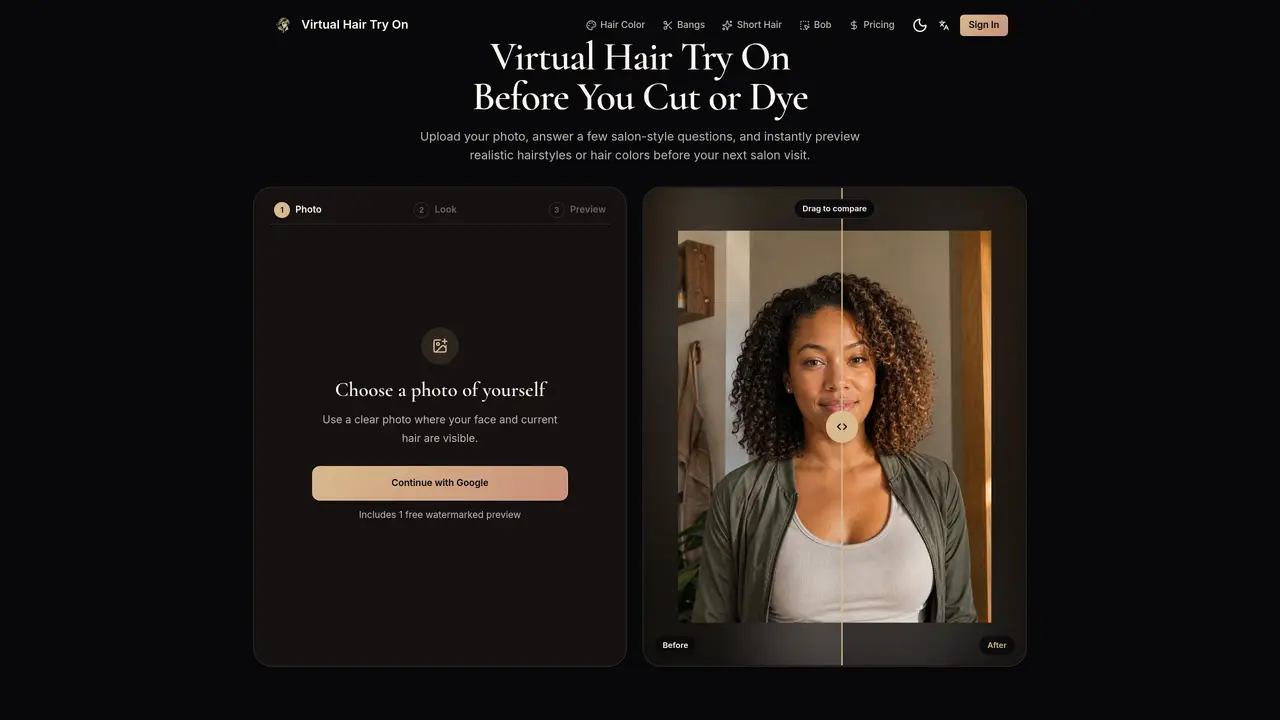
Virtual Hair Try On allows users to upload a single portrait photo and preview realistic hairstyles or hair colors before visiting a salon. The tool generates before-and-after comparisons that preserve facial features while altering hair length, color, bangs, layers, and styling. Users can test options such as balayage, brunette bobs, copper reds, silver grays, pixie cuts, curtain bangs, and textured crops. The preview flow involves uploading a clear face photo, selecting a style direction, and generating a preview that maintains facial recognition. Results can be downloaded, compared, or regenerated, and saved as references for stylists. The service operates in a web browser without requiring app installation and supports experimentation with popular haircuts, colors, and styling trends.
Virtual Hair Try On is a browser-based tool that lets users upload a portrait photo to preview realistic hairstyles, hair colors, bangs, layers, and cuts before visiting a salon. It generates before-and-after comparisons while preserving facial features.
Yes, you can upload a single clear portrait photo with a recognizable face to preview various hairstyles, colors, and cuts tailored to your face shape.
The tool offers a free watermarked preview with one hairstyle direction after signing in. Paid plans provide additional credits for more previews and clean downloads.
Yes, the tool allows users to preview hair colors such as balayage, brunette, copper red, silver gray, and more before committing to a salon visit.
A clear portrait photo with a recognizable face and visible current hair is recommended. Glasses, expression, and slight angles are acceptable.
Yes, users can save favorite high-resolution previews to show their stylist exactly what they want, ensuring clear communication about desired changes.
We use essential cookies to run aitoolnavio™, and optional cookies to analyze traffic and measure our marketing. You choose what we use — optional cookies stay off unless you turn them on. See our Privacy Policy.
One short email a week: fresh tools worth trying, honest takes and the updates that actually matter. No spam, unsubscribe any time.
Discover personalized fashion, receive expert advice, and enjoy convenient shopping with free shipping and returns.
Turn six selfies into a science-based glow-up plan with QOVES.
Personalized skincare regimen, comprehensive skin analysis, and professional support for treating acne.
Generate ideas, create design variations, and customize unique looks effortlessly, saving time and money.
Track skin progress, get tailored product recommendations, and access expert advice from dermatologists.
Lookrank gives you a 1-10 rating and insights on your attractiveness.
Web-based fashion AI platform that turns sketches into 3D garments, runs virtual try-ons, and generates marketing visuals for designers and brands.
Transform your look instantly with our free AI hairstyle changer!
AI-powered face shape analysis from a photo
Get personalized hairstyle recommendations, follow step-by-step tutorials, and easily share and save favorite hairstyle ideas.
AI-powered body scanner that generates precise measurements and 3D models from smartphone photos for apparel fitting and fitness tracking.
Turn ideas into factory-ready specs and quotes.
Matched on what this tool does — grouped by the job you would be replacing.
matches Upload one portrait photo · Preview hairstyles, colors, bangs, and cuts · Before-and-after comparisons
Transform your look instantly with our free AI hairstyle changer!
AI hairstyle simulator that lets users preview 60+ haircuts and 19 colors on their own photo before visiting the salon.
Transform your look instantly with our free AI hairstyle changer!