
Discover personalized recipes, explore new ideas, and save favorites for easy access.
91K visits/mo+15.9%#141 Lifestyle & Education
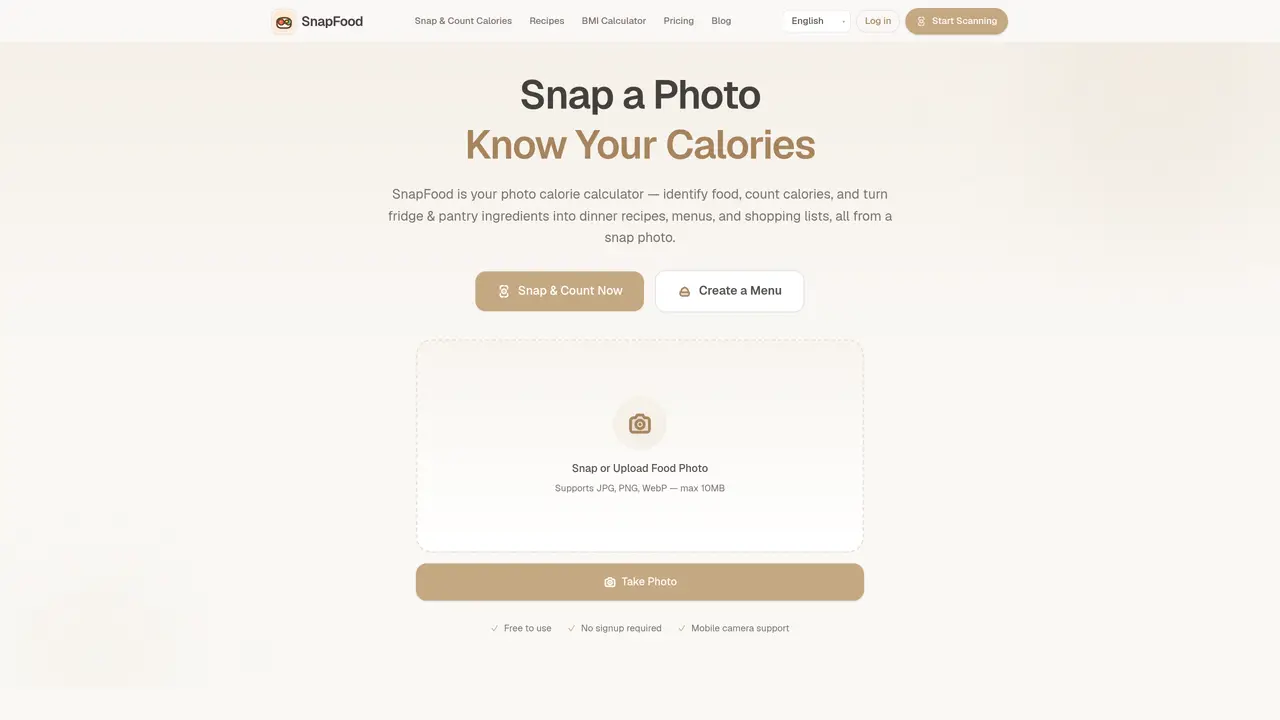
SnapFood is a mobile application that uses AI to analyze food photos and deliver instant nutritional insights. Users can take or upload pictures of meals to receive detailed breakdowns of calories, protein, carbohydrates, fat, and fiber per dish, all calculated from the visual content of the image. The tool supports multiple languages, including English, Chinese, Spanish, French, and German, and provides personalized dietary tips based on scanned meals. SnapFood also includes a BMI calculator and is actively developing a fridge-to-recipe feature, enabling users to photograph pantry items to generate dinner menus, shopping lists, and recipe books. Core features such as photo-based calorie calculation and basic nutrition analysis are available without requiring signup or payment, while advanced functionalities like recipe generation and exports may involve credits under tiered pricing plans. The app is designed for quick, real-world use, allowing users to snap a photo of any meal—whether homemade, takeout, or leftovers—and receive a full nutritional summary in seconds. It serves as a practical alternative to manual food logging, particularly for those tracking calorie intake or aiming for dietary goals. The platform emphasizes accessibility, with no paywall on core features and mobile camera support for immediate scanning. Future updates aim to expand its capabilities in meal planning and recipe creation directly from pantry contents.
SnapFood uses advanced AI vision to analyze food appearance, color, and shape, then estimates calories and nutrients by referencing a nutrition database.
The AI results are estimates only, as actual values may vary based on cooking methods, portion sizes, and ingredients. Users are advised to consult food labels or a nutritionist when precise accuracy is required.
Core features such as photo-based calorie calculation and basic nutrition analysis are completely free with no signup required. Premium features, including advanced recipe generation and exports, may involve credits under tiered pricing plans.
SnapFood is actively developing the photo-to-recipe feature, which will allow users to photograph fridge and pantry ingredients to generate dinner menus, shopping lists, and recipe books. Updates on its launch are provided on the platform.
Yes, SnapFood helps estimate meal calories from photos, supporting calorie deficit tracking workflows. Users can compare scans day to day to identify high-calorie meals and align results with their target intake.
SnapFood supports JPG, PNG, and WebP file formats for photo uploads, with a maximum file size of 10MB.
We use essential cookies to run aitoolnavio™, and optional cookies to analyze traffic and measure our marketing. You choose what we use — optional cookies stay off unless you turn them on. See our Privacy Policy.
One short email a week: fresh tools worth trying, honest takes and the updates that actually matter. No spam, unsubscribe any time.
Discover personalized recipes, explore new ideas, and save favorites for easy access.
Find perfect recipes, create gourmet dishes, and cook meals quickly with this time-saving tool.
FoodiePrep is an AI-powered meal planning assistant that helps you create personalized recipes, plan your meals, and manage your grocery shopping.
AI recipe app that generates meals from available ingredients
App that suggests recipes based on available ingredients, preferences and time
Automate meal planning, create unique dishes, and share AI-generated recipes for exciting culinary experiences.
Personalize meals, craft unique recipes, and cook delicious dishes effortlessly with AI-powered technology.
AI-powered app that generates healthy recipes from fridge contents to reduce waste and save money
Transform YouTube cooking videos into recipes with instructions and ingredient lists.
Create custom recipes, generate recipes for any occasion, and customize cooking details for the perfect meal.
Easily prepare meals with curated ingredients, avoiding food waste and shopping stress.
AI-powered app that turns photos of pantries or meals into recipes and grocery lists
Matched on what this tool does — grouped by the job you would be replacing.
matches Photo-based calorie calculation · Macronutrient breakdown (calories, protein, carbs, fat, fiber)
AI-powered calorie and macro tracker using photo recognition and barcode scanning
AI-powered calorie counter and food tracker with image recognition
AI-powered iPhone app for scanning meals and tracking nutrition
AI-powered calorie counter and nutrition tracker for iPhone
matches Fridge-to-recipe planning (upcoming) · Recipe generation
matches Personalized dietary tips · BMI calculator
AI tool that generates personalized recipes from fridge contents
AI-powered recipe generator and meal planner using fridge or pantry contents
Turns fridge contents into personalized recipes with dietary guardrails
Quickly search recipes, input dietary restrictions, inventory, and generate personalized suggestions.
AI-powered calorie counter and food tracker for iPhone
Mobile app for tracking calories, macros, water, activity and weight with optional AI coaching