

Enhance learning with AI-driven flashcards, tests, and games.
72M visits/mo+70.8%#1 Lifestyle & Education
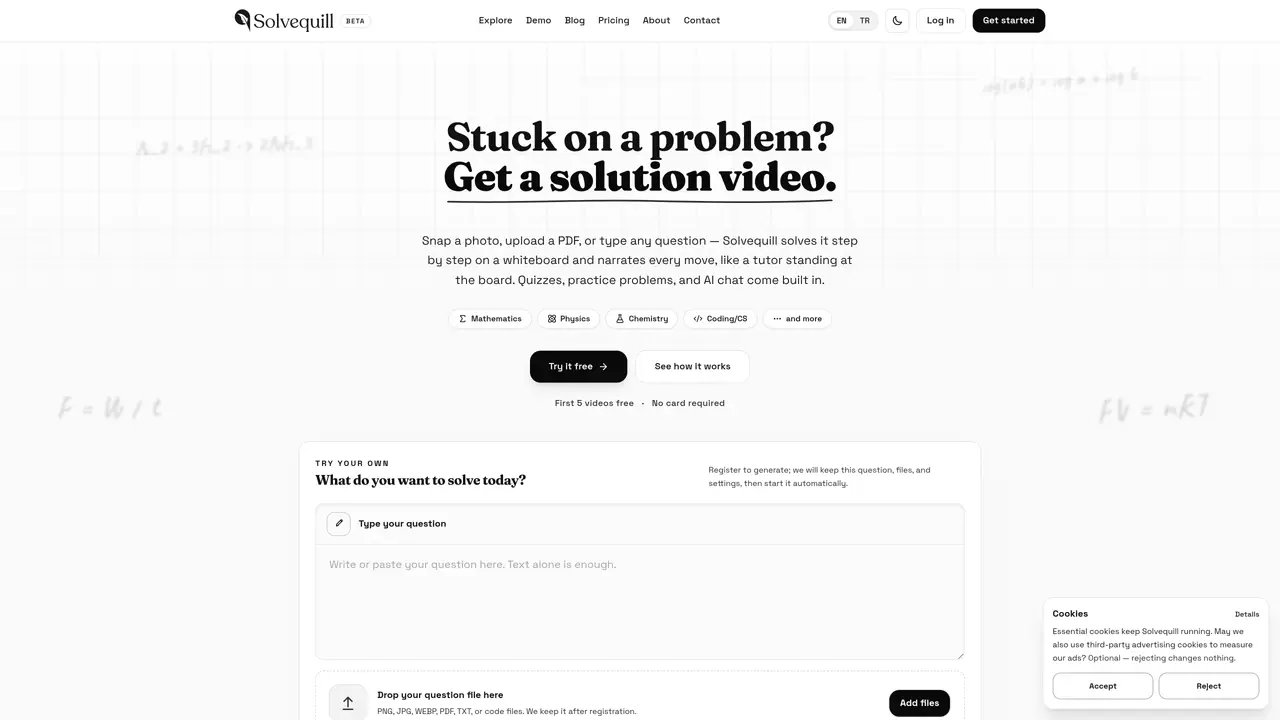
Solvequill transforms written or photographed homework questions into short, narrated solution videos presented on a digital whiteboard. Users can submit problems by typing, uploading files (PDF, image, text, or code), or taking photos of handwritten work. The system reads text, formulas, and diagrams, then generates a video that explains the solution step by step with synchronized narration and visuals. Each video includes a summary, a quiz, and practice problems based on the same concept, along with a chat feature for follow-up questions. The tool is designed for students and teachers who need clear, visual explanations rather than generic answers. Videos are stored in a user history for later review and can be downloaded or shared. The service supports mathematics, physics, chemistry, and coding, with additional subjects planned for future updates.
Solvequill converts homework questions into short, narrated solution videos presented on a digital whiteboard. It works by reading the problem, solving it step by step, and explaining each move with synchronized narration and visuals, producing a personalized lesson rather than a generic explanation.
Users can submit questions by typing, uploading files (PDF, image, text, or code), or taking photos of handwritten work. The tool supports formats like PNG, JPG, WEBP, PDF, TXT, and code files, including handwritten notes and diagrams.
Solvequill currently supports mathematics, physics, chemistry, and coding. It covers a wide range within these subjects, such as algebra through calculus, mechanics, circuits, stoichiometry, and code debugging or explanation. Additional subjects like biology are planned for future updates.
Solution videos typically take a few minutes to produce and range from one to six minutes in length, depending on the complexity of the problem. The tool allows users to start watching before the full video is rendered.
Solvequill aims for high accuracy, with every solution undergoing automated checks, but mistakes can still occur, especially with unusual questions or hard-to-read inputs. The tool encourages users to treat it as a study partner and report any errors for review.
Yes, users can download solution videos to keep or share a link to them. Videos are stored in a user history for later review, making them accessible for revision or teaching purposes.
solvequill.com · third-party estimates from Similarweb
Last 3 months · grows by one month every month
Share of visits by channel
Share of visits · estimated visits
Lifestyle & Education · Sep 2026
Traffic figures are third-party estimates, good for scale and trends; they can differ from a company's own numbers. Updated monthly.
We use essential cookies to run aitoolnavio™, and optional cookies to analyze traffic and measure our marketing. You choose what we use — optional cookies stay off unless you turn them on. See our Privacy Policy.
One short email a week: fresh tools worth trying, honest takes and the updates that actually matter. No spam, unsubscribe any time.
Enhance learning with AI-driven flashcards, tests, and games.
IB and MYP exam prep platform with 35k+ practice questions, AI grading, flashcards, and study tools for students and schools.
AI-powered learning app that helps students and pupils organize study materials, stay motivated, and improve grades with smart tools and features.
Solvely is an AI homework-help app that solves math, science, and liberal arts problems with photos.
Learn AI fundamentals, develop new skills and join a knowledgeable mentor community.
An AI tutoring platform that converts PDFs, YouTube videos, slides, and lectures into notes, quizzes, flashcards, and chat-based study help.
Web-based AI flashcard generator that converts PDFs, text, images, and YouTube links into Anki-compatible decks for faster study creation.
AI study tool that turns class materials into personalized quizzes, flashcards, and summaries to make studying faster and less stressful.
Learn Anything Joyfully - From the Best Sources, Faster
Revolutionizes studying with tailored, AI-driven academic assistance.
Revolutionize learning with AI chatbots, 200M+ papers, writing aid, cross-platform.
Revolutionizing reading with AI-driven, personalized tutoring.
Matched on what this tool does — grouped by the job you would be replacing.
matches Step-by-step narrated whiteboard videos · Automated solution checks for accuracy · Built-in quizzes and practice problems
AI-powered math solver that explains solutions step-by-step and generates graphs or videos for better understanding.
An AI math tutor and solver that provides step-by-step solutions, handwriting photo input, graphing, and PDF homework help for students, teachers, and professionals.
AI-powered math solver providing step-by-step solutions from images or text
Get instant answers, step-by-step explanations, and AI-powered support for your math problems.
matches Handwriting and diagram recognition · Input via photo, PDF, screenshot, typed text, or code file
matches Step-by-step narrated whiteboard videos · Video download and sharing capabilities · User history for storing past solutions
Solvely is an AI homework-help app that solves math, science, and liberal arts problems with photos.
AI-powered math solver that delivers step-by-step solutions for complex equations and word problems via text, images, PDFs, or CSV files.
EduBrain AI Math Solver helps you solve math problems with clear, step-by-step explanations.
Turn writing into whiteboard explainer videos with Ankon AI.
AI platform that turns questions and documents into animated lessons with voice narration
Turns handwritten notes, voice recordings and text into a structured product spec for AI agents