Generate content, correct spelling, suggest synonyms to enhance writing.
173M visits/mo+0.1%#1 Productivity & Office

Captures notes, voice memos, photos and links offline, syncing to Google Sheets when online
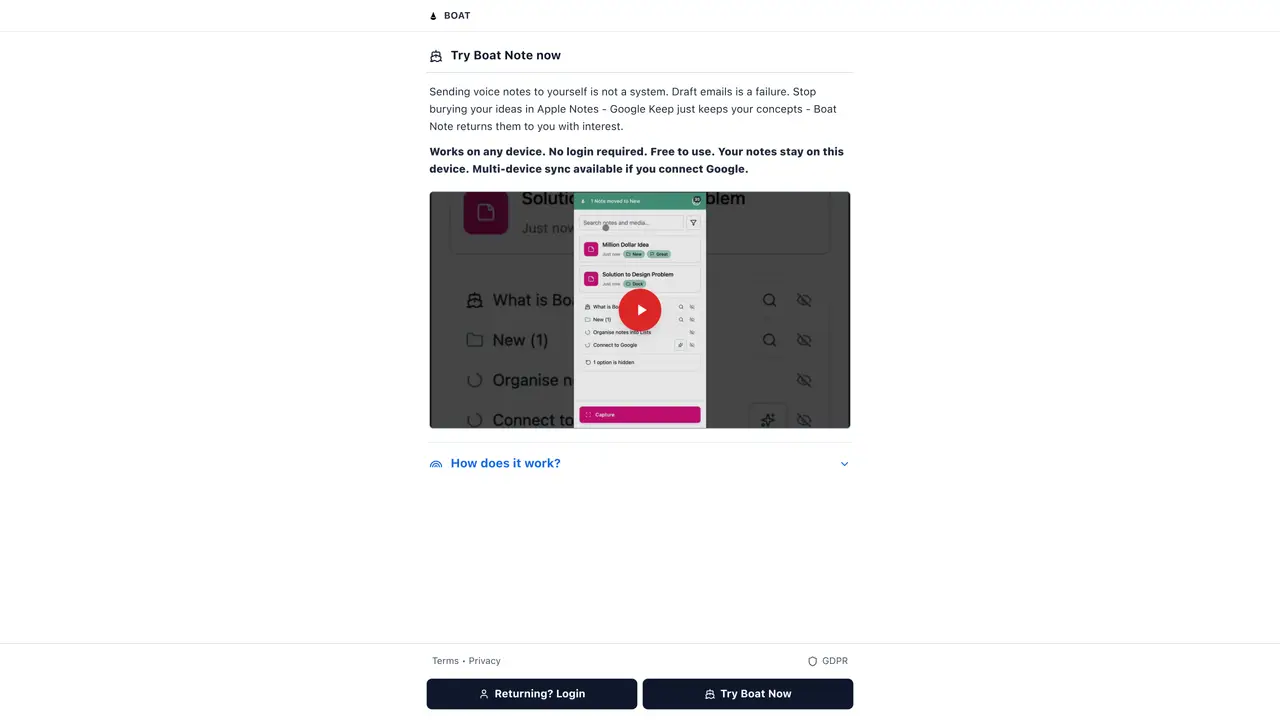
Boat Note is a cross-platform note-taking application designed for quick capture and later organization. Users can record voice memos, take photos, sketch ideas, save links and type text without predefined categories or folders. The application works entirely offline, allowing immediate capture in any environment, and automatically syncs content to a connected Google Sheets spreadsheet once an internet connection is restored. Once captured, Boat Note provides AI-powered insights that analyze notes to surface recurring themes, patterns and potential next steps based on user questions. Notes can be grouped into flexible lists, tagged with priority flags, and reorganized using AI suggestions for titles or merges. The platform includes batch actions for moving or archiving multiple notes at once, along with a search function that operates across all content. Completed items are archived rather than deleted, with optional nudges to remind users of pending tasks or follow-ups. All user data remains stored in the user’s own Google account, with media files saved to Google Drive and no vendor lock-in.
Boat Note is a cross-platform note-taking application that allows users to capture ideas, voice memos, photos, sketches, links, and text without predefined categories or folders. It works entirely offline and syncs content to a connected Google Sheets spreadsheet once an internet is restored.
Boat Note is designed for individuals whose ideas move faster than their ability to organize them, such as researchers, writers, students, project managers, founders, and creative professionals who need to capture everything immediately and make sense of it later.
Basic features like capture, search, lists, offline sync, and batch actions are free forever. AI-powered features such as understanding insights, text formatting, image analysis, and voice transcription use pay-per-use credits, with new users receiving free starter credits.
Yes, Boat Note can be installed on various devices including iPhone, iPad, Android, Mac, Windows, and Linux, and all devices are connected through the user’s Google account.
All user data remains stored in the user’s own Google account, with media files saved to Google Drive. Boat Note does not own the data, and users can export or access their entire knowledge base anytime without vendor lock-in.
Users can get started by signing in with their Google account, which provides immediate access to capture notes, search, organize into lists, and use batch actions. AI features require pay-per-use credits.
boatnote.app · third-party estimates from Similarweb
Last 2 months · grows by one month every month
Share of visits · estimated visits
Traffic figures are third-party estimates, good for scale and trends; they can differ from a company's own numbers. Updated monthly.
We use essential cookies to run aitoolnavio™, and optional cookies to analyze traffic and measure our marketing. You choose what we use — optional cookies stay off unless you turn them on. See our Privacy Policy.
One short email a week: fresh tools worth trying, honest takes and the updates that actually matter. No spam, unsubscribe any time.
Generate content, correct spelling, suggest synonyms to enhance writing.
Markdown-based note-taking and personal knowledge management app that turns notes into a connected system of ideas.
Capture, organize, and share ideas, notes, and documents effortlessly.
Easily create and track training courses, design learning environments, and access from any device with an intuitive interface.
An AI-powered note-taking app for students and professionals to write, sketch, annotate PDFs, record audio, and generate summaries, quizzes, and flashcards.
Handwritten note-taking app with searchable ink, PDF annotation, synced audio, and AI-powered study tools.
AI-powered process documentation tool that captures workflows into visual step-by-step guides with screenshots, editing, and exports.
AI web app that transcribes audio, video, and YouTube links into text in 98 languages with summaries, mind maps, and export formats for students and teams.
A note-taking and spaced-repetition flashcard app for students and learners, with PDF annotation plus AI tools for generating cards, quizzes, and study summaries.
AI-powered research assistant for organizing, analyzing, and synthesizing information from notes and documents.
Capture thoughts, create documents, and access on any device for convenient organization and productivity.
AI-powered PDF editor with built-in agents for summarization, translation, and document analysis.
Matched on what this tool does — grouped by the job you would be replacing.
matches Voice memo recording · Photo and sketch capture · Offline operation
An AI-powered note-taking app that organizes, summarizes, and transcribes notes offline with local privacy.
An AI-powered voice notes app for individuals that transcribes recordings into structured notes and actionable to-do lists.
AI voice memo app that transcribes recordings into structured notes, summaries, and checklists with markdown sharing and integrations.
Private AI voice journal for iPhone that transcribes and organizes spoken notes offline
matches Link saving · Google Sheets sync · Batch actions for bulk organization
matches AI-powered insights and answers · Flexible lists and priority flags · Done archive with progress tracking
AI-powered bookmark manager that captures and indexes links automatically
AI-powered personal knowledge manager for iPhone that auto-organizes screenshots, links, notes and more
AI-powered workspace for creating, editing and sharing live documents, decks and spreadsheets as web links
Capture ideas, link notes, create backlinks for seamless information organization and reference.
Captures and organizes personal notes into a searchable memory of contacts
Capture-first personal knowledge workspace for notes, voice, meetings, images, and multilingual conversations