AI assistant for safe, reliable productivity with code, collaboration, and integrations.

Hublink
$7.50/moStarting price
0Popularity
About Hublink
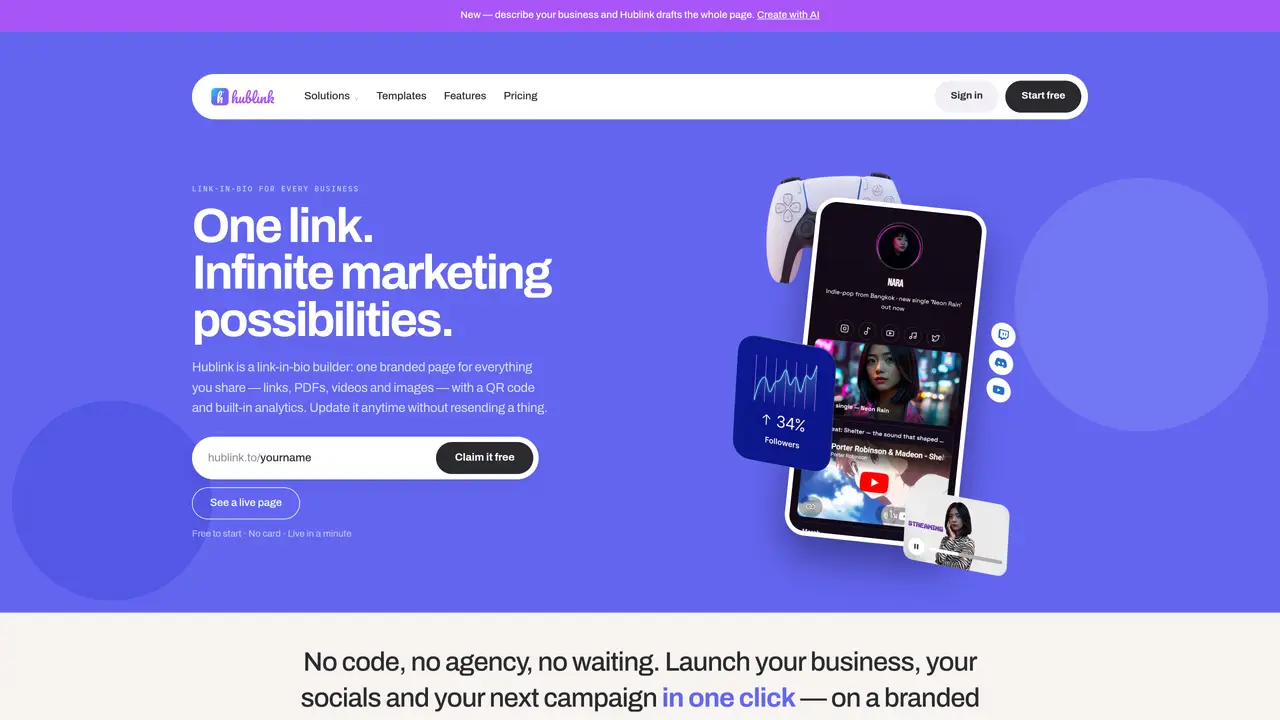
Hublink is a link-in-bio builder that creates a single branded page hosting links, PDFs, videos and images, paired with a QR code and built-in analytics. The tool allows users to describe their business and receive an AI-generated draft page with copy, layout, colors, fonts and functional cards such as photo galleries or booking buttons. Pages can be customized with logos, backgrounds, colors and fonts to match brand identity, with advanced options like countdowns and contact forms available on paid plans. Changes to content update instantly without requiring new links or QR codes, enabling real-time adjustments to menus, offers or event details. The platform supports teams through collaborative editing, role-based permissions and live co-editing features, while analytics track views, clicks and traffic sources to inform marketing decisions. QR codes can be printed on menus, packaging or posters and will always direct to the current live page, eliminating the need for reprints when content changes.
Key features
- AI page generation from business description
- QR code creation and print-ready formats
- Real-time team collaboration and role management
- Customizable branding with logo, colors and fonts
- Built-in analytics with traffic source tracking
- Contact forms, countdowns and event cards
- File hosting for PDFs, videos and images
- Site Assistant chat for visitor queries
Use cases
- Restaurant menus with QR codes for instant ordering
- Event promotion with countdowns and ticket links
- Retail packaging with QR codes linking to product demos
Pros
- AI-generated page drafts from business descriptions
- Built-in QR code generation and analytics tracking
- Real-time collaborative editing for teams
- Customizable branding without visible platform watermarks on Pro
- Unlimited file hosting and print-ready QR codes
Cons
- Free plan limited to one site
- AI features restricted to paid plans
- No offline or mobile app versions mentioned
Frequently asked questions about Hublink
What is Hublink and what does it do?
Hublink is a link-in-bio builder that creates a single branded page hosting links, PDFs, videos, and images, paired with a QR code and built-in analytics. It allows users to describe their business and receive an AI-generated draft page with copy, layout, colors, fonts, and functional cards.
Who is Hublink designed for?
Hublink is designed for businesses and creators across industries such as restaurants, hotels, retail, healthcare, education, corporate events, and more. It suits marketers, product managers, event organizers, and teams needing a centralized, updatable digital presence.
How does the AI feature work in Hublink?
Users can describe their business, and Hublink’s AI drafts a complete page, including copy, layout, colors, fonts, and functional cards like photo galleries or booking buttons. The AI also assists with art-directing backgrounds or logos through chat-based prompts.
Can I customize the appearance of my Hublink page?
Yes, users can customize logos, backgrounds, colors, fonts, and layouts to match their brand identity. Advanced options like countdowns and contact forms are available on paid plans, and changes update instantly without requiring new links or QR codes.
Does Hublink support team collaboration?
Yes, Hublink offers collaborative editing, role-based permissions, and live co-editing features, allowing teams to work together on the same page in real time. Invitations can be sent by email, and changes can be tracked or undone.
How does the QR code feature work in Hublink?
Hublink generates a QR code that links to the live page. The code can be printed on menus, packaging, or posters, and it will always direct to the current live page. This eliminates the need for reprints when content changes, as the QR code remains the same.