

Generate content, correct spelling, suggest synonyms to enhance writing.
173M visits/mo+0.1%#1 Productivity & Office
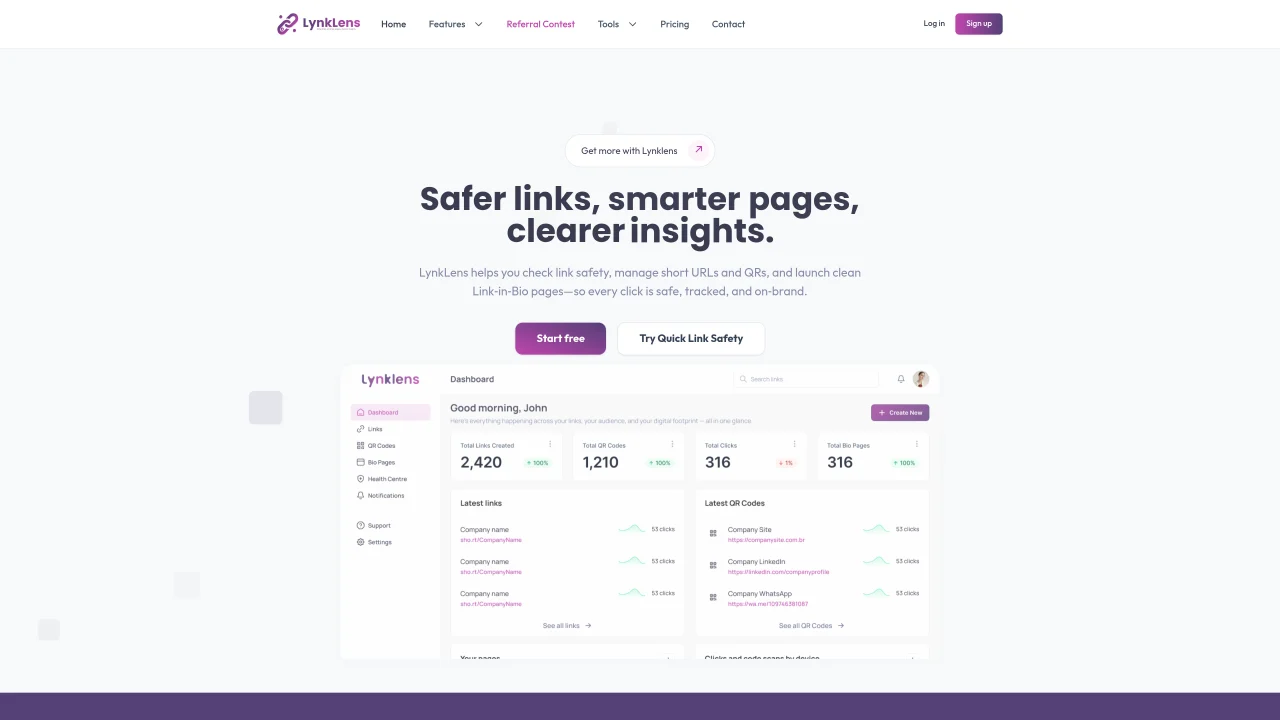
LynkLens provides a centralized platform for managing links, QR codes, and Link-in-Bio pages. It includes a link safety checker that evaluates URLs for risks such as malware or phishing, returning verdicts like Safe, Warning, or Dangerous. Users can create branded short links using custom domains, track click analytics including location and device data, and generate QR codes with built-in tracking for print or digital use. The service also offers customizable Link-in-Bio pages to consolidate multiple links into a single, mobile-friendly page that aligns with brand identity. Analytics are available to monitor performance across all link types. The platform is designed for creators, small businesses, and teams seeking to streamline link management and enhance online presence.
LynkLens is a centralized platform for managing links, QR codes, and Link-in-Bio pages. It includes a link safety checker, URL shortener, QR code generator with tracking, and customizable bio pages for consolidating multiple links.
The platform is designed for creators, small businesses, and teams looking to streamline link management, enhance online presence, and ensure link safety across digital and print materials.
The link safety checker evaluates URLs for risks such as malware or phishing, returning verdicts like Safe, Warning, or Dangerous. It also provides reasons for the assessment, such as malware reports or phishing patterns.
Yes, LynkLens provides analytics to monitor click performance, including location and device data, for all types of links, QR codes, and bio pages.
Yes, users can create branded short links using custom domains, allowing for unique and memorable URLs that align with their brand identity.
Users can start by using the Quick Link Safety tool, shortening a URL, or creating a Link-in-Bio template without signing up. Creating an account allows users to save and grow their link management.
We use essential cookies to run aitoolnavio™, and optional cookies to analyze traffic and measure our marketing. You choose what we use — optional cookies stay off unless you turn them on. See our Privacy Policy.
One short email a week: fresh tools worth trying, honest takes and the updates that actually matter. No spam, unsubscribe any time.
Generate content, correct spelling, suggest synonyms to enhance writing.
Turn messy team ideas into actionable plans with Miro's visual workspace.
Leverage analytics, automate tasks, share documents, and coordinate projects.
Integrates AI into Airtable to analyze data, summarize insights, draft content, and automate workflows without prior AI experience.
Cloud accounting software that automates bookkeeping, invoicing, and financial reporting for small and growing businesses.
Streamline teamwork, manage projects, automate tasks efficiently.
Automate code, research, and documents using agents.
AI assistant for safe, reliable productivity with code, collaboration, and integrations.
Create customizable tables, databases, and spreadsheets, share data securely with team members.
Easy-to-use CRM platform that automates lead capturing, prioritizes tasks, and provides sales pipeline analytics for businesses of all sizes.
Transforms thoughts into actions, enhancing productivity and efficiency.
Write & run code in 50+ languages, auto-complete with AI, and code faster with an intuitive interface.
Matched on what this tool does — grouped by the job you would be replacing.
Paid placement · similar tools from listings that support aitoolnavio™
Instant lead response for home-service pros: your phone rings on every new lead, plus 14 days of follow-up
matches Link safety verification with risk indicators · Click analytics and tracking · Real-time safety verdicts
matches Mobile-optimized Link-in-Bio pages · Brand customization for pages and links
Monitor link performance, streamline information access, and increase team productivity with quick access to company information.
AI-powered phishing detection and email security tool with Outlook integration
Create a personalized online profile with a custom URL, profile photo, and links to your other online profiles.
Turn any website into a customizable link-in-bio landing page with AI in one click.
AI-powered link-in-bio builder with QR codes and analytics