AI assistant for safe, reliable productivity with code, collaboration, and integrations.
InstantFlow
$59Starting price
0Popularity
About InstantFlow
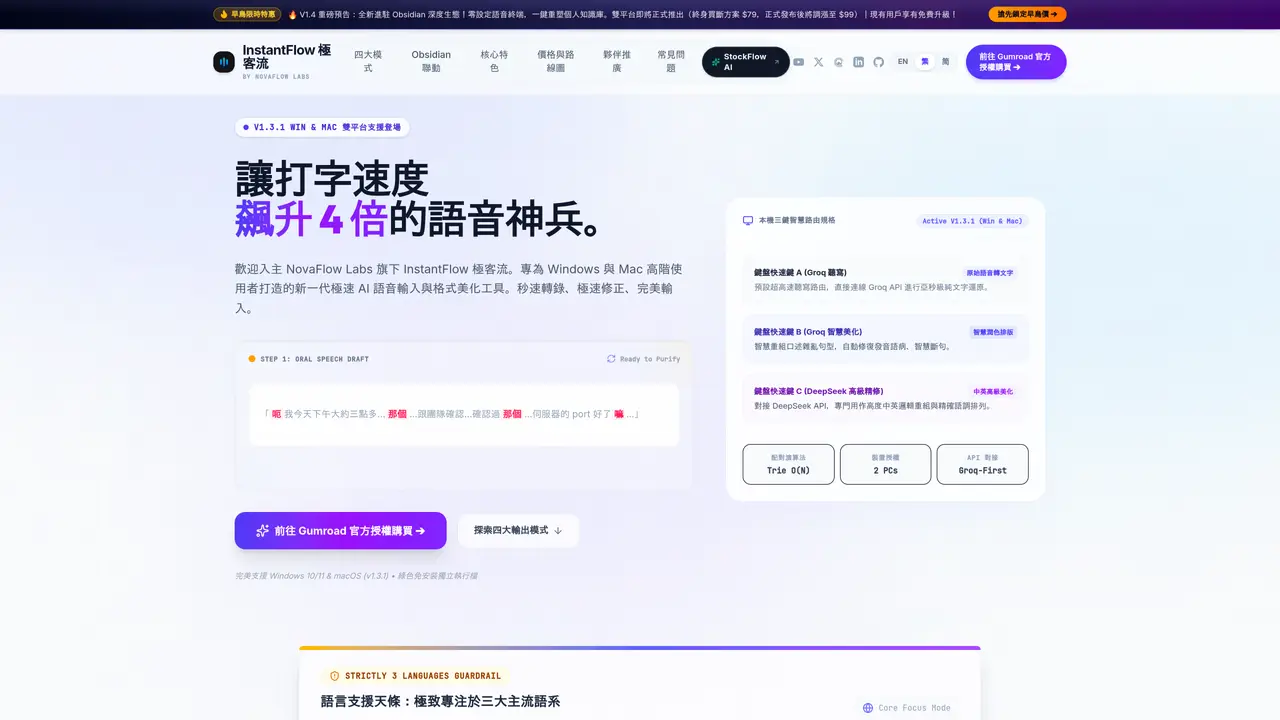
InstantFlow is a desktop voice dictation application designed for Windows and macOS that converts speech to text with sub-second latency. It operates as a standalone utility, processing audio locally and sending transcripts directly to user-provided API endpoints without routing through central servers. The tool supports global hotkey activation and is built for technical users, offering features like a custom Trie-tree dictionary for jargon and programming terms. It integrates with Obsidian and Markdown workflows, enabling direct transcription into notes with automatic wikilinks. InstantFlow requires users to supply their own API keys for transcription services, emphasizing privacy by avoiding third-party server storage of voice data. The software is available as a one-time purchase with lifetime access and free updates within the v1.x version range.
Key features
- Sub-second speech-to-text processing
- Local processing with no cloud storage of transcripts
- Global hotkey activation
- Custom Trie-tree dictionary for technical terms
- Obsidian and Markdown vault integration
- Dual-platform support (Windows and macOS)
- Lifetime license with free updates
- Cross-platform licensing options
Use cases
- Technical documentation and note-taking
- Code comments and programming jargon transcription
- Meeting notes and daily journal dictation
Pros
- Sub-second voice-to-text processing using Groq LPUs
- 100% standalone with no central server storage of transcripts
- One-time purchase with lifetime access and free updates
- Dual-platform support for Windows and macOS
- Custom dictionary for technical jargon and programming terms
Cons
- Requires user-provided API keys for transcription
- No free tier or trial version available
- Limited to desktop platforms (Windows and macOS)
- Cross-platform license requires separate purchase
Frequently asked questions about InstantFlow
How private is InstantFlow compared to other voice dictation tools?
InstantFlow operates as a 100% standalone desktop application, sending transcripts directly from the user's machine to their chosen API provider using personal API keys. Voice data never passes through or is stored on NovaFlow Labs' servers, ensuring absolute local privacy.
Do I need to provide my own API keys for InstantFlow to work?
Yes, users must supply their own API keys for transcription services. This design choice is central to InstantFlow's privacy model, as it avoids routing voice data through third-party servers. Groq keys are required, with an optional DeepSeek key for polishing.
Does InstantFlow support macOS?
Yes, InstantFlow v1.3.1 officially supports both Windows and macOS natively, including Apple Silicon M-series and Intel-based Macs. The software is engineered for dual-platform use with global hotkey activation.
What are the license terms for purchasing InstantFlow?
InstantFlow offers lifetime licenses with one-time purchases, including free updates within the v1.x version range. License options include Windows Dual-PC Pass, Mac Dual-Mac Pass, and Ultimate Cross-Platform Pass, each allowing use on multiple devices.
How fast is InstantFlow's voice-to-text transcription?
InstantFlow delivers sub-second voice-to-text processing powered by Groq LPUs running Whisper models. This enables fluent dictation without immersion-breaking lag, allowing users to speak up to four times faster than typing.
Can InstantFlow integrate with note-taking applications like Obsidian?
Yes, InstantFlow supports direct transcription into Obsidian and Markdown workflows, including automatic wikilinks and formatting. This allows users to dictate directly into daily notes, checklists, and knowledge graphs without manual reformatting.