AI assistant for safe, reliable productivity with code, collaboration, and integrations.

Keysake
0Popularity
About Keysake
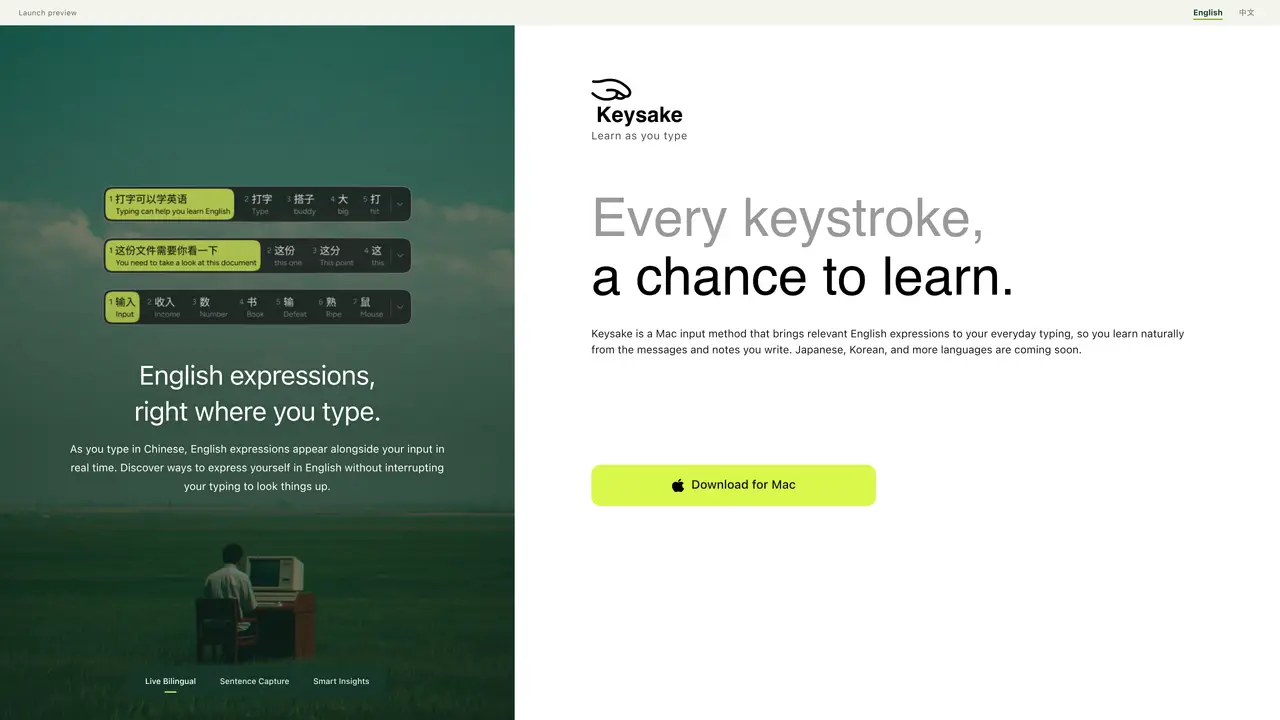
Keysake is a Mac input method designed for Chinese speakers learning English. It displays relevant English expressions alongside Chinese text as the user types, enabling real-time discovery of phrasing without interrupting the writing process. The tool captures sentences, phrases, or individual words for later review, allowing users to build a personalized collection of expressions tied to their own writing context. Built-in grammar insights automatically break down saved sentences, explaining sentence structure and usage patterns to deepen understanding. The application operates entirely on-device using Apple’s translation technology, ensuring privacy by avoiding cloud processing of user input. It is currently available as a design preview for Mac with a Chinese-language interface, supporting Chinese input with English translations.
Key features
- Real-time bilingual sentence capture
- Smart grammar insights for saved sentences
- Individual word and phrase saving
- Full sentence saving via double-tap space bar
- On-device translation using Apple technology
- Privacy-focused local processing
- Chinese input with English expression display
- Personalized expression collection
Use cases
- Learning English expressions while writing Chinese messages or notes
- Building a personalized vocabulary bank from real writing contexts
- Understanding sentence structure through automatic grammar breakdowns
Pros
- Real-time English expression suggestions during Chinese typing
- On-device translation for privacy
- Automatic sentence structure and grammar explanations
- Saves sentences, phrases, and words for later review
- Integrates learning into everyday typing workflow
Cons
- Mac-only platform
- Chinese interface only
- No English input or English-to-Chinese support yet
- Design preview with no active installer
Frequently asked questions about Keysake
What does Keysake support today?
Keysake currently runs on Mac and has a Chinese-language interface. It allows users to type in Chinese and see corresponding English expressions in real time, and collect words, phrases, and sentences as they type.
Can I save individual words and phrases in Keysake?
Yes. Users can save individual words or phrases by hovering over them, right-clicking, and selecting Save. Double-tapping the space bar saves a full sentence for later review.
Will more languages be supported in Keysake?
Yes. Keysake plans to support Japanese, Korean, and additional languages in the future. Currently, the app supports Chinese input with English expressions, and English input is not yet available.
How does Keysake handle translation privacy?
Keysake uses Apple’s on-device translation technology to generate English translations locally on the Mac, ensuring that user input is not sent to the cloud for translation.
Is Keysake available for Windows or other operating systems?
No. Keysake is currently available as a design preview exclusively for Mac.
What is the current status of Keysake?
Keysake is a design preview, and an installer is not yet connected. Users can download the app for Mac to try the features.