

AI chatbot for conversation, work, research, coding, and content creation.
5.9B visits/mo+5%#1 Chatbots & Assistants
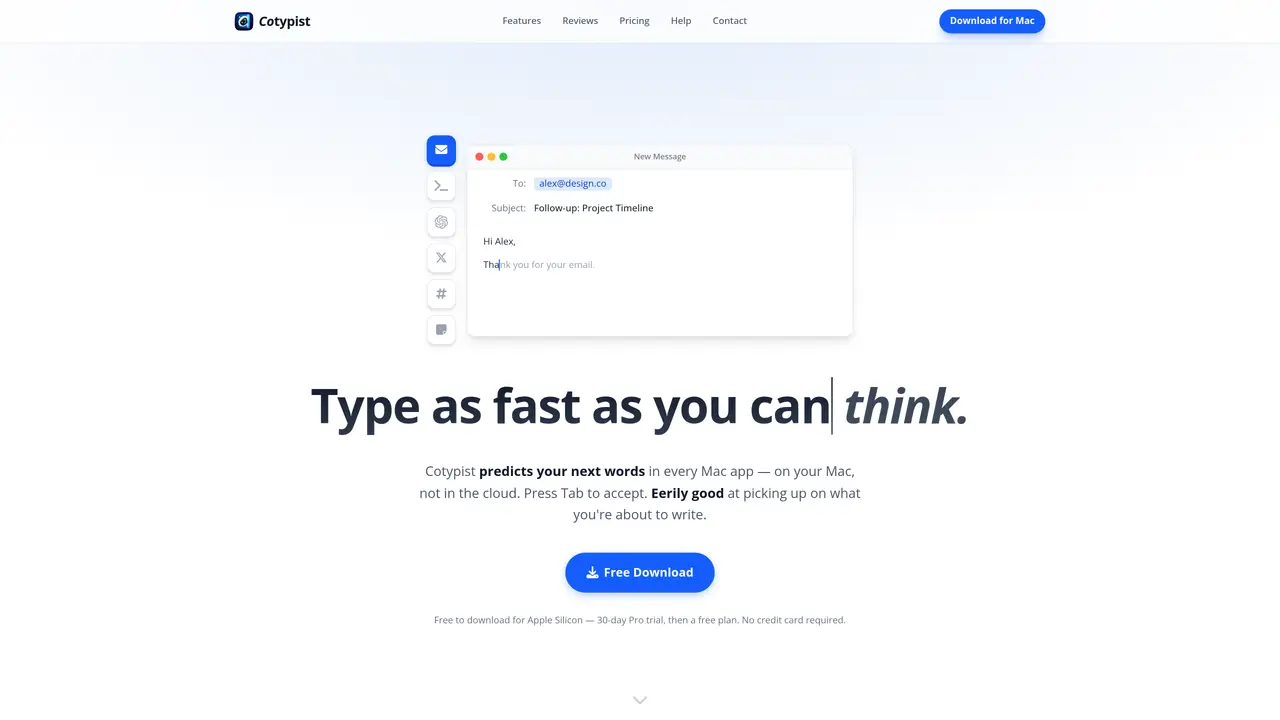
Cotypist is a local AI autocomplete utility for Apple Silicon Macs that predicts your next words in almost any text field. It runs entirely on-device, shows inline suggestions as you type, and accepts them with Tab. The tool targets people who spend hours writing email, docs, support replies, and AI prompts. Cotypist adapts to each writer’s vocabulary and phrasing so completions sound familiar. It offers word-by-word acceptance, inline typo fixes, and emoji suggestions without extra pop-ups. Users often cut keystrokes significantly in email, support replies, and documentation. The tool has a strong privacy posture, as no prompts or documents leave the Mac, and password fields stay unread. Cotypist stays inside existing workflows, removing the need to switch to a chatbot or craft prompts to get help. However, it requires an Apple Silicon Mac running macOS 14 or later, excluding Intel, Windows, and Linux. Heavy writers may pay in money and memory, as subscriptions plus 1-2.5 GB RAM usage can feel costly to some users. Cotypist is suitable for marketing and content writers, customer support agents, technical and documentation writers, non-native English and accessibility-focused users, Neuralink implant testers, and power users who write prompts all day for AI agents.
Cotypist is a local AI autocomplete tool for Apple Silicon Macs that predicts your next words in any text field. It runs entirely on-device, showing inline suggestions as you type and accepting them with the Tab key. The tool adapts to your writing style, vocabulary, and phrasing over time.
Cotypist is designed for heavy writers such as marketing and content creators, customer support agents, technical writers, non-native English speakers, and users with accessibility needs. It also suits power users who write prompts for AI agents.
No, Cotypist operates entirely offline. All processing and data stay on your Apple Silicon Mac, ensuring privacy and no external data exposure.
Cotypist requires an Apple Silicon Mac running macOS 14 or later. It does not support Intel-based Macs, Windows, or Linux systems.
Download the app from the official website, open the installer, and drag Cotypist into your Applications folder. Open the app and follow the setup instructions to begin using it immediately.
Yes, Cotypist detects typos as you type and suggests corrections inline. It also offers emoji suggestions by typing a colon followed by a shortcode, streamlining the process without additional pop-ups.
cotypist.app · third-party estimates from Similarweb
Last 4 months · grows by one month every month
Share of visits · estimated visits
Other countries: 15.3%
Writing & Content · Sep 2026
Traffic figures are third-party estimates, good for scale and trends; they can differ from a company's own numbers. Updated monthly.
We use essential cookies to run aitoolnavio™, and optional cookies to analyze traffic and measure our marketing. You choose what we use — optional cookies stay off unless you turn them on. See our Privacy Policy.
One short email a week: fresh tools worth trying, honest takes and the updates that actually matter. No spam, unsubscribe any time.
AI chatbot for conversation, work, research, coding, and content creation.
Generate content, correct spelling, suggest synonyms to enhance writing.
Summarizes, extracts, and rewrites content from files.
Automate research, make corrections, and integrate easily into text editors for convenient content generation and error detection.
AI-powered writing assistant for grammar, style, and tone improvements across documents and emails.
Instantly detect AI-generated text, identify plagiarism, and customize the detection process.
A free web-based AI chatbot and agent for writing, coding, research, and content creation with multilingual support.
AI research assistant that finds trusted sources, summarizes documents and videos, and generates cited answers with a browser extension for capturing findings.
AI-powered proofreading, editing, plagiarism checking, and citation generation for academic papers.
AI-powered web design suite inside Webflow that generates sites, code components, and SEO improvements from prompts.
Get quick copywriting help, generate marketing copy, and easily translate, explain, and rephrase web page text.
Craft captivating stories effortlessly using AI-powered GPT technology and an intuitive interface.
Matched on what this tool does — grouped by the job you would be replacing.
matches System-wide inline autocomplete · Local-only processing on Apple Silicon · Style learning and personalization
Type faster with AI predictions, spell-check, multi-word suggestions, and support for 85+ languages in any app.
Autocomplete words, create content templates, and write confidently with clarity.
Inline AI writing assistant for macOS that completes thoughts in your voice across any app.
AI-powered text prediction and correction for faster, more accurate writing.
matches Local-only processing on Apple Silicon · Private on-device writing · Emoji suggestions
Speak, your Mac privately types into every app.
Mac call assistant that transcribes calls privately and suggests replies
Mac app for private, offline voice typing and text-to-speech using Apple Silicon with 31 languages and 64 voices.
Local voice-to-text dictation and file transcription for macOS