AI assistant for safe, reliable productivity with code, collaboration, and integrations.

MGToolbox
0Popularity
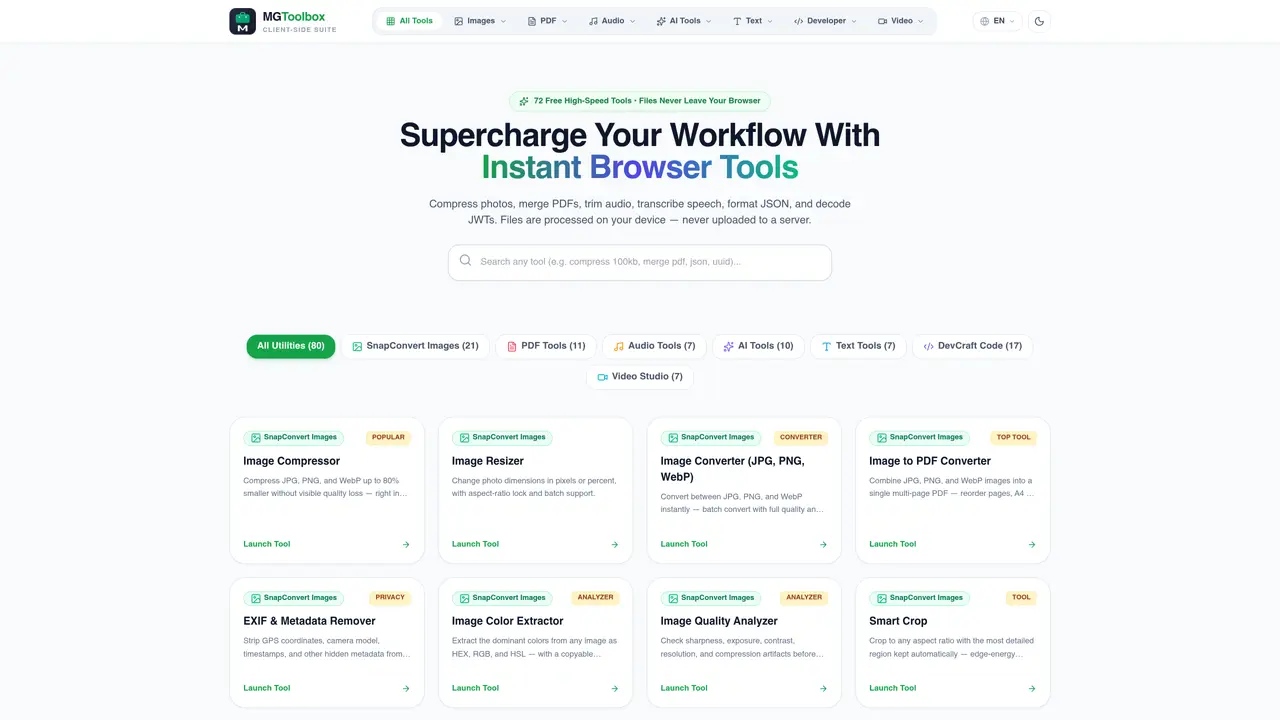
About MGToolbox
MGToolbox provides a suite of over 70 client-side utilities for media and document tasks. Tools cover image editing, PDF manipulation, audio processing, AI-powered enhancements, text formatting, and developer utilities. All processing occurs locally in the user’s browser, ensuring files never leave the device and privacy is maintained. The platform includes specialized modules such as SnapConvert for images, PDF Tools for document handling, Audio Tools for media editing, AI Tools for neural upscaling, and DevCraft for code and spreadsheet tasks. Typical use cases include compressing photos, merging PDFs, trimming audio, transcribing speech, formatting JSON, and decoding tokens without requiring uploads or accounts.
Key features
- Image compression without quality loss
- PDF merging, splitting, and editing
- Audio trimming and pitch detection
- AI image upscaling with Swin2SR
- JSON formatting and JWT decoding
- EXIF metadata removal
- In-browser spreadsheet editing
- PDF redaction and blackout
Use cases
- Compress photos for web use
- Merge multiple PDFs into one document
- Convert audio files to specific segments
Pros
- Client-side processing keeps files private
- No uploads or server storage required
- Covers images, PDFs, audio, text, AI, and developer tools
- Batch operations supported for efficiency
- No sign-up or subscription needed
Cons
- Limited to browser-based use
- No mobile app available
- Processing speed depends on local hardware
Frequently asked questions about MGToolbox
What is MGToolbox and what does it do?
MGToolbox is a suite of over 70 client-side utilities designed for media and document tasks. It offers tools for image editing, PDF manipulation, audio processing, AI-powered enhancements, text formatting, and developer utilities, all processed locally in the user’s browser without uploading files to a server.
Who should use MGToolbox?
MGToolbox is suitable for individuals and professionals who need fast, private, and offline-capable tools for tasks like compressing images, editing PDFs, trimming audio, transcribing speech, or formatting code and spreadsheets. It is ideal for privacy-conscious users and those working with sensitive data.
Does MGToolbox require an account or uploads to servers?
No, MGToolbox does not require an account or any file uploads. All processing occurs locally in the user’s browser, ensuring files never leave the device and privacy is maintained.
What types of tools are available in MGToolbox?
MGToolbox includes specialized modules such as SnapConvert for images, PDF Tools for document handling, Audio Tools for media editing, AI Tools for neural upscaling, Text Tools for formatting, DevCraft for code and spreadsheet tasks, and Video Studio for video-related utilities.
Can MGToolbox handle batch processing?
Yes, MGToolbox supports batch processing for several tools, such as compressing, resizing, or converting multiple images at once, or merging and splitting PDFs with no limits on the number of files.
How do I get started with MGToolbox?
To get started, visit the MGToolbox website and select the tool you need from the categorized list. No installation or account creation is required—simply open the tool in your browser and begin processing files locally.