AI assistant for safe, reliable productivity with code, collaboration, and integrations.

ZappRFP
$28/moStarting price
0Popularity
About ZappRFP
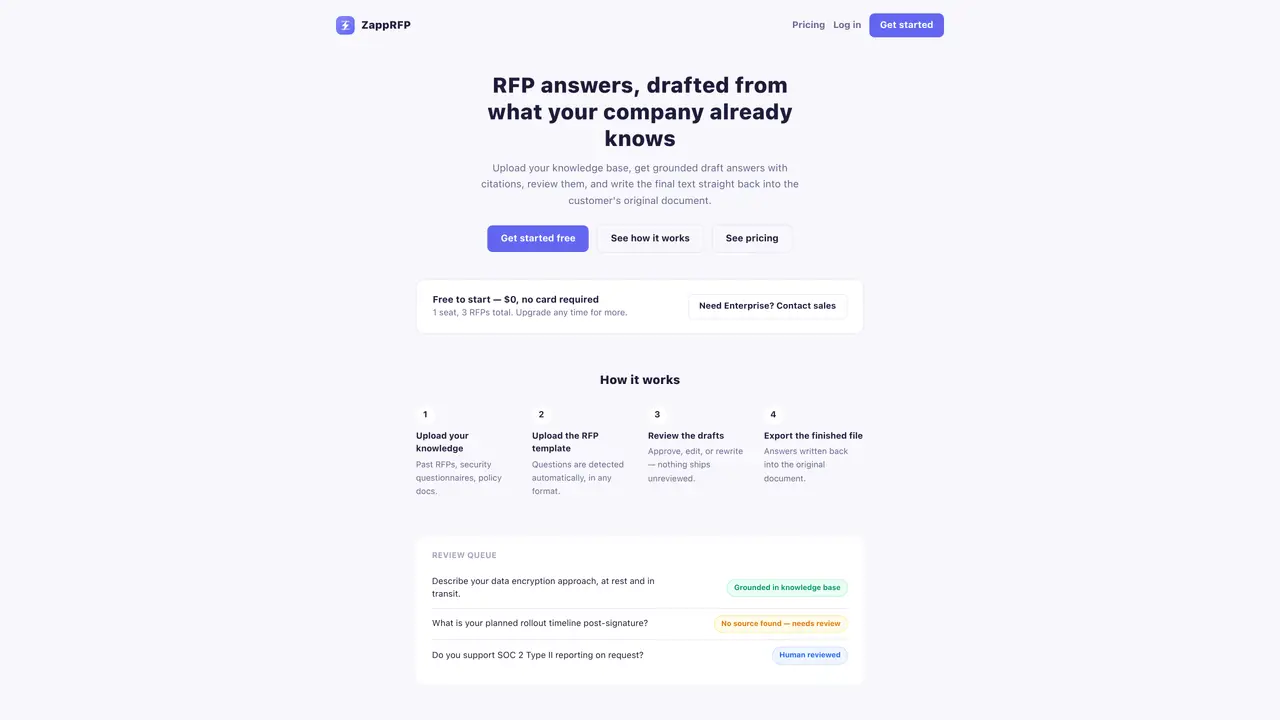
ZappRFP automates the creation of RFP responses by analyzing a company’s past RFPs, security questionnaires, and policy documents. Users upload an RFP template, and the tool detects questions in any format before generating grounded draft answers with citations. Each draft remains in a review queue until approved, edited, or rejected by a team member, ensuring no response is finalized without human oversight. Approved answers can be reused in future RFPs, and the final text is written back directly into the original DOCX or XLSX document. The platform also flags compliance gaps where answers do not fully address requirements. Knowledge bases and answers are isolated per organization, preventing cross-account sharing. Supported file formats include DOCX, XLSX, and PDF, with PDFs exported separately.
Key features
- Grounded draft answers with citations
- Automatic question detection in RFP templates
- Human review queue for all drafts
- Native write-back into DOCX/XLSX files
- Compliance gap detection
- Answer reuse across RFPs
- Team collaboration tools
- Isolated per-organization data storage
Use cases
- Drafting responses for security questionnaires
- Automating RFP answer generation for sales teams
- Ensuring compliance in vendor proposal responses
Pros
- Drafts cite exact passages from the knowledge base
- Native write-back into original DOCX or XLSX files
- Compliance gap detection for incomplete answers
- Team review workflow with assignment and sign-off
- Answer memory for reuse across multiple RFPs
Cons
- Free plan limited to 3 RFPs total
- No write-back capability on Free or Standard tiers
- Enterprise pricing requires contacting sales
- PDF templates do not support native write-back
Frequently asked questions about ZappRFP
What file formats does ZappRFP support?
ZappRFP supports DOCX and XLSX templates for full write-back functionality. PDF templates can be read and answered, but they are exported separately.
Can an AI draft go out without human review?
No. Every draft generated by ZappRFP remains in a review queue until a team member approves, edits, or rejects it before any response is finalized.
Is there a free plan available for ZappRFP?
Yes, ZappRFP offers a free plan at no cost, requiring no payment method. It includes 1 seat and a limit of 3 RFPs total, but does not support write-back into original documents.
How can I add more seats to my ZappRFP plan?
Paid plans allow adding extra seats beyond the included number for a flat fee of $10 per seat per month. Contact sales@zapprfp.com to set this up.
What happens if I exceed my monthly RFP limit?
RFP limits are a hard monthly cap. If you need more RFPs than your plan allows, you must upgrade to a higher tier to continue using the service.
Does ZappRFP support enterprise-level usage?
Yes, ZappRFP offers an Enterprise plan for teams requiring 5 or more seats and 50 or more RFPs per month, with custom pricing and native write-back capabilities.