Create marketing videos quickly, customize with templates, music, and photos, optimize for different platforms with AI.
4.4M visits/mo-5%#12 Video & Animation

AI video generator that turns text or URLs into short-form videos for TikTok, YouTube Shorts, and Instagram Reels.
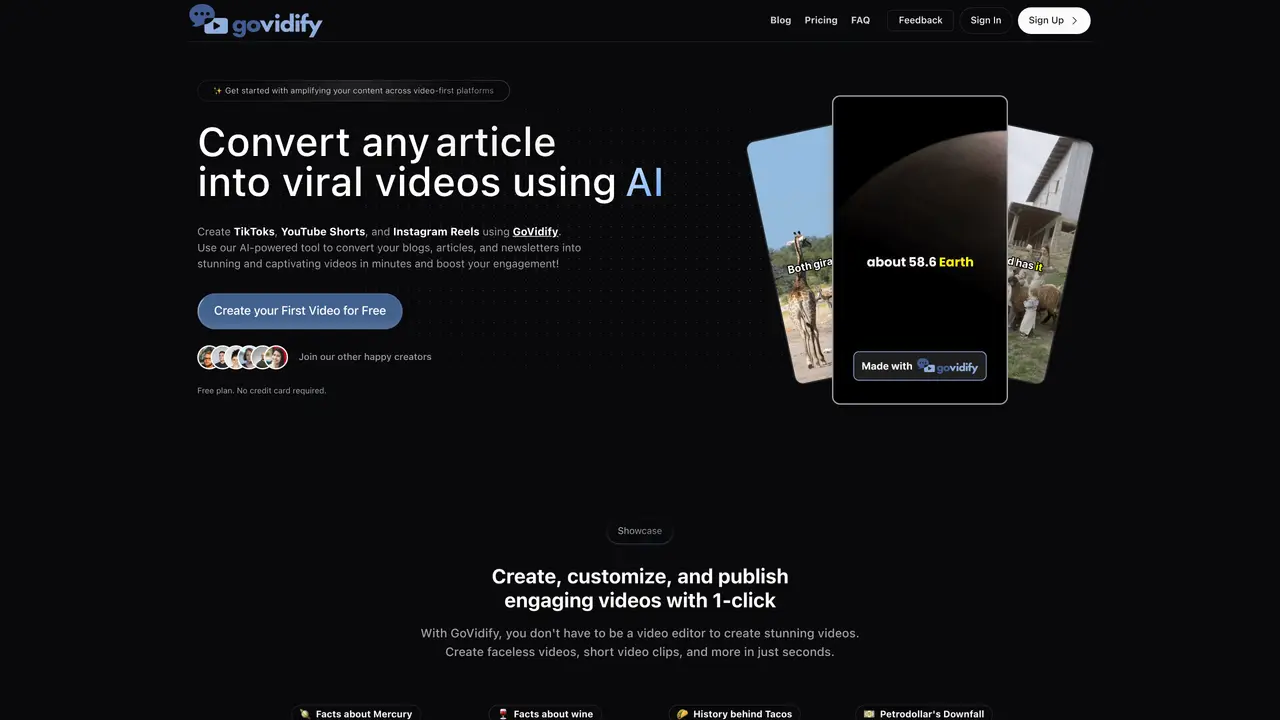
GoVidify is a web-based AI video generation platform designed for creators, marketers, and businesses that need to transform written content into short-form videos without manual editing. The tool supports both text-to-video and URL-to-video conversion, allowing users to repurpose blogs, articles, newsletters, social media posts, and public webpages into engaging video content. It includes script and narration generation with selectable AI models (GPT and LLaMA) and voice styles powered by ElevenLabs. GoVidify features a built-in editor for customizing text overlays, replacing stock footage, uploading assets, regenerating voiceovers, and adding background music. Videos can be exported and shared in HD, with export capabilities dependent on the user’s plan. Higher-tier plans offer team collaboration features, enabling multiple users to work together and manage multiple organizations. The platform emphasizes multi-language and multi-voice options, making it suitable for diverse content needs. It is particularly useful for producing TikTok, YouTube Shorts, and Instagram Reels from existing written material, streamlining the video creation process for social media and marketing purposes.
GoVidify is an AI-powered web platform that converts written content or URLs into short-form videos for platforms like TikTok, YouTube Shorts, and Instagram Reels. It automates script generation, narration, and video assembly, allowing users to repurpose blogs, articles, newsletters, tweets, and webpages into engaging videos.
The tool is designed for creators, marketers, businesses, and teams looking to streamline video content creation without manual editing. It suits users who need to repurpose existing written material into short-form videos for social media and marketing purposes.
Yes, GoVidify offers over 24 languages and more than 45 voice styles powered by ElevenLabs, allowing users to customize narration for diverse audiences and content needs.
Higher-tier plans include team collaboration features, enabling multiple users to work together and manage multiple organizations within the platform.
Users can convert blogs, articles, newsletters, tweets, essays, research papers, and public webpages or URLs into short-form videos. The tool also supports custom scripts and AI-generated scripts.
Users can create an account for free on the GoVidify website and start generating videos immediately. The free plan allows basic video creation, while paid plans offer additional features like higher video limits, team collaboration, and HD exports.
govidify.ai · third-party estimates from Similarweb
Traffic figures are third-party estimates, good for scale and trends; they can differ from a company's own numbers. Updated monthly.
We use essential cookies to run aitoolnavio™, and optional cookies to analyze traffic and measure our marketing. You choose what we use — optional cookies stay off unless you turn them on. See our Privacy Policy.
One short email a week: fresh tools worth trying, honest takes and the updates that actually matter. No spam, unsubscribe any time.
Create marketing videos quickly, customize with templates, music, and photos, optimize for different platforms with AI.
AI video clipping and editing tool that turns long videos into short clips with captions, reframing, and one-click social publishing.
Boost social media engagement, produce AI music videos, and remix videos with any style effortlessly.
Create promotional videos effortlessly with WeVideo's intuitive drag-and-drop interface.
An AI creation platform for turning images into videos, adding twist endings, and building interactive roleplay stories.
Drag-and-drop video maker for creating professional product demos, explainer videos, and ads without coding skills.
AI-powered video clipping and editing tool that extracts viral moments, adds captions, and schedules shorts for TikTok, YouTube, and Instagram.
Submagic is an AI tool that helps content creators create viral reels and shorts 10 times faster than any other video editing tool.
Turn text or links into short, viral-ready videos for TikTok, Instagram, and YouTube without editing skills.
Turns long videos into ready-to-post short clips for TikTok, Reels, and YouTube Shorts in minutes.
AIReel lets creators make AI-generated videos from text or image in minutes.
AI-powered tool for accurate captions, video clipping, and impactful face centering.
Matched on what this tool does — grouped by the job you would be replacing.
matches Text-to-video and URL-to-video conversion · Script and narration generation with AI models (GPT, LLaMA) · ElevenLabs-powered voice styles for narration
AI tool that automates faceless short video creation for social media platforms like TikTok, Instagram, and YouTube.
UGC Maker is an AI-powered UGC video generator that helps brands create viral-ready short-form videos using AI avatars, voiceovers, subtitles, and automated ad generation workflows.
AI-powered tool to generate faceless split-screen reels and talking avatar videos from text prompts
An AI text-to-video platform that turns blogs, PDFs, podcasts, and audio into social-ready videos with scripts, scenes, voiceovers, captions, and music.