Create marketing videos quickly, customize with templates, music, and photos, optimize for different platforms with AI.
4.4M visits/mo-5%#12 Video & Animation

AI tool that turns podcasts into short video clips, blog posts, tweets, and emails for cross-platform marketing.
Recast Studio is an AI-powered podcast marketing assistant designed to help podcasters repurpose long-form audio content into engaging short-form assets. The tool automatically generates full transcripts of podcast episodes and produces branded Audiogram video clips with a single click. It also creates social media content such as tweets, LinkedIn posts, and email promotions tailored to the podcast material. Recast Studio simplifies cross-platform marketing by enabling users to distribute their podcast content efficiently across video platforms and social media channels. The platform is particularly useful for podcasters, video editors, marketers, and influencers looking to maximize the reach of their audio content without manual effort. By automating the creation of promotional materials, Recast Studio saves time and ensures consistent branding across different formats and platforms.
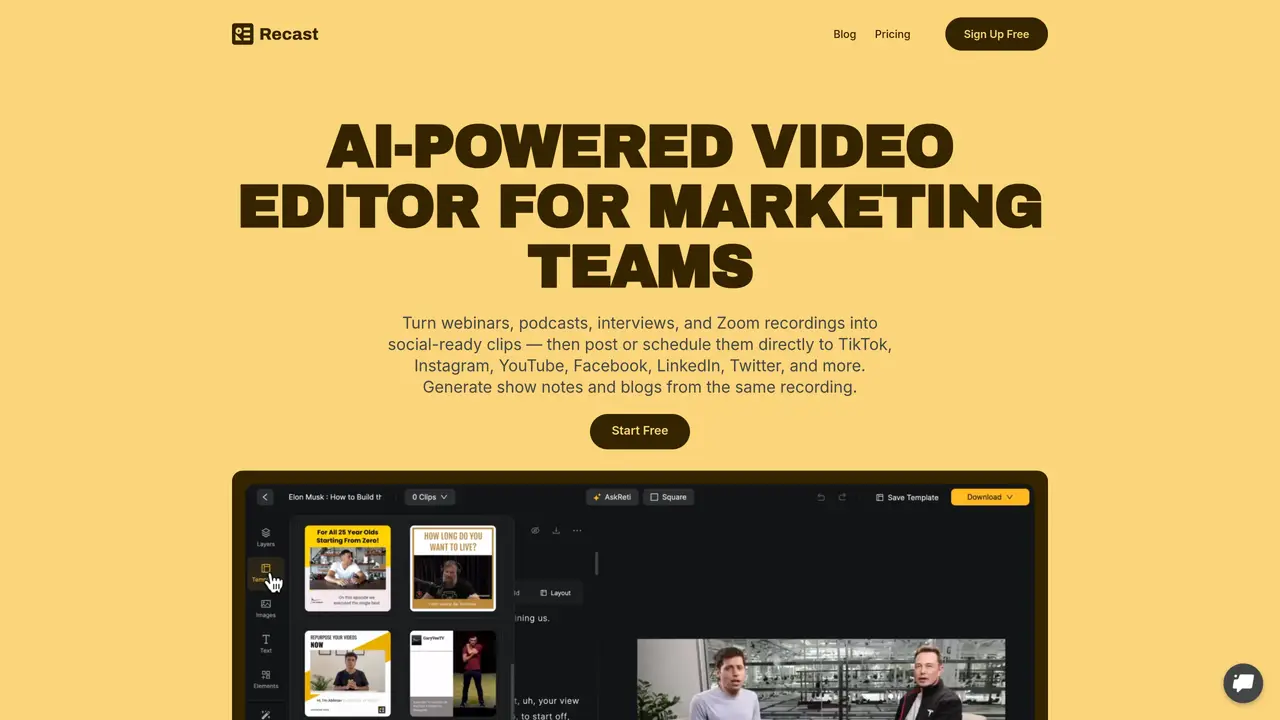
Recast Studio is an AI-powered video editor designed for marketing teams to repurpose long-form content such as webinars, podcasts, interviews, and Zoom recordings into social-ready clips. It is particularly useful for podcasters, marketers, video editors, and influencers looking to maximize content reach efficiently.
Recast Studio automates the creation of clips, captions, and audiograms from a single recording. It uses transcript-powered workflows to generate channel-ready formats quickly, allowing users to publish or schedule content directly to platforms like TikTok, Instagram, YouTube, Facebook, LinkedIn, and Twitter without manual exporting or re-uploading.
Yes, Recast Studio includes an AI writing tool that generates blog drafts, show notes, LinkedIn posts, and email copy directly from video or podcast transcripts. This enables users to reuse the same content for multiple marketing channels without starting from scratch.
Yes, Recast Studio offers a team workspace feature that allows users to invite teammates, collaborate on projects, share videos, leave feedback, and manage content in a single organized space.
Recast Studio supports accurate transcription in over 20 languages, making it suitable for multilingual content creation and distribution.
Recast Studio uses transcript-based editing, allowing users to highlight and delete transcript text to trim videos, remove filler words, and keep captions synchronized automatically. This eliminates the need for traditional timeline-based editing.
We use essential cookies to run aitoolnavio™, and optional cookies to analyze traffic and measure our marketing. You choose what we use — optional cookies stay off unless you turn them on. See our Privacy Policy.
One short email a week: fresh tools worth trying, honest takes and the updates that actually matter. No spam, unsubscribe any time.
Create marketing videos quickly, customize with templates, music, and photos, optimize for different platforms with AI.
AI video clipping and editing tool that turns long videos into short clips with captions, reframing, and one-click social publishing.
Boost social media engagement, produce AI music videos, and remix videos with any style effortlessly.
Create promotional videos effortlessly with WeVideo's intuitive drag-and-drop interface.
An AI creation platform for turning images into videos, adding twist endings, and building interactive roleplay stories.
Drag-and-drop video maker for creating professional product demos, explainer videos, and ads without coding skills.
AI-powered video clipping and editing tool that extracts viral moments, adds captions, and schedules shorts for TikTok, YouTube, and Instagram.
Submagic is an AI tool that helps content creators create viral reels and shorts 10 times faster than any other video editing tool.
Turn text or links into short, viral-ready videos for TikTok, Instagram, and YouTube without editing skills.
Turns long videos into ready-to-post short clips for TikTok, Reels, and YouTube Shorts in minutes.
AIReel lets creators make AI-generated videos from text or image in minutes.
AI-powered tool for accurate captions, video clipping, and impactful face centering.
Matched on what this tool does — grouped by the job you would be replacing.
matches Creates branded Audiogram video clips in one click · Supports cross-platform marketing (video, social media, email) · Provides a single dashboard for managing repurposed content
Generate tailored timestamps, show notes, newsletters, RSS feeds, and SEO-friendly blog post options for podcast engagement.
Turns podcasts and videos into clips, transcripts, show notes, and social posts for creators and teams.
AI-powered tool that converts podcast episodes into transcripts, show notes, clips, and ready-to-publish content assets automatically.
AI-powered platform that converts video content into clips, social posts, audiograms, blog posts, and more in minutes.
matches Generates social media content (tweets, LinkedIn posts) · Offers social media templates for quick customization · Suggests titles for short video clips
matches Automatically generates full transcripts from podcast episodes
Generate podcast show notes, catchy titles, and engaging LinkedIn posts with a drag-and-drop interface and pre-made templates.
AI-powered social media scheduler that writes, schedules and publishes posts automatically
Revolutionize transcription with unmatched accuracy, speed, and language support.
Quickly generate content, transcribe audio/videos in multiple languages, and perfect transcripts with GPT-assisted editor.