

Creates licensed videos, images, music.
11M visits/mo+8.9%#2 Video & Animation
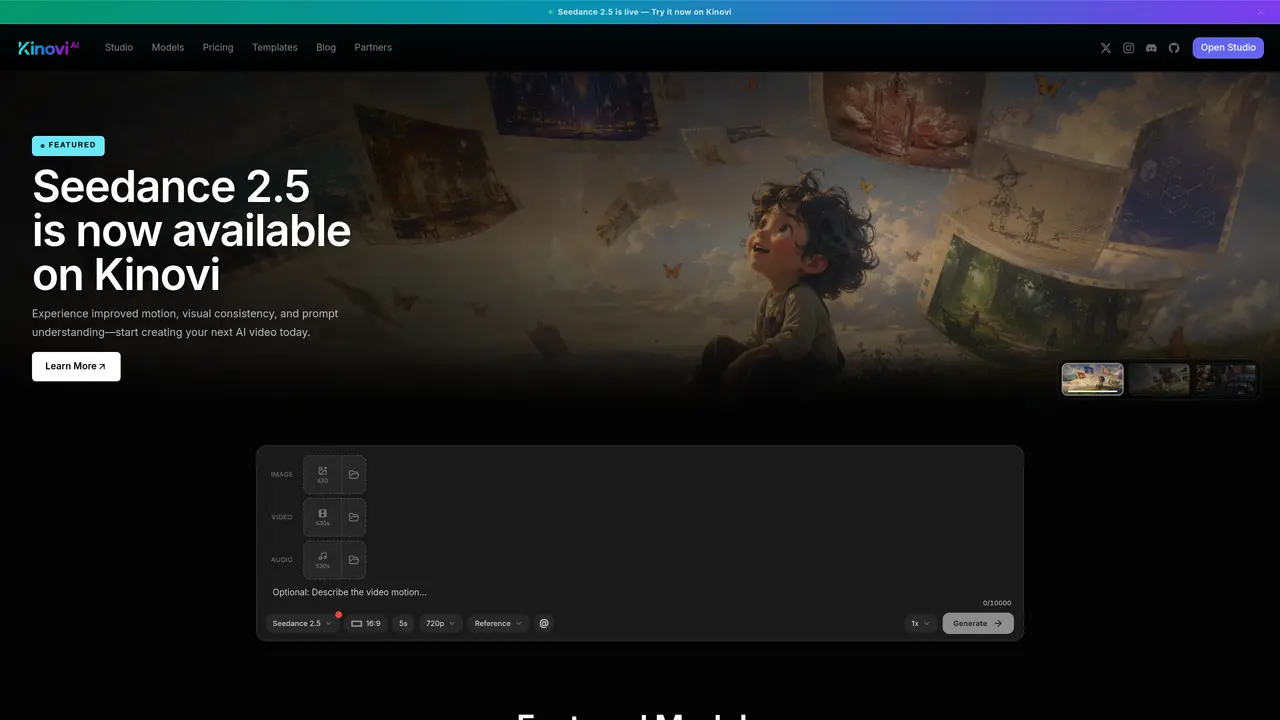
Kinovi is an AI video studio that turns short prompts and visual references into directed, cinematic clips. Built on Seedance 2.0, it focuses on reference-driven creation: users combine text, images, video, and audio, then “direct” the model with tags and shot instructions. It also includes AI image generation, making it suitable both for quick social content and more polished previsualization work. Key Features: Multimodal, reference-driven workflow: Accepts up to 9 images, 3 video clips, and 3 audio tracks plus natural language text, so style, motion, rhythm, and composition can all be guided instead of left to chance. @-Tag shot direction: File names can be tagged with @ in the prompt (for example assigning first frame, camera move, or soundtrack), giving directors granular control over how each reference shapes the final clip. Short-form AI video generation: Generates 4–15 second clips at 16:9, with options like First & Last Frame and Multi-Ref modes, powered by Seedance 2.0 Pro and more than 10 underlying AI models. Iterative editing tools: Shots can be extended, regenerated, or refined with new instructions, so creators can iterate on a promising take instead of restarting from scratch. Integrated image creator: Credits can be spent on still images starting around $0.06 per image, useful for boards, thumbnails, or standalone artwork. Credit-based studio economics: Pay-per-second video (roughly $0.20–$0.40 per second) keeps costs tied to actual usage rather than monthly subscriptions.
Kinovi is an AI video studio that converts short prompts and visual references into directed, cinematic clips using models like Seedance 2.5. It supports multimodal inputs including text, images, video, and audio, allowing users to guide style, motion, rhythm, and composition with granular control.
Kinovi suits creators, directors, marketers, and teams who need to generate short-form video content or previsualize scenes efficiently. Its reference-driven workflow and templates make it accessible for both quick social content and more polished production work.
Kinovi operates on a credit-based system where users pay per second of video generated or per image created. Pricing varies by model, resolution, and whether reference inputs are used, with options to compare rates across multiple AI models in the catalog.
Yes, Kinovi provides a Multi-Model API that allows users to build with its models programmatically. It also offers a creator-first workspace for managing assets and outputs, enabling reuse of generated content across projects.
Kinovi's output is constrained by the capabilities of its underlying AI models, which may limit fine-grained control over specific visual details. Additionally, credit-based pricing requires careful management to avoid unexpected costs, especially for high-volume usage.
Users can start by visiting the Kinovi website, exploring the template library, or opening the Studio workspace to begin creating videos or images. The platform provides guided paths and model comparisons to help users select the right options for their needs.
kinovi.ai · third-party estimates from Similarweb
Last 4 months · grows by one month every month
Share of visits · estimated visits
Other countries: 13.8%
How people reach this site from other AI tools
1.3K a month · 1.3% of all visits
Video & Animation · Sep 2026
Traffic figures are third-party estimates, good for scale and trends; they can differ from a company's own numbers. Updated monthly.
We use essential cookies to run aitoolnavio™, and optional cookies to analyze traffic and measure our marketing. You choose what we use — optional cookies stay off unless you turn them on. See our Privacy Policy.
One short email a week: fresh tools worth trying, honest takes and the updates that actually matter. No spam, unsubscribe any time.
Creates licensed videos, images, music.
AI video generation platform that turns text prompts or images into short, high-quality 8-second videos with consistent characters.
AI-powered text-to-video generator that creates videos from text prompts.
AI-powered video generator that converts text, images, or video prompts into high-quality videos without technical skills.
Generates AI videos, images and audio from text prompts, photos or audio
Transform text and images into stunning videos.
Create stunning videos and images using artificial intelligence.
Generates high-quality videos and images from text or images with cinematic controls and native 4K output.
Create lifelike videos from text and images.
An all-in-one creative suite specializing in Image-to-Video animation.
Free online AI video editor for beginners to create videos with text, music, animations, and effects.
AI platform that converts text, images, or videos into dynamic video content with minimal technical skill required.
Matched on what this tool does — grouped by the job you would be replacing.
matches Multimodal, reference-driven workflow · @-Tag shot direction · Short-form AI video generation
Omni Flash is an AI video platform that turns text, images, or existing clips into cinematic 4K videos.
AI video generator that combines images, video, audio and text to create cinematic videos with precise
AI video generator combining text, images, video clips, and audio for cinematic outputs
Create cinematic AI videos with Seedance 2.0 from text, images, and multi-reference inputs — with free credits and API access.
matches Native Audio-Visual Sync & Lip-Sync · Precise prompt control of motion · Cinematic camera motion controls
matches Generate short-form AI videos from text prompts and creative concepts · Create cinematic-style visuals for social media, ads, and promotional content
C Dance AI is a Seedance 2.0 based multimodal AI video generator for text, image, audio, and video creation with cinematic motion and native audio-video sync.
AI video generator that turns text prompts, images, references, and audio into cinematic videos for creators and marketers.
Wan 2.6 – Unified AI Video Generator with Native Audio
AI video generator that creates short cinematic videos from text or still images
Turn prompts and creative ideas into cinematic AI videos for social media, marketing, and storytelling with Sparkv.
All-in-one AI studio for video, image, voice, music and 3D generation from a single account