Unleash creativity: edit photos, videos, and designs with AI-enhanced tools.

NextWatch AI
27Monthly visits
0Popularity
About NextWatch AI
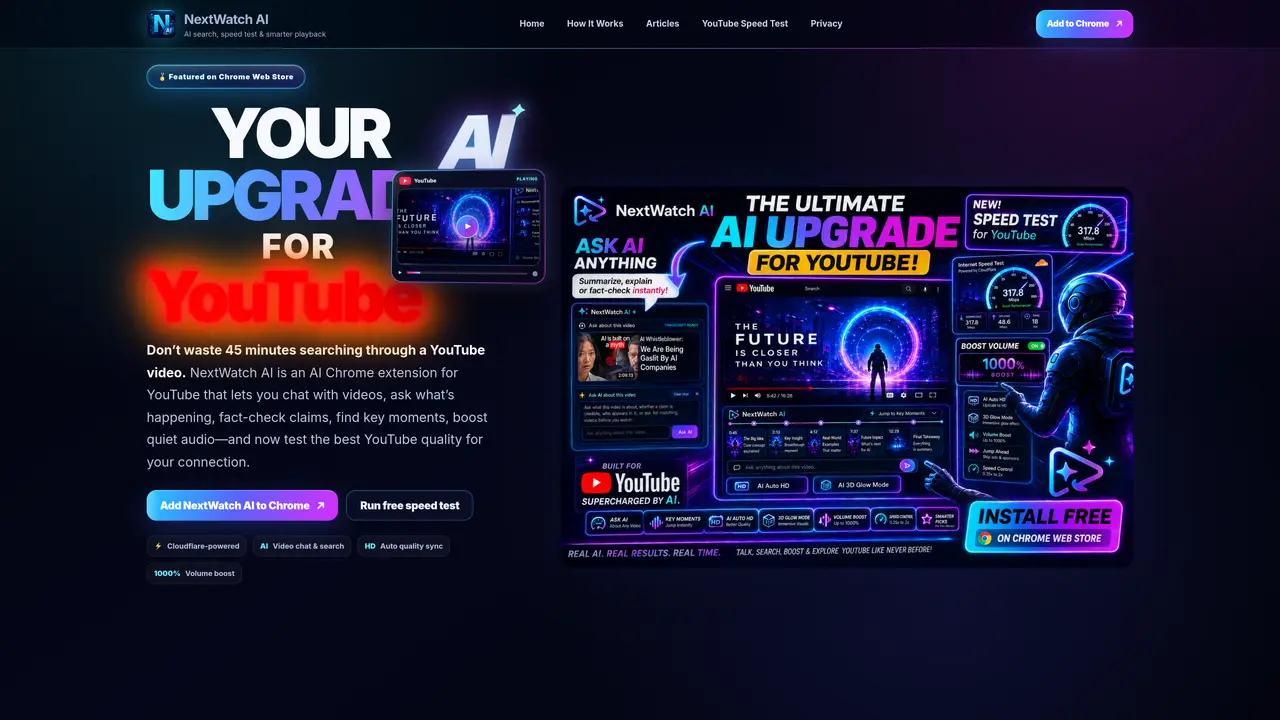
NextWatch AI is a Chrome extension designed to enhance YouTube playback and interaction through artificial intelligence. It allows users to engage in natural language conversations about video content, enabling them to ask questions about what is happening in a video, verify factual claims, and locate key moments without manually scrubbing through content. The tool also includes a speed test feature to evaluate the best YouTube video quality for a user’s internet connection, optimizing playback performance. Additional functionality includes automatic quality synchronization and a significant volume boost for quieter audio tracks. The extension operates independently of YouTube and Google, focusing on improving accessibility and efficiency for viewers.
Key features
- AI video chat and search
- YouTube speed test
- HD auto quality sync
- 1000% volume boost
- Fact-checking of video claims
- Key moment identification
- Cloudflare-powered backend
- Independent from YouTube and Google
Use cases
- Finding specific moments in long videos without manual searching
- Verifying factual claims presented in YouTube content
- Optimizing YouTube playback quality for slow connections
Pros
- AI-powered video chat and search
- YouTube speed test for optimal playback quality
- Volume boost for quieter audio
- Cloudflare-powered backend
- HD auto quality sync
Cons
- Requires Chrome browser
- No mobile app support
- Limited to YouTube platform
Frequently asked questions about NextWatch AI
What does NextWatch AI do?
NextWatch AI is a Chrome extension that enhances YouTube playback and interaction using artificial intelligence. It allows users to chat with videos, ask questions about content, fact-check claims, find key moments, and optimize playback quality and audio levels.
Who is NextWatch AI designed for?
The tool is designed for YouTube viewers who want to save time by quickly understanding video content, verify information, or improve playback performance without manual scrubbing or adjusting settings.
How does NextWatch AI work with YouTube?
NextWatch AI operates independently of YouTube and Google, integrating directly into the Chrome browser as an extension. It analyzes video content in real time to enable AI-powered interactions and optimizations.
Does NextWatch AI offer a speed test feature?
Yes, NextWatch AI includes a speed test feature powered by Cloudflare to evaluate the best YouTube video quality for a user’s internet connection, ensuring optimal playback performance.
Can NextWatch AI boost audio volume?
Yes, the extension includes a feature to significantly boost audio levels for quieter tracks, improving the listening experience during video playback.
How do I get started with NextWatch AI?
Users can add NextWatch AI to their Chrome browser by visiting the Chrome Web Store and installing the extension. Once installed, it integrates directly into YouTube for immediate use.
NextWatch AI Website Engagement
Last Update: 20 hours ago
Total Monthly Visits
0
Bounce Rate
0%
Visit Duration (avg)
—
Pages Per Visit
0
Country Rank
—
Unknown
Global Rank
—