

Record lectures, create tutorials, and securely share videos with teams.
16M visits/mo-3.4%#8 Productivity & Office
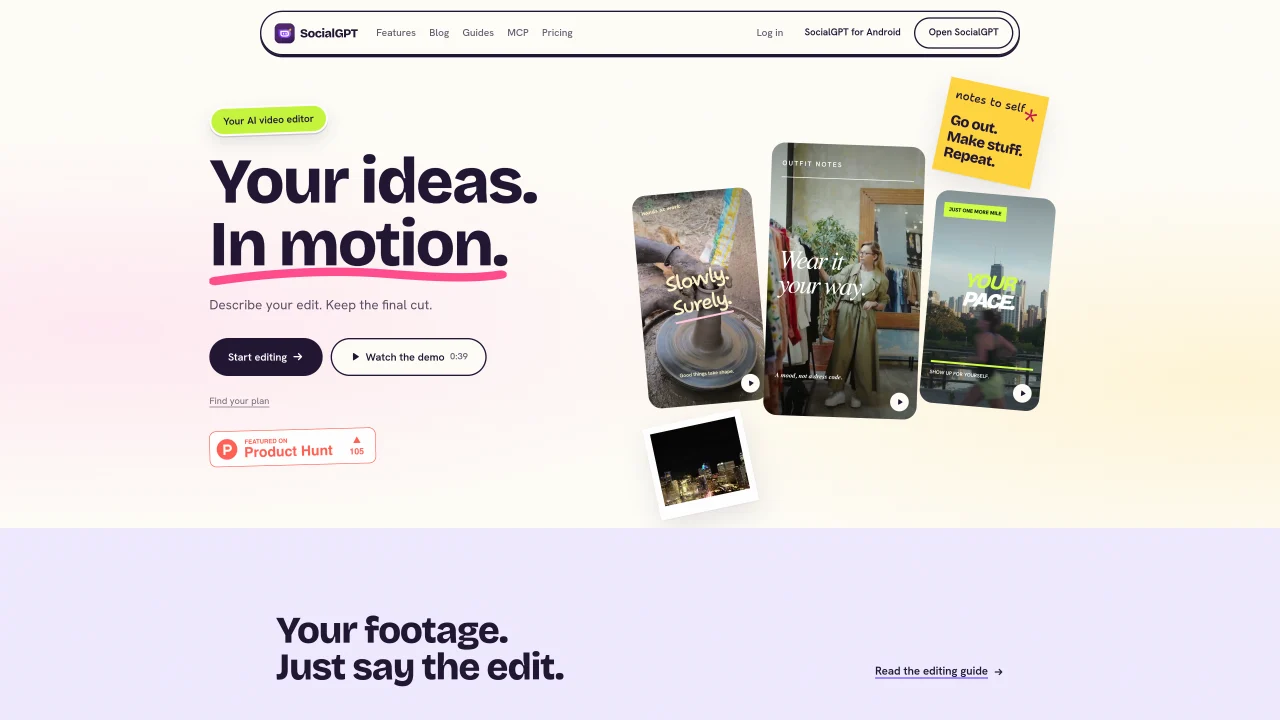
SocialGPT is an AI video editor that allows users to upload footage, describe edits in natural language, and receive AI-generated cuts. The tool operates on an editable timeline where users can review AI suggestions, make manual adjustments, and request further refinements before exporting. It supports trimming clips, arranging sequences, adding captions, generating music and sound effects, and applying camera moves. Beyond editing, the platform assists with content research by analyzing trends and creators in specific niches to generate hooks and scripts. Users can also create carousel posts with AI-assisted copy and images, and connect social accounts to review performance metrics and receive AI-driven insights. The editor is designed for creators who want to streamline video production while maintaining creative control.
SocialGPT is an AI video editor that allows users to upload footage, describe edits in natural language, and receive AI-generated cuts. It operates on an editable timeline where users can review AI suggestions, make manual adjustments, and request further refinements before exporting.
No. You can work with your own footage in the editor without connecting a social account. Connecting platforms like TikTok, Instagram, or YouTube adds account insights and other social features.
Yes. The AI works on an editable timeline, allowing users to review its changes, adjust clips manually, and request additional edits before exporting the final video.
You can ask the editor to trim or arrange footage, add captions, find music and sound effects, or apply camera moves. Specific requests help provide clearer direction for the AI.
Yes. Beyond editing, SocialGPT assists with content research by analyzing trends and creators in specific niches to generate hooks and scripts. It also supports creating carousel posts with AI-assisted copy and images.
Start by uploading your footage, then describe the edits you want in natural language. Review the AI-generated preview, refine the timeline as needed, and export your video when satisfied.
gpt.social · third-party estimates from Similarweb
Last 4 months · grows by one month every month
Share of visits by channel
No measurable traffic from Social, Paid Referrals or Search.
Share of visits · estimated visits
Video & Animation · Sep 2026
Traffic figures are third-party estimates, good for scale and trends; they can differ from a company's own numbers. Updated monthly.
We use essential cookies to run Aitoolnavio, and optional cookies to analyze traffic and measure our marketing. You choose what we use — optional cookies stay off unless you turn them on. See our Privacy Policy.
One short email a week: fresh tools worth trying, honest takes and the updates that actually matter. No spam, unsubscribe any time.
Record lectures, create tutorials, and securely share videos with teams.
Unleash creativity: edit photos, videos, and designs with AI-enhanced tools.
Create, edit, subtitle, and translate pro-grade videos instantly.
Cloudinary provides APIs and tools to integrate, manage, and optimize images and videos for AI-driven visual experiences.
All-in-one AI suite for creators to automate workflows, edit media, and generate content across video, design, and productivity tools.
Generate cinematic video clips from text or images and refine them with AI-powered editing tools for creators and visual professionals.
AI video clipping and editing tool that turns long videos into short clips with captions, reframing, and one-click social publishing.
Automate video editing, add text-to-speech voice-overs, and optimize videos for impactful results.
Freemium, uncensored AI video and image creation for individual creators with text-to-video, image effects, and gem-based upgrades for HD and no watermarks.
Create, convert, and enhance videos effortlessly with professional effects and royalty-free music.
Create, edit, and enhance high-quality audio/video content.
Transform text and images into stunning videos.
Matched on what this tool does — grouped by the job you would be replacing.
matches AI-powered video editing from text descriptions · Editable timeline for manual refinements
Web-based AI video editor where you describe edits in plain language and the AI builds them on a real timeline.
Turn simple ideas into ready-to-publish social videos.
AI editor that turns chat prompts into editable motion-graphic videos without a traditional timeline.
AI-powered video editor that turns articles into scripts, adds templates, stock media, and music, and supports collaboration.
matches Caption and music generation · Camera move application
matches Carousel post creation with AI copy · Social account integration for performance insights · Script and hook generation from niche research
Generate lifelike human videos with AI, making professional video creation fast and accessible for any user.
An AI filmmaking platform for indie creators that generates scripts, images, video clips, voices, music, and edits projects in one web workspace with multiple models.
Veo 4 AI is a cinematic AI video generator for text-to-video and image-to-video creation with realistic motion, smooth animation, and high-quality visual rendering.
AI-powered content discovery and creation tool for creators
AI-powered tool that generates platform-native posts, scripts, slides and hashtags in 60 seconds
AI-powered content creation tools for social media creators
AI-powered social media assistant for content creation, scheduling and analytics