
Create marketing videos quickly, customize with templates, music, and photos, optimize for different platforms with AI.
4.4M visits/mo-5%#12 Video & Animation

Web-based AI video editor where you describe edits in plain language and the AI builds them on a real timeline.
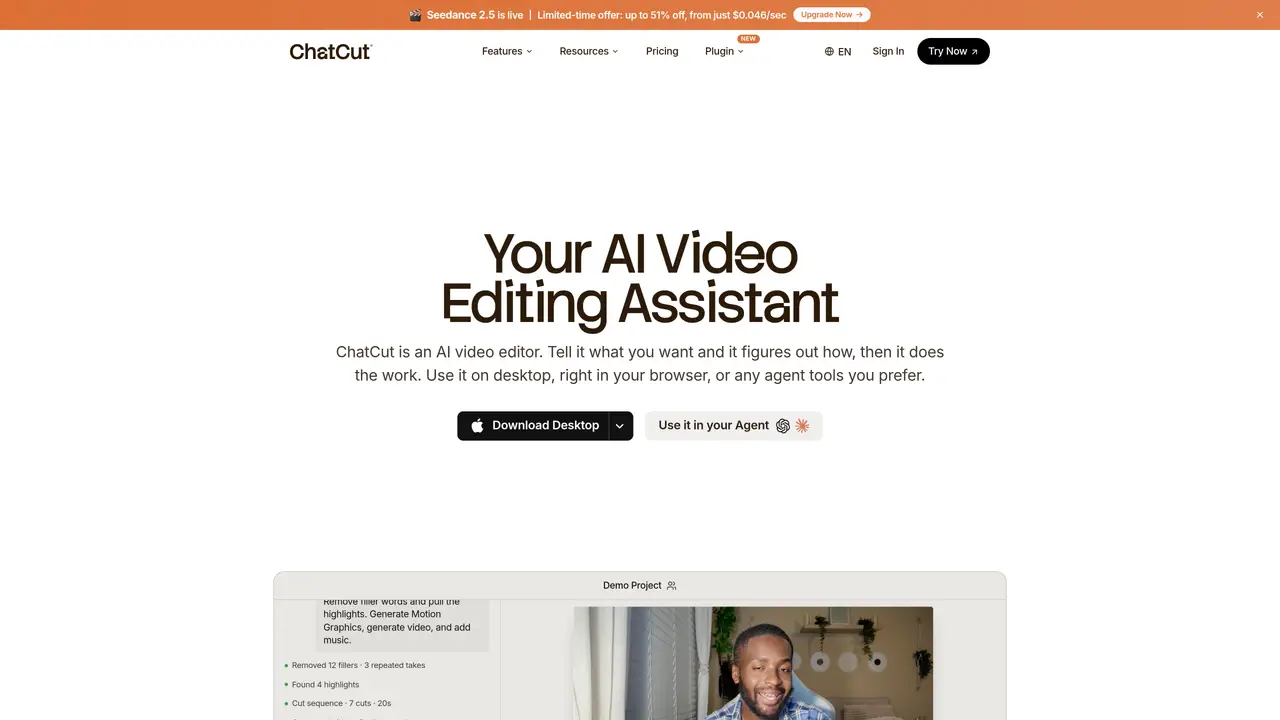
ChatCut is a conversational AI video editor that operates entirely in the browser. Instead of manually cutting and arranging clips on a timeline, users describe the desired edits in plain language and the AI agent executes the work on a fully editable timeline. The editor can analyze uploaded footage, pull clips directly from YouTube, extract logos from websites, and incorporate marketing copy to produce branded videos. It supports generating motion graphics, AI-generated video clips, voiceovers, captions, and sound effects. Every edit remains fully adjustable, and projects can be exported as XML for use in other editing software. The platform supports multiple languages and is designed for creators, marketers, and businesses who need to produce video content regularly without spending hours in traditional editing suites. New users receive 20 free credits to test the AI features, and the editor itself is free to use with paid plans available for additional capabilities.
ChatCut is an AI-powered video editor that operates in the browser or as a plugin for tools like ChatGPT or Claude Code. Users describe edits in plain language, and the AI executes the changes on a fully editable timeline, analyzing footage, generating motion graphics, and producing branded videos without traditional manual editing.
The platform is designed for creators, marketers, and businesses who need to produce video content regularly without spending extensive time in traditional editing suites. It suits users who prefer prompt-based editing over manual timeline manipulation.
Yes, ChatCut can be used as a standalone browser-based editor or integrated as a plugin into ChatGPT or Claude Code, allowing users to leverage AI agents for video editing tasks within their preferred workflows.
ChatCut can analyze uploaded footage, pull clips from YouTube, extract logos from websites, generate motion graphics, AI video clips, voiceovers, captions, and sound effects. It also supports text-based editing of transcripts and auto-generated captions in over 100 languages.
Yes, projects can be exported as XML for use in other editing software, ensuring compatibility with existing workflows and tools.
Users can start by visiting the ChatCut website to access the browser-based editor or download the desktop app for macOS or Windows. The platform also offers plugins for ChatGPT and Claude Code, with setup instructions available on the website.
chatcut.io · third-party estimates from Similarweb
Last 4 months · grows by one month every month
Share of visits · estimated visits
Other countries: 48.4%
How people reach this site from other AI tools
7.5K a month · 1.9% of all visits
Video & Animation · Sep 2026
Traffic figures are third-party estimates, good for scale and trends; they can differ from a company's own numbers. Updated monthly.
We use essential cookies to run aitoolnavio™, and optional cookies to analyze traffic and measure our marketing. You choose what we use — optional cookies stay off unless you turn them on. See our Privacy Policy.
One short email a week: fresh tools worth trying, honest takes and the updates that actually matter. No spam, unsubscribe any time.
Create marketing videos quickly, customize with templates, music, and photos, optimize for different platforms with AI.
AI video clipping and editing tool that turns long videos into short clips with captions, reframing, and one-click social publishing.
Boost social media engagement, produce AI music videos, and remix videos with any style effortlessly.
Create promotional videos effortlessly with WeVideo's intuitive drag-and-drop interface.
An AI creation platform for turning images into videos, adding twist endings, and building interactive roleplay stories.
Drag-and-drop video maker for creating professional product demos, explainer videos, and ads without coding skills.
AI-powered video clipping and editing tool that extracts viral moments, adds captions, and schedules shorts for TikTok, YouTube, and Instagram.
Submagic is an AI tool that helps content creators create viral reels and shorts 10 times faster than any other video editing tool.
Turn text or links into short, viral-ready videos for TikTok, Instagram, and YouTube without editing skills.
Turns long videos into ready-to-post short clips for TikTok, Reels, and YouTube Shorts in minutes.
AIReel lets creators make AI-generated videos from text or image in minutes.
AI-powered tool for accurate captions, video clipping, and impactful face centering.
Matched on what this tool does — grouped by the job you would be replacing.
matches Describe edits in plain language and let the AI build them on a real timeline · Generate motion graphics and voiceovers · Add captions and sound effects automatically
Generate motion graphics, kinetic typography, animated text and social-ready animations from prompts and templates without manual scene building.
AI motion graphics generator that turns text prompts into editable animations for creators and marketers.
AI-powered video editor that refines footage from text prompts
AI editor that turns chat prompts into editable motion-graphic videos without a traditional timeline.
matches Pull footage directly from YouTube · Generate motion graphics and voiceovers · Add captions and sound effects automatically
matches Generate motion graphics and voiceovers · Add captions and sound effects automatically · Real-time, editable timeline with full manual control
AI video creation agent that turns text, PDFs, audio, or footage into multi-scene videos with scripts, edits, voiceovers, and subtitles.
Based Labs AI lets creators generate short AI videos from images, share them in a community hub, and explore story-rich or abstract visuals.
A web-based AI image and video generator for creators and marketers, offering text-to-video, image-to-video, style transfer, and multi-model editing.
AI-powered creative studio to generate professional videos with AI scriptwriting, asset creation, motion graphics, and multilingual voiceovers in minutes.
Cloud-based video editor with AI-powered clip generation, voiceovers, and auto-subtitles for fast, browser-based editing.
Web-based AI editor that upscales videos to 4K, removes backgrounds and watermarks, generates subtitles, makes clips, and translates videos.
Auto-builds talking-head rough cuts in Premiere.
AI video editing platform that turns long-form videos into TikTok, Instagram Reels, and YouTube Shorts with auto cuts, B-roll, and subtitles.