Generate captions, optimize content, and enhance with custom images for maximum engagement.
46M visits/mo-10%#3 Image & Design

AI video creation agent that turns text, PDFs, audio, or footage into multi-scene videos with scripts, edits, voiceovers, and subtitles.
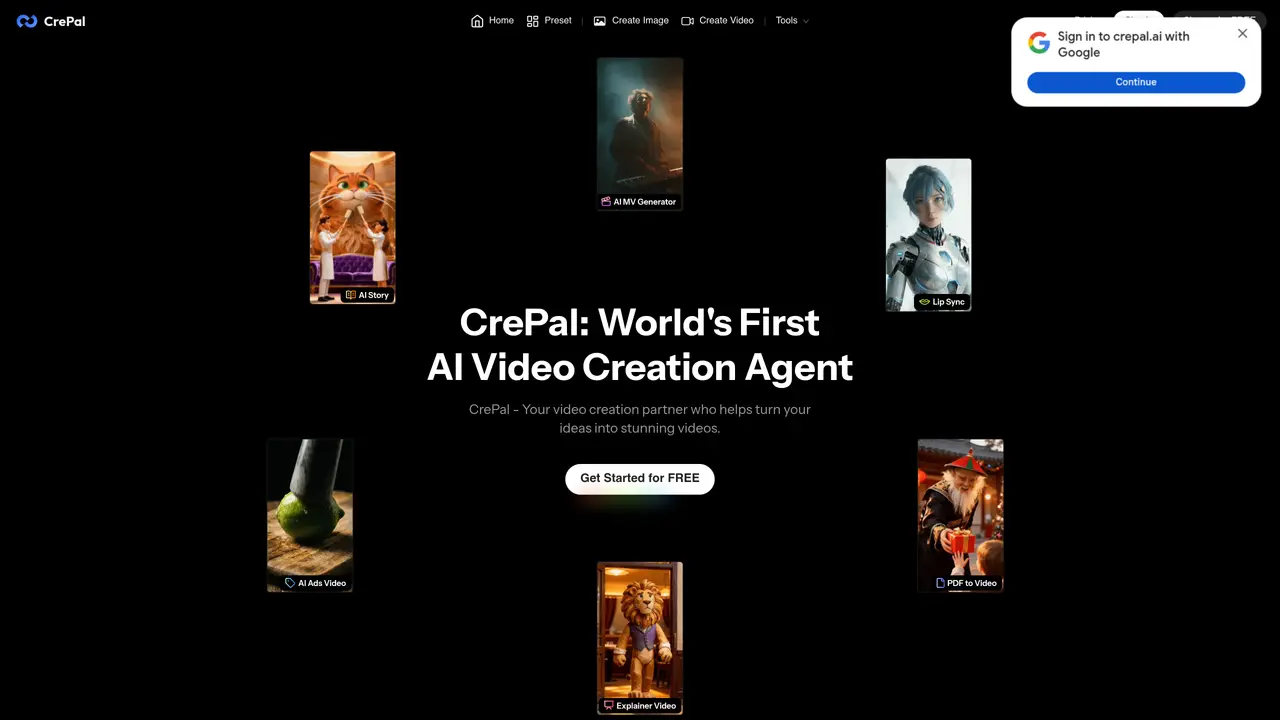
CrePal is a web-based AI video creation agent designed for individual creators, marketers, and content producers. It transforms simple inputs like text prompts, PDFs, audio files, or existing footage into polished multi-scene videos. The tool automates pre-production and editing tasks, including script writing, storyboard planning, scene assembly, transitions, subtitles, voiceover generation, and background music selection. Users can refine videos through a chat-to-edit workflow, iterating on scripts, scenes, dialogue, pacing, visuals, and music using natural-language feedback. CrePal orchestrates over 20 AI models for image, video, and audio tasks, alongside mini-apps and templates tailored for specific use cases like PDF-to-video conversion, lip-syncing, and ad-style remixes. The platform emphasizes end-to-end, multi-scene video production by coordinating specialized agents and models, with Director Mode offering finer control over the final output. Exports without watermarks are available on paid plans, while the free tier includes usage limits and watermarked videos. CrePal targets creators and marketers seeking to streamline video production without requiring advanced technical skills or manual editing workflows.
CrePal is an AI-powered video creation agent that transforms inputs like text prompts, PDFs, audio files, or existing footage into polished multi-scene videos. It automates script writing, storyboard planning, scene assembly, subtitles, voiceovers, and background music selection through a chat-to-edit workflow.
CrePal is designed for individual creators, marketers, content producers, small business owners, influencers, and freelancers who need to streamline video production without advanced technical skills or manual editing workflows.
Users can refine videos by providing natural-language feedback through chat, such as adjusting scripts, scenes, dialogue, pacing, visuals, or music. The AI agent interprets these prompts and applies the changes in real time.
Yes, CrePal offers a PDF-to-video feature that transforms PDF files, such as reports or pitch decks, into structured AI-generated videos with visuals, subtitles, and voiceovers.
Exports without watermarks are available on paid plans, while the free tier includes usage limits and watermarked videos.
CrePal unifies cutting-edge AI models across planning, imaging, and video generation, intelligently selecting the most suitable models for each project to create videos effortlessly.
crepal.ai · third-party estimates from Similarweb
Last 4 months · grows by one month every month
Share of visits · estimated visits
Other countries: 55.8%
How people reach this site from other AI tools
903 a month · 0.1% of all visits
Automation & Agents · Sep 2026
Traffic figures are third-party estimates, good for scale and trends; they can differ from a company's own numbers. Updated monthly.
We use essential cookies to run aitoolnavio™, and optional cookies to analyze traffic and measure our marketing. You choose what we use — optional cookies stay off unless you turn them on. See our Privacy Policy.
One short email a week: fresh tools worth trying, honest takes and the updates that actually matter. No spam, unsubscribe any time.
Generate captions, optimize content, and enhance with custom images for maximum engagement.
Build conversational forms, capture rich responses, and automate follow-ups with AI-powered surveys and workflows.
Automate code, research, and documents using agents.
AI-powered IDE for autonomous coding tasks and agentic development workflows
Source, match, and manage talent with predictive analytics for effortless recruiting.
Automate workflow, optimize operations, and detect potential issues with this efficient AI-driven solution.
Transforms thoughts into actions, enhancing productivity and efficiency.
AI Recruitment engine to hire top global talent
All-in-one team productivity platform combining chat, docs, video meetings, workflows, and AI tools in one place.
Personal assistant that coordinates tasks across apps and devices via text or call
AI automation and agent-building platform with 3,000+ app integrations
AI job search copilot that matches roles to skills, optimizes resumes for ATS, generates cover letters, and autofills applications with real-time insights.
Matched on what this tool does — grouped by the job you would be replacing.
matches Multi-input video generation from text, PDFs, audio, or footage · Automated script writing, storyboard planning, and scene assembly · Mini-apps and templates for PDF-to-video, lip-sync, and ad remixes
AI video creation platform that turns prompts, scripts, audio, images, and footage into polished videos with voice, music, and lip-sync.
An all-in-one AI creative platform for creators that generates videos, images, music, and voiceovers with integrated editing workflows.
An AI video platform for marketing teams and creators to generate storyboards, AI footage, edit clips, and export promotional videos.
An AI text-to-video platform that turns blogs, PDFs, podcasts, and audio into social-ready videos with scripts, scenes, voiceovers, captions, and music.
matches 20+ AI models orchestrated for image, video, and audio tasks · Web-based platform with no installation required
LitVideo is a multi-model AI video generator that enables users to create high-quality videos from text, images, or existing footage.
A web-based AI image and video generator for creators and marketers, offering text-to-video, image-to-video, style transfer, and multi-model editing.
All-in-one AI video, image, and music generator with a free trial.
All-in-one AI Video, Image, and Music Generator -100% Free to Try