

Generate lifelike human videos with AI, making professional video creation fast and accessible for any user.
41M visits/mo+26.2%#1 Video & Animation
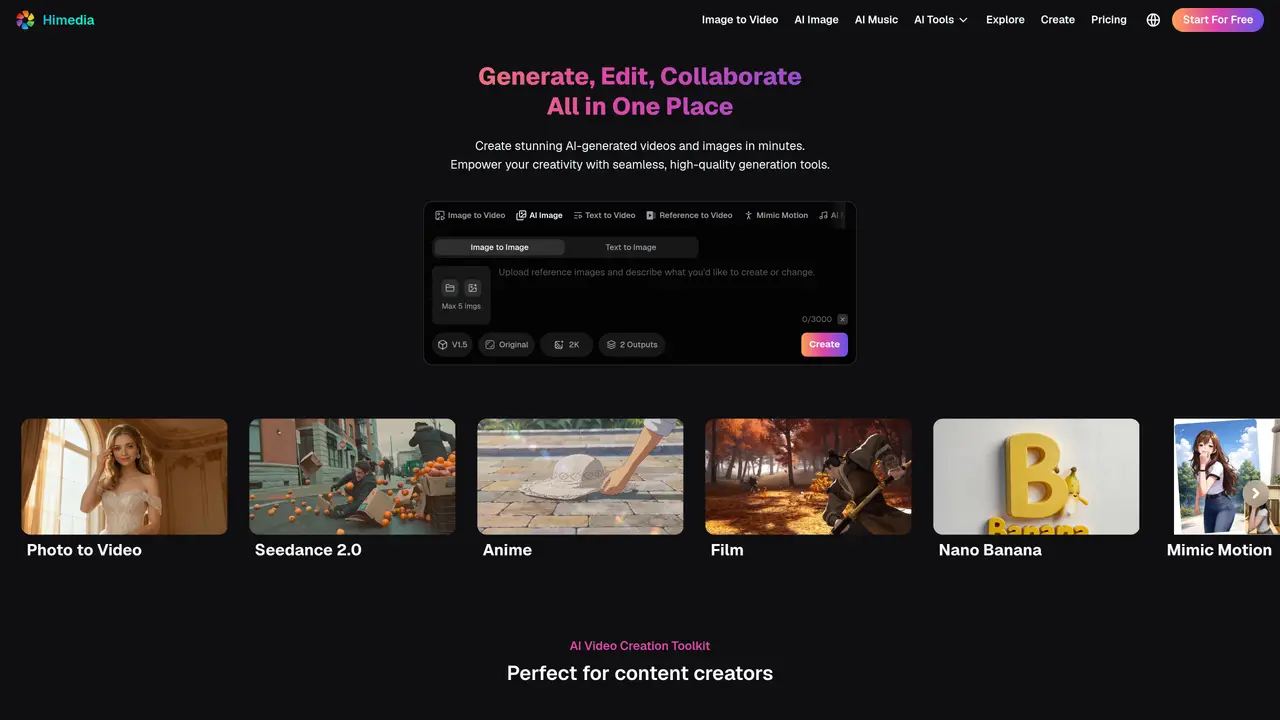
Himedia is an all-in-one AI Video, Image, and Music Generator – 100% Free to Try. Generate, Edit, Collaborate – All in One Place. Easily generate AI shorts, film, animations, product showcases, marketing assets, social content, AI avatars, music, and more — perfect for content creators, marketers, and storytellers. Himedia is equipped with advanced features such as Seedance 2.0, HappyHorse 1.0, Veo3.1, Kling 3.0, Seedream 5.0, and Nano Banana 2, allowing users to create high-quality images and videos from text or images with full creative freedom. The tool also supports native audio & lip-sync, high-resolution output of 4k+, consistent character and scene, multi-camera control, enhanced prompt fidelity, and mimic motion. Himedia is suitable for various use cases such as marketing & advertising, video & image editing, educational content, and turning product photos into videos. Users can create e-commerce product videos, social media content, viral videos, and cinematic films with ease.
Himedia supports text prompts, static images, and reference videos as input for generating videos and images. Users can also leverage models like Seedance 2.5, Seedance 2.0, and GPT Image 2.0 for specialized outputs.
No technical expertise is required. Himedia is designed to be user-friendly, allowing creators to generate, edit, and collaborate without needing advanced skills in video production or graphic design.
Yes, Himedia allows users to create commercial-quality content, including marketing materials, product demos, and brand assets, which can be used for commercial purposes.
Himedia adheres to privacy policies that outline how user data is collected, stored, and protected. Users can review these policies on the Himedia website to understand data handling practices.
Himedia offers a free-to-use model for generating content, allowing users to try the platform without upfront costs. Additional details about usage limits or premium features can be found on the pricing page.
Response times for customer support inquiries may vary. Users can contact Himedia via email for assistance, and the platform provides policies and contact details on its website for further guidance.
himedia.ai · third-party estimates from Similarweb
Last 4 months · grows by one month every month
Share of visits · estimated visits
Other countries: 5.9%
Video & Animation · Sep 2026
Traffic figures are third-party estimates, good for scale and trends; they can differ from a company's own numbers. Updated monthly.
We use essential cookies to run aitoolnavio™, and optional cookies to analyze traffic and measure our marketing. You choose what we use — optional cookies stay off unless you turn them on. See our Privacy Policy.
One short email a week: fresh tools worth trying, honest takes and the updates that actually matter. No spam, unsubscribe any time.
Generate lifelike human videos with AI, making professional video creation fast and accessible for any user.
xAI builds Grok frontier AI models for reasoning, coding, voice, images, video, enterprise workflows, and developer APIs.
AI-powered video messaging tool that records, shares, and manages video messages with AI-generated titles, summaries, and tasks.
Explore and test Google’s experimental AI tools and prototypes before they become products.
Creates licensed videos, images, music.
Web and mobile AI platform for generating, editing, and training custom visuals from prompts with community models and face-swap tools.
Create stunning videos in a few clicks, customize with powerful tools, and automate editing without experience.
Create, convert, and enhance videos effortlessly with professional effects and royalty-free music.
Create engaging videos with voiceovers, music, and customizations using a library of royalty-free assets.
Create auto-resized campaign images and videos with DaVinci AI's generative media suite.
Freemium, uncensored AI video and image creation for individual creators with text-to-video, image effects, and gem-based upgrades for HD and no watermarks.
Generate cinematic video clips from text or images and refine them with AI-powered editing tools for creators and visual professionals.
Matched on what this tool does — grouped by the job you would be replacing.
matches AI video & image generation from text and images · Text-to-video generation · Image-to-video generation
All-in-one AI video, image, and music generator with a free trial.
VO3AI generates high-quality short videos from text prompts or static images.
C Dance AI is a Seedance 2.0 based multimodal AI video generator for text, image, audio, and video creation with cinematic motion and native audio-video sync.
Create cinematic AI videos with Seedance 2.0 from text, images, and multi-reference inputs — with free credits and API access.
matches Consistent Character and Scene · Consistent Character · Create cinematic videos with consistent characters and scenes
matches Native Audio & Lip-Sync · AI Music, Text to Speech, Lip Sync · Lip Sync for synchronized speech
AI creation studio for generating short dramas and narrative videos with consistent characters and scenes.
All-in-one AI studio for generating cinematic videos up to 4K and images with commercial licensing, all under one account.
Lanta AI - Next-Generation AI Video Creation Platform
AI video generator from text, images, audio, and motion references