Generate captions, optimize content, and enhance with custom images for maximum engagement.
46M visits/mo-10%#3 Image & Design

Instantly generate persuasive arguments, LinkedIn posts, poems, love letters, science articles, and more.
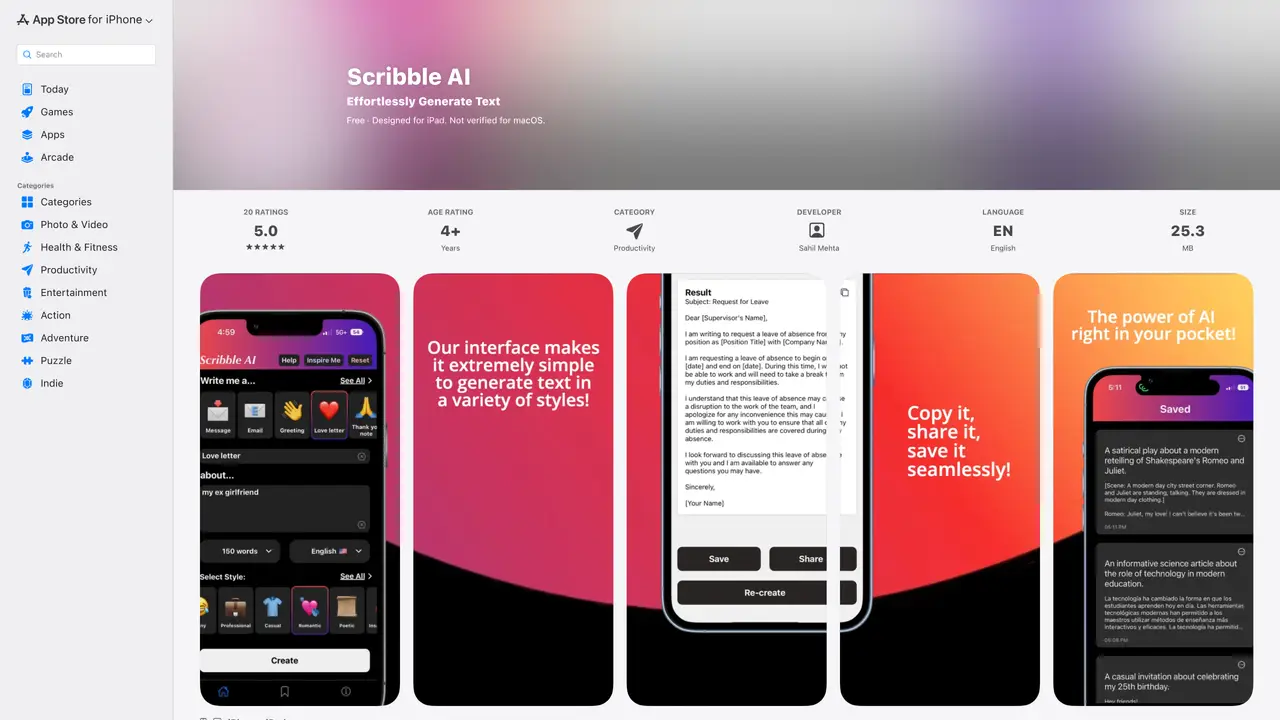
Scribble AI is a mobile application designed to simplify text generation using OpenAI’s GPT-3 language model. The tool enables users to create a wide range of content types, including LinkedIn posts, poems, love letters, apology letters, birthday messages, persuasive arguments, and science articles, all through an intuitive and streamlined interface. Users begin by selecting the desired content type, providing a topic description, setting a word count, and choosing a writing style, after which the app generates the text in seconds. The platform is particularly useful for entrepreneurs, students, and content creators who need quick, high-quality drafts without spending excessive time brainstorming or writing from scratch. Scribble AI emphasizes ease of use, allowing users to refine and customize the generated content to better fit their needs before publishing or sharing. The app is optimized for mobile devices, making it accessible for on-the-go content creation. It serves as a productivity tool for individuals seeking to streamline their writing process while maintaining a professional or creative tone. Overall, Scribble AI positions itself as a practical solution for generating diverse written content efficiently.
Apple Inc.
Cupertino, United States · Founded 1976
Scribble AI is an iOS app that uses OpenAI’s GPT-3 language model to generate text content based on user inputs. Users select a content type, describe a topic, set optional word counts, and choose a writing style before generating the output.
The tool is designed for entrepreneurs, students, content creators, and professionals who need to quickly generate well-written messages, social media posts, emails, or creative writing with specific tones and styles.
Yes, Scribble AI allows users to select from various styles such as professional, flirty, funny, romantic, persuasive, or informative to tailor the generated text to their needs.
Users can regenerate content by clicking the 're-create' button if they are not satisfied with the initial output, allowing for multiple iterations until the desired result is achieved.
Currently, Scribble AI is designed for iOS devices, including iPhone and iPad, and is not verified for macOS or other platforms.
To get started, download the app from the App Store, open it, and follow the simple steps: select a content type, describe your topic, set optional parameters like word count or style, and generate the text.
We use essential cookies to run aitoolnavio™, and optional cookies to analyze traffic and measure our marketing. You choose what we use — optional cookies stay off unless you turn them on. See our Privacy Policy.
One short email a week: fresh tools worth trying, honest takes and the updates that actually matter. No spam, unsubscribe any time.
Generate captions, optimize content, and enhance with custom images for maximum engagement.
Create stunning visuals, develop ideas with AI-powered tools, and instantly share content without coding or formatting.
Headless CMS that lets developers manage structured content and deliver it anywhere via flexible APIs and real-time collaboration tools.
Analyze, collaborate, optimize content for quality, speed, and wider reach, with tailored suggestions.
Solvely is an AI homework-help app that solves math, science, and liberal arts problems with photos.
AI-driven tool for seamless, high-quality content generation.
Generate unique avatars and craft effective, engaging copy effortlessly.
All-in-one AI platform for writing, image, music, and analysis.
Accurately detects AI-generated content, monitors real-time dashboard, and ensures content is plagiarism-free.
Generate high-quality, SEO-optimized content effortlessly, saving time for blog posts, social media, and marketing copy.
Generate professional copy in seconds, customize with an intuitive platform, and access pre-written content for inspiration.
AI SEO platform that automates keyword research, content creation, and publishing for websites and e-commerce stores.
Matched on what this tool does — grouped by the job you would be replacing.
matches Generate persuasive arguments in minutes · Create LinkedIn posts, poems, and love letters quickly and easily · Create science articles, apology letters, and birthday messages faster
Generate content, correct spelling, suggest synonyms to enhance writing.
Generate persuasive, SEO-optimized copy in minutes, engage your audience, and boost conversions effortlessly.
Create SEO-friendly product descriptions, generate persuasive copy, and craft engaging emails with 50+ tools.
Generate tailored, high-quality content, adapt to user's tone and style, create engaging and persuasive content in less time.